My Sony TV remote suddenly stopped working even after replacing the batteries and making sure nothing is blocking the sensor. The TV still turns on with the power button on the set, but none of the remote buttons respond. I need help figuring out if this is a pairing issue, an IR problem, or if the remote itself is dead, and what troubleshooting steps I should try next.
Sony TV remote acting dead: what I did, what worked, and how I stopped buying remotes at all
I went down this rabbit hole after my Sony remote stopped responding in the middle of a show. I assumed the remote died, started looking at replacements, then realized I skipped all the basic stuff. Turned out fixing or replacing it is not that complicated, and in the end I dit something else entirely and stopped using a physical remote.
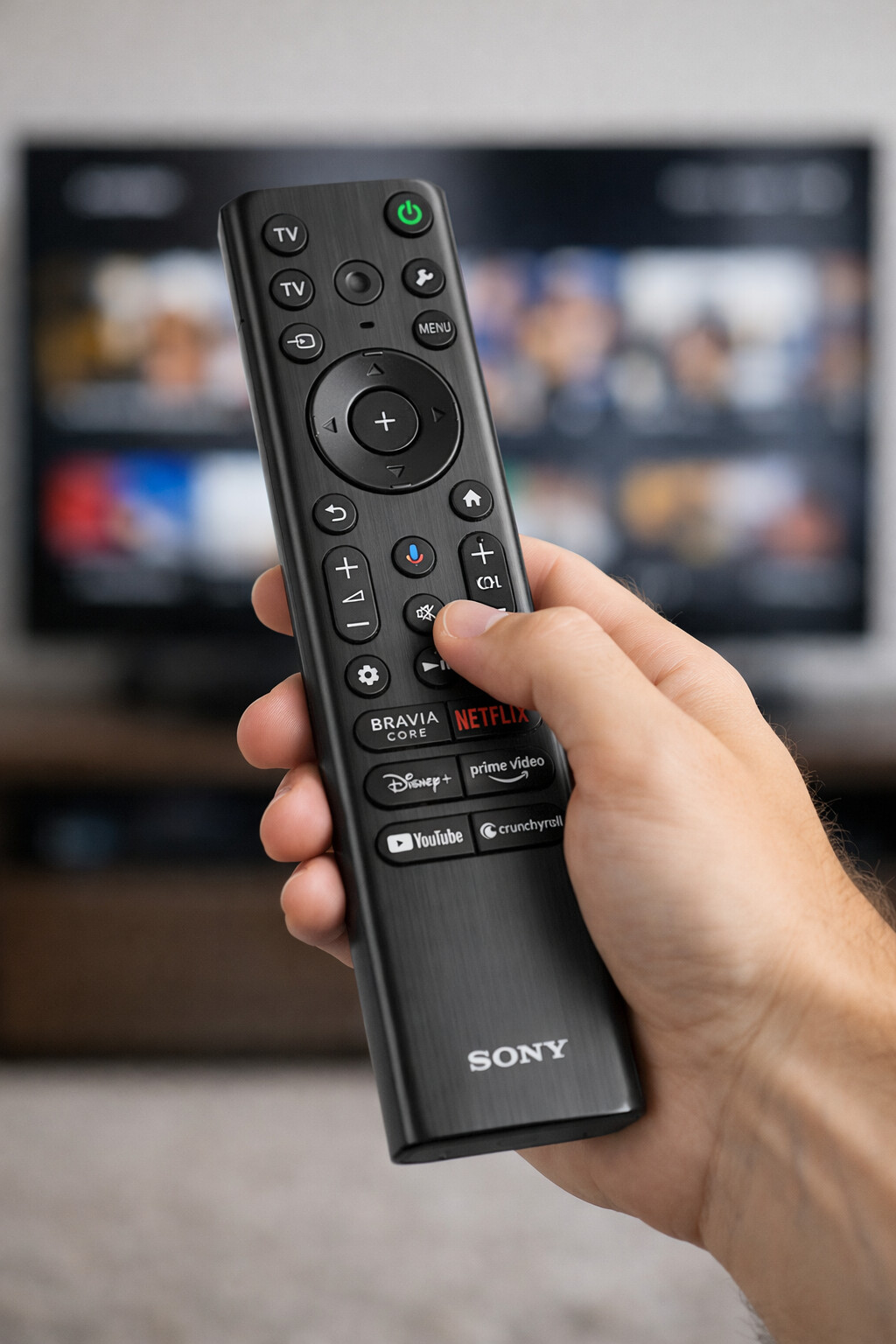
Here is the path I’d try, in order.
Step 1: Fast checks before you spend anything
Do these first. They sound boring, but I have seen them fix more “dead” remotes than failed hardware.
-
Swap the batteries, even if the light still comes on
- Weak batteries cause weird behavior
- Examples I have hit:
- Volume working but power not
- Lag between button press and response
- Directional pad skipping or double-moving
Do a full fresh pair, not one old plus one new.
-
Hard reset the remote
This sometimes clears stuck states.- Pop the batteries out
- Hold the Power button on the remote for 3 to 5 seconds
- Release, put the batteries back in
- Test again
-
Check how your remote talks to the TV
Sony uses two different methods, which behave differently when they fail.
a) Infrared (older or basic remotes)
- Needs direct line of sight
- No pairing menu in the TV settings, it just “fires” at the front of the TV
What I did:
- Stood right in front of the TV, 3 to 6 feet away
- Made sure nothing blocked the little sensor on the TV frame
- Tried Power, Volume, and Home
If it works up close but not from the couch, you either have low batteries or something in the room blocking or reflecting the signal.
b) Bluetooth (newer Android/Google TV style Sony remotes)
- These usually show up in:
Settings → Remotes & Accessories
What I tried:
- On the TV, opened Settings
- Went to Remotes & Accessories
- Removed or “unpaired” my remote if it showed up
- Re-paired it like a new remote
Sometimes the TV keeps an old phantom pairing entry. Removing it and pairing again fixed laggy or half-dead behavior for me.
-
Power cycle the TV, properly
Not standby, full power off.- Unplug the TV from the wall
- Wait a full 60 seconds, not 5
- Plug it back in
- Turn it on using the TV’s physical power button (or the plug, if it auto-powers)
- Test the remote again
I have had cases where the TV OS froze in some background process and stopped listening to remote input until I did this.
-
Clean the battery contacts in the remote
Remote sat for a while, or batteries leaked slightly? The contacts can get oxidized.What I did:
- Removed the batteries
- Checked for white or green buildup on the contacts
- Used a dry cotton swab or a pencil eraser to rub the metal gently
- Wiped out dust inside the battery compartment
- Put new batteries back in
If you go through all that and the remote still does nothing or behaves randomly, the internal board or buttons are probably worn. At that point I stopped wasting time on it.
Step 2: Replacement Sony remote options, with real-world tradeoffs
I went through these when I thought I still wanted a physical remote.
-
Original Sony remote (RMF‑TX series)
- Typical price I saw: about 15 to 25 dollars, depending on the exact model
- Pros:
- Layout feels the same as your old one
- Highest chance everything works correctly, including quick access buttons
- Cons:
- Model-specific, you need to match your TV model or check the remote series carefully
- If you change TVs later, it might turn into e-waste
-
Sony universal remote (RM‑EZ4)
- Price range I saw: about 10 to 15 dollars
- Pros:
- Works with many Sony TVs
- Simple layout, good for basic channel and volume control
- Cons:
- No smart TV features
- No dedicated buttons for streaming services or advanced settings
This felt okay for a bedroom or guest TV that stays on one input most of the time.
-
Third‑party universal remotes
- Typical range: about 10 to 30 dollars
- Pros:
- One remote to rule TV, soundbar, maybe a streaming box
- Lots of models, usually easy to find something cheap
- Cons I hit:
- Setup codes sometimes half-work, like power on works but input switch does not
- Button labels mismatch what the TV does
- Build quality all over the place
If you go this route, I suggest:
- Read reviews filtered by your exact TV brand and type
- Check if people mention Sony Android/Google TV specifically, not only “Sony”
-
Smart universal remotes and hubs, like SwitchBot and similar systems
- Price bracket I saw: around 40 to 70 dollars and up
- Pros:
- Control multiple devices, macros, schedules
- Some include voice control and app control
- Cons:
- Setup time much higher
- Overkill if you use only one TV and nothing else
Common downside all these share:
- They need batteries
- They disappear under couch cushions
- They become useless the moment you change brand or move to a different setup
This is the point where I started to question why I kept buying plastic sticks with buttons.
Step 3: Alternative: Use Your iPhone (No Physical Remote Needed)
If you want to avoid buying a physical remote, your iPhone can act as the controller using a remote app.
 TVRem — Recommended App for iPhone
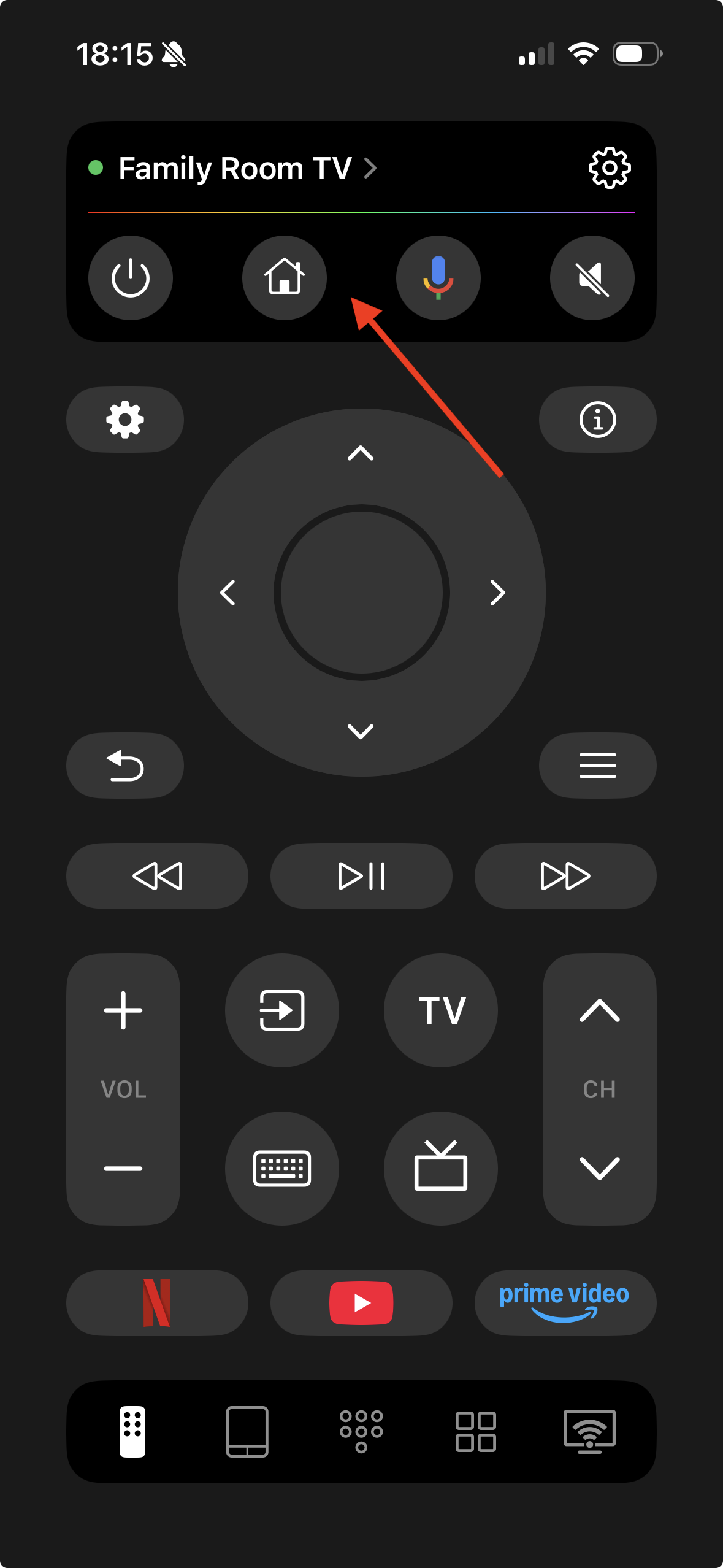
App link:
Instead of buying a new Sony remote, TVRem turns your iPhone into a universal TV remote — great for Sony TVs and many other brands.
Why TVRem is worth trying:
- Replaces a physical remote using your iPhone over Wi-Fi
- Supports navigation, volume, keyboard input, and smart controls
- Works with multiple TV brands, not just Sony (handy if you have other TVs/streaming devices)
- No need to pair or buy new hardware
This means you can still control your Sony TV even if the original remote is lost or broken — all from your phone.
There is also this link with more info on TVRem as a universal remote, if you want to read their own breakdown:
If you’re tired of constantly losing remotes, replacing batteries, or dealing with buttons that stop responding over time, using your phone as a universal remote just makes more sense. After trying different options, using TVRem as a universal remote for Sony TV felt noticeably more stable and future-proof than buying yet another physical Sony remote.
With a phone-based remote like TVRem, you don’t have to worry about hardware wear, battery corrosion, or compatibility issues when you upgrade your TV or streaming device. As long as your phone and TV are on the same Wi-Fi network, the connection stays consistent, and updates improve the app instead of making it obsolete.
Another big advantage is convenience. Your phone is almost always nearby, while physical remotes tend to disappear at the worst possible moments. TVRem also adds features that traditional Sony remotes don’t offer, like a built-in keyboard for typing search queries, faster navigation through apps, and support for multiple TV brands in one place.
Instead of spending money on a replacement Sony remote that only works with one TV and can break again, switching to TVRem feels like a smarter long-term solution. It replaces clutter, reduces ongoing costs, and adapts better to how people actually use smart TVs today.
23 Likes
Sounds like you did the obvious stuff already, so here are the things I would look at next that are different from what @mikeappsreviewer covered.
-
Check if the remote is sending anything at all
Use a phone camera test.
• Point the front of the remote at your phone camera
• Press and hold different buttons
• On most phones you see a faint purple or white blinking light if the IR LED works
If you see nothing on any button, the remote is dead or has a bad contact inside.
If some buttons light and others do not, the button sheet is worn or the board is dirty. -
Look for interference near the TV sensor
You said nothing is blocking the sensor, but interference is different from blocking.
Things that mess with IR in real life:
• Direct sunlight on the front of the TV
• Cheap LED strips or CFL lamps near the sensor area
• A USB webcam or IR blaster from another device
Try in a darker room with nearby lights off. Stand close and test again. -
Check if the TV still reacts to other remotes
If you have another Sony remote around, or a universal remote, test that.
• If the TV responds to another remote, your original remote is the issue
• If the TV ignores every remote, the IR receiver on the TV is likely bad -
For Bluetooth Sony remotes, look at partial failure
Some newer Sony remotes use both IR and Bluetooth.
• Power button often uses IR
• Home, navigation, apps use Bluetooth
If power works but navigation does not, or the other way around, you have a radio or pairing issue, not a full dead remote.
In that case, delete the remote in the TV Bluetooth menu and re pair it, or do a network settings reset on the TV. -
Internal remote failure that looks “sudden”
Common failure points:
• Hairline crack in the PCB from drops
• Solder joint on the IR LED or battery terminal starting to lift
• Worn carbon pads under the most used buttons
If the camera test shows weak or inconsistent blinking, that is usually one of these.
You can open the remote and clean the rubber membrane with isopropyl alcohol. If that does not change behavior, it is cheaper to replace the remote than repair the board unless you like soldering. -
If you want to keep a physical remote
A lot of people jump straight to phone apps. They work, but they are annoying if you share the TV with others.
Two practical options:
• Buy the correct Sony OEM model for your TV, not “compatible with Sony” generics
• Or get a decent mid range universal remote that lists your exact Sony series in the manual
OEM tends to have fewer weird issues with input switching and settings.
Given your description, the most likely causes in order
- Remote not sending IR at all, failed board or LED
- TV IR sensor failure, if no remote works
- For Bluetooth models, lost pairing or Bluetooth radio glitch
Do that phone camera test first. It takes 30 seconds and tells you which side to blame, the remote or the TV.
Since you already did the batteries / clear-line-of-sight stuff (and @mikeappsreviewer and @voyageurdubois covered most of the “normal” fixes), the sudden death points to one of a few less obvious things:
-
IR receiver on the TV failing
Everyone pokes the remote first, but on a lot of Sony sets the little IR board in the TV is a separate, cheap module that just dies one day.
Signs it is the TV, not the remote:- Your remote passes the phone‑camera test (you see the purple/white blinking)
- A second Sony or universal remote also does nothing
- The TV still works fine with the side/bottom buttons
If that matches you, it is almost certainly the TV’s IR board. Parts are usually 10–25 bucks, but you have to open the bezel, unplug the old board, plug the new one. Not hard, but not everyone is comfy opening a TV.
-
Software lockup that survived a simple power cycle
Folks often just pull the plug for a few seconds. On some Sony Android / Google TVs that does almost nothing. Instead:- With the TV ON, hold the power button on the TV itself for 10+ seconds until it fully reboots (or
- Do a “Restart” from Settings if you can still navigate there using panel buttons)
There are cases where the IR stack in the OS crashes but the panel buttons still work. A proper OS reboot can clear that. Yeah, it is dumb.
-
CEC or HDMI device confusing things
Occasionally an attached soundbar / AVR / streaming box via HDMI‑CEC fights Sony’s input / power handling and it looks like a dead remote.
Quick sanity check:- Disconnect all HDMI devices
- Power cycle TV
- Try remote again
If it suddenly wakes up, something on HDMI is spamming CEC. You can then turn off Bravia Sync / CEC in the TV settings or on the offending device.
-
Remote “half dead” in a way that is easy to miss
This is where I disagree a bit with how aggressively some people jump to replacement apps. Before giving up on the physical remote, check:- Do any buttons respond at all, like Volume or Input, or is it 100% dead?
- On mixed IR/Bluetooth Sony remotes, sometimes only the Bluetooth side is gone. The TV power button might still work (IR) while Home / arrows etc ignore you.
If some stuff still works, deleting the remote from the TV’s Bluetooth menu and re‑adding it fixes it surprisingly often.
-
Aging carbon pads / contamination that shows up as “sudden”
Internally, the rubber keypad has carbon pads that press on the PCB. Over time: skin oil, dust, soda, whatever gets in. It works badly for a while, then one day crosses a threshold and feels “instantly dead.”
If you are a little handy:- Open the remote case
- Lift out the rubber keypad
- Clean both the carbon pads and the PCB contacts with isopropyl alcohol and a lint‑free cloth
- Let it dry completely and reassemble
This will not fix a bad IR LED, but it does revive “all buttons feel flaky” remotes.
If you test with the phone camera and your remote is definitely transmitting, and another remote also fails, I would put money on the TV’s IR module or a software/CEC issue, not your batteries or line of sight. At that point you either:
- Use the TV’s built‑in buttons plus something like a phone remote app (like the one @voyageurdubois mentioned) over Wi‑Fi, or
- Replace the IR board or have a shop do it, which is usually cheaper than a new TV but more effort than people expect for “just the remote.”