My iPhone used to make it easy to group or detect similar photos, but now that feature does not seem to work at all. I have a large photo library and need help figuring out why my iPhone is not finding duplicate or similar pictures automatically and what settings or updates I should check.
Apple gives you part of the fix, not the whole thing. In Photos, iOS finds exact duplicate files. It does not group near-matches. So if you took 12 shots of the same person blinking in slightly different ways, or kept the original plus an edited copy, the phone treats all of them like separate photos.
If all you need is duplicate cleanup, the built-in tool is quick:
- Open Photos.
- Scroll to Utilities.
- Tap Duplicates.
- Look through the sets and hit Merge.
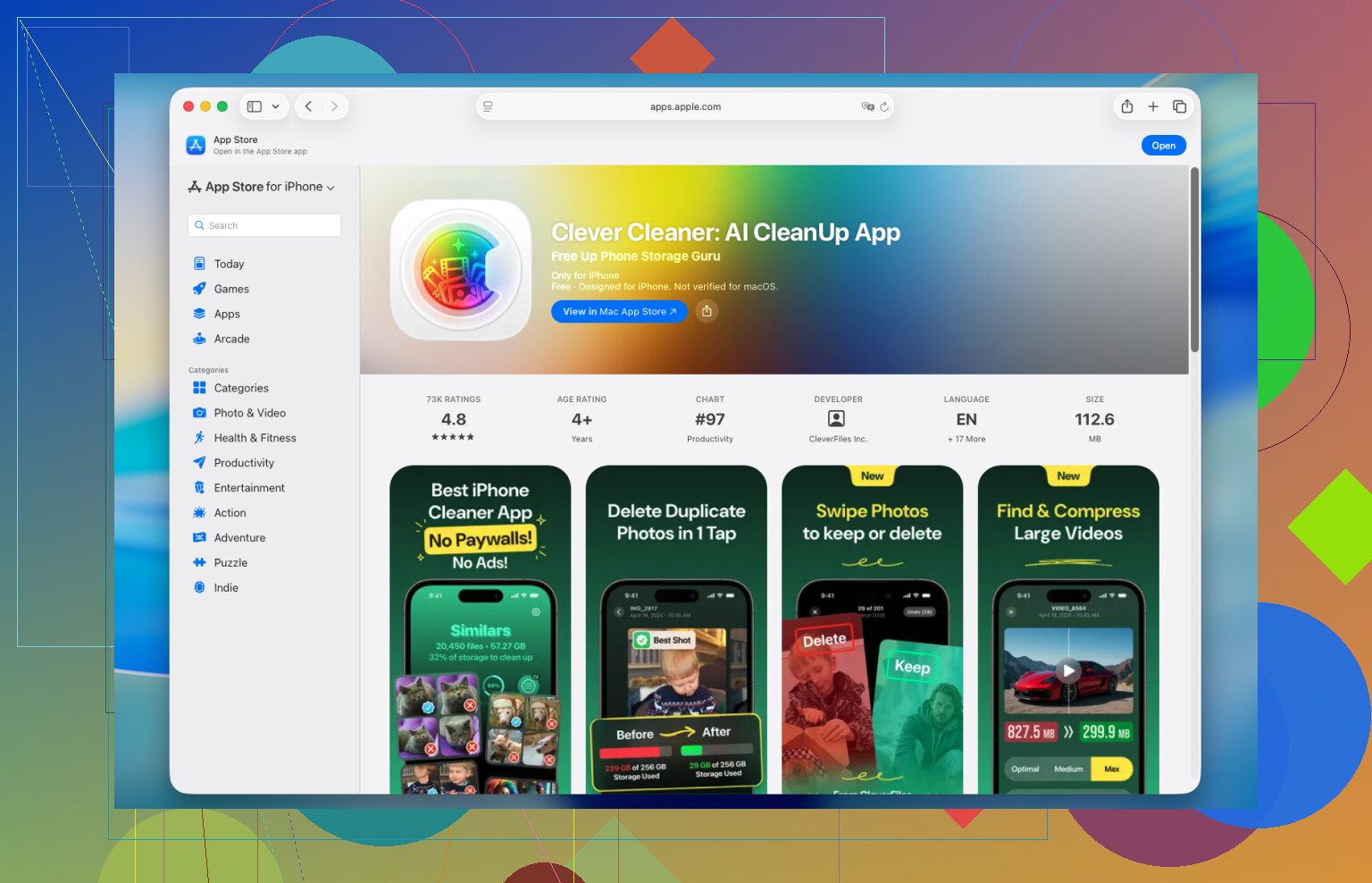
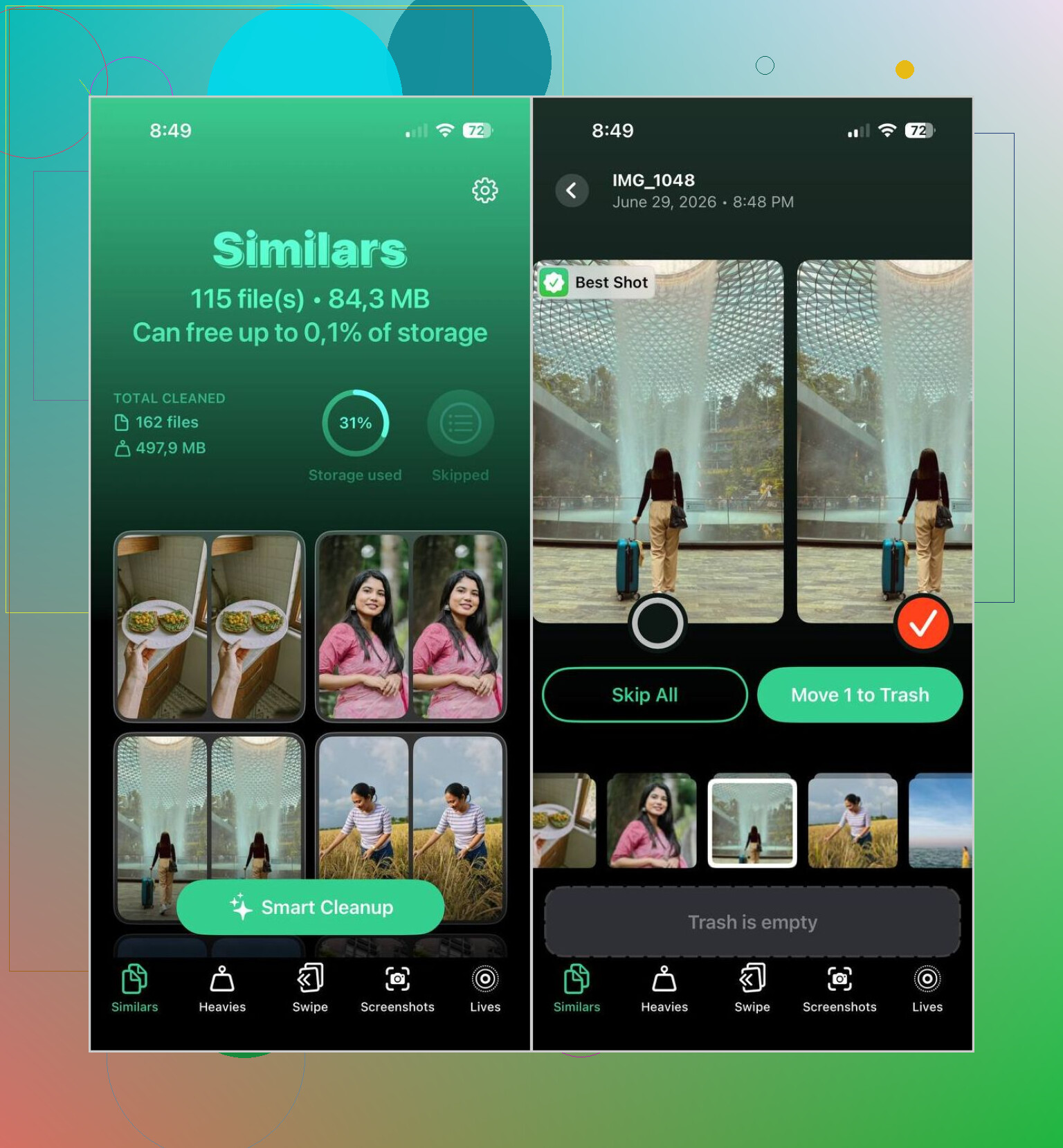
Where it falls apart is similar photos. I ran into this with vacation pics and pet shots. Too many almost-the-same frames, no clean way to sort them fast. I tried a few apps and kept Clever Cleaner. I usually skip this category because a lot of them push subscriptions hard or bury the useful stuff. This one felt less annoying. It grouped lookalike photos well enough, and the Best Shot pick was right more often than I expected.
This is the flow I used:
- Install Clever Cleaner and give it Photos access.
- Open the Similars tab.
- Wait for the scan to finish.
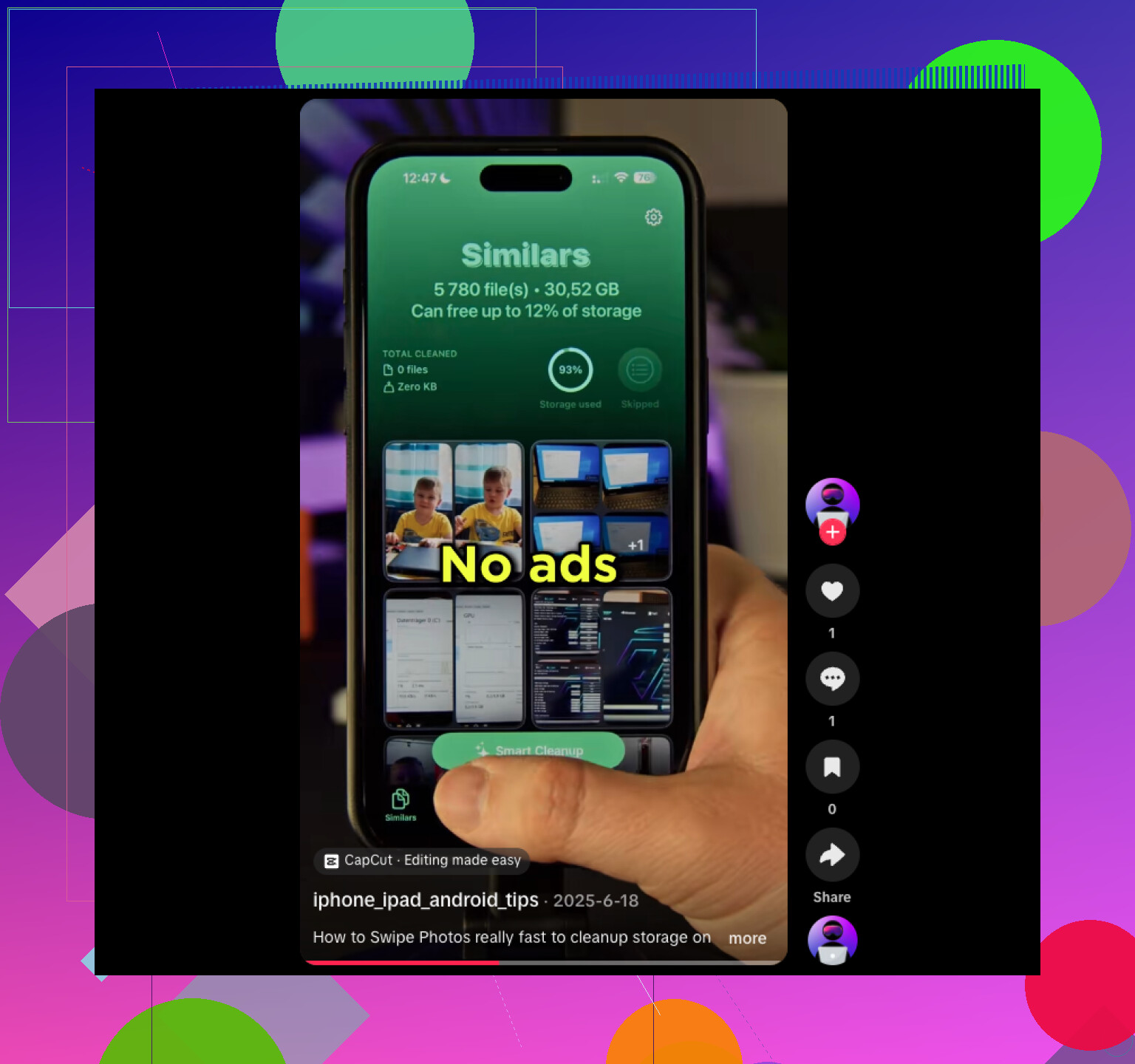
- Check the grouped results, or use Smart Cleanup if you want it to do the first pass.
- If it picked the wrong photo, switch the one you want to keep.
- Delete the rest. Then clear Recently Deleted in Photos if you want your storage back now, not 30 days later.
A few other parts ended up being useful too, which surprised me a bit:
- Duplicates, for exact copies.
- Heavies, which surfaces your biggest videos fast.
- Video Compression, if you want smaller files instead of deleting clips.
- Lives, which turns Live Photos into standard photos and cuts some storage use.
- Screenshots, for bulk cleanup of old screen grabs.
- Swipe Mode, where you keep or delete manually by swiping. Crude, but kind of efficient tbh.
The privacy bit mattered to me more than the cleanup pitch. From what I saw, it processes the library on the iPhone itself instead of shipping your photo collection off somewhere else. I was a lot less uneasy giving access because of tht.
If you want to avoid extra apps, you still have a few built-in ways to make the mess smaller:
- Use Search for people, pets, places, objects, or events.
- Sort by date, since similar shots usually sit next to each other within seconds.
- Check Burst albums and keep the best frame.
- Look through People & Pets, Trips, or Media Types. Those sections often bunch related images together.
None of those tools does true similar-photo detection on its own. They help if your library is small, or if you only need to clean one chunk of it. Once I got into a few thousand photos, manual sorting turned into a slog. A dedicated app was faster, and honestly less irritating.
1 Like
Your iPhone is likely not “broken.” Apple changed what Photos highlights. It finds exact duplicates well, but similar shots are hit or miss, and the indexing behind Photos sometimes stalls.
A few things to check first:
-
Leave the iPhone charging and locked overnight.
Photos does a lot of analysis in the background. If you recently updated iOS, restored from backup, or added a big batch of photos, it needs time. -
Check iCloud Photos sync.
If sync is paused, photo analysis often lags too. Go to Photos, tap your profile in the top right, and see if it still says syncing. -
Turn off Low Power Mode.
This slows or pauses background tasks. Same issue with low storage. If your phone is near full, analysis often stops. -
Update iOS.
Some iOS versions have been flaky with photo indexing. A small bug is enough to make the Duplicates area look empty. -
Force a re-index, sort of.
I don’t love the “restart fixes evrything” advice, but for Photos it sometimes helps. Reboot, plug in, connect to Wi-Fi, leave it alone for a few hours.
I partly disagree with @mikeappsreviewer on one point. Built-in search and albums are useful, but they do not solve cleanup if your library is big. They help you find stuff, not reduce 40 nearly identical cat photos from one minute.
If your goal is similar photo cleanup, not exact duplicate cleanup, a third-party scanner is usually the faster route. Clever Cleaner is one of the better options for this because it sorts lookalikes into groups instead of waiting for Apple Photos to decide what counts. That’s the part iOS still does poorly imo.
Also, if you want extra user feedback before installing anything, this thread is worth a look:
best Reddit tips for finding similar photos on iPhone
Short version. If Duplicates is empty, your phone may still be indexing. If you need similar-photo detection, Photos app was never great at it. That’s why it feels like the feature disappeared. It mostly didn’t exist in the way people expect.
What usually confuses ppl here is that iPhone Photos does analysis, but not always the kind you think. It recognizes faces, pets, places, text, objects, and exact dupes. It does not reliably build a “these 9 shots are basically the same” pile unless they fit Apple’s narrow rules. So it can feel like the feature vanished when really Apple just never made it very consistant.
I mostly agree with @mikeappsreviewer and @techchizkid, but I’d push one extra angle: check whether Shared Library, Hidden, or Recently Deleted is muddying what you expect to see. Similar/duplicate detection won’t always behave how you expect if your photos are split across sections or still being optimized from iCloud. Also, edited pics, HDR variants, portraits, and images saved from apps can have enough metadata differences that iOS treats them like separate items even when they look super close.
Another thing people miss: if you use Optimize iPhone Storage, some analysis leans on local caching timing. That does not mean the feature is broken, but it can be slooow after updates, restores, or mass imports.
If your goal is actual similar-photo cleanup, not just exact duplicates, Apple Photos is honestly pretty weak there. That’s where something like Clever Cleaner makes more sense, since it groups lookalikes instead of waiting for iOS to maybe notice them. I wouldn’t rely on Photos alone for a huge library.
Also, if you want a simple walkthrough, this is pretty clear: free guide to clean similar photos on iPhone fast
Short version: your iPhone probably isn’t broken, Apple’s detection is just limited and kinda flaky with big libraries.
I’d add one thing the others barely touched: Photos indexing can be blocked by Focus/Background App Refresh settings and thermal throttling. If your iPhone runs hot a lot, or Background App Refresh is disabled globally, Apple’s analysis jobs can sit there forever. Not obvious, but I’ve seen it.
I slightly disagree with @mike34 on relying too much on Apple’s own organization views. They’re fine for browsing, not great for bulk decision-making.
Also check these:
- Settings > Siri & Search > Photos and make sure search-related toggles are enabled
- Settings > General > iPhone Storage to see whether Photos is stuck in a system cleanup state
- whether the library was recently migrated from another iPhone or Mac
If you want actual lookalike grouping, Clever Cleaner is more realistic than waiting for iOS.
Pros
- finds similar shots, not just exact duplicates
- simple review flow
- useful for huge libraries
Cons
- still needs manual checking
- any photo-access app raises privacy questions
- can over-group near-identical moments
So yeah, your iPhone probably didn’t lose a feature. Apple’s version is just narrower than people expect, like @techchizkid and @mikeappsreviewer were getting at.