I’ve been using an AI humanizer with Originality AI and I’m not sure if it’s actually improving my detection scores or just reshuffling words. Has anyone tested this in-depth or compared different tools? I really need help figuring out if this is safe for long-term content publishing and SEO before I commit to using it regularly.
Originality AI Humanizer review, from someone who got way too curious
I tried the Originality AI Humanizer after seeing people hype up their detector. I figured, if anyone had a shot at slipping past detectors, it would be the same folks who built one of the stricter ones.
That theory died fast.
I used this page for reference and testing:
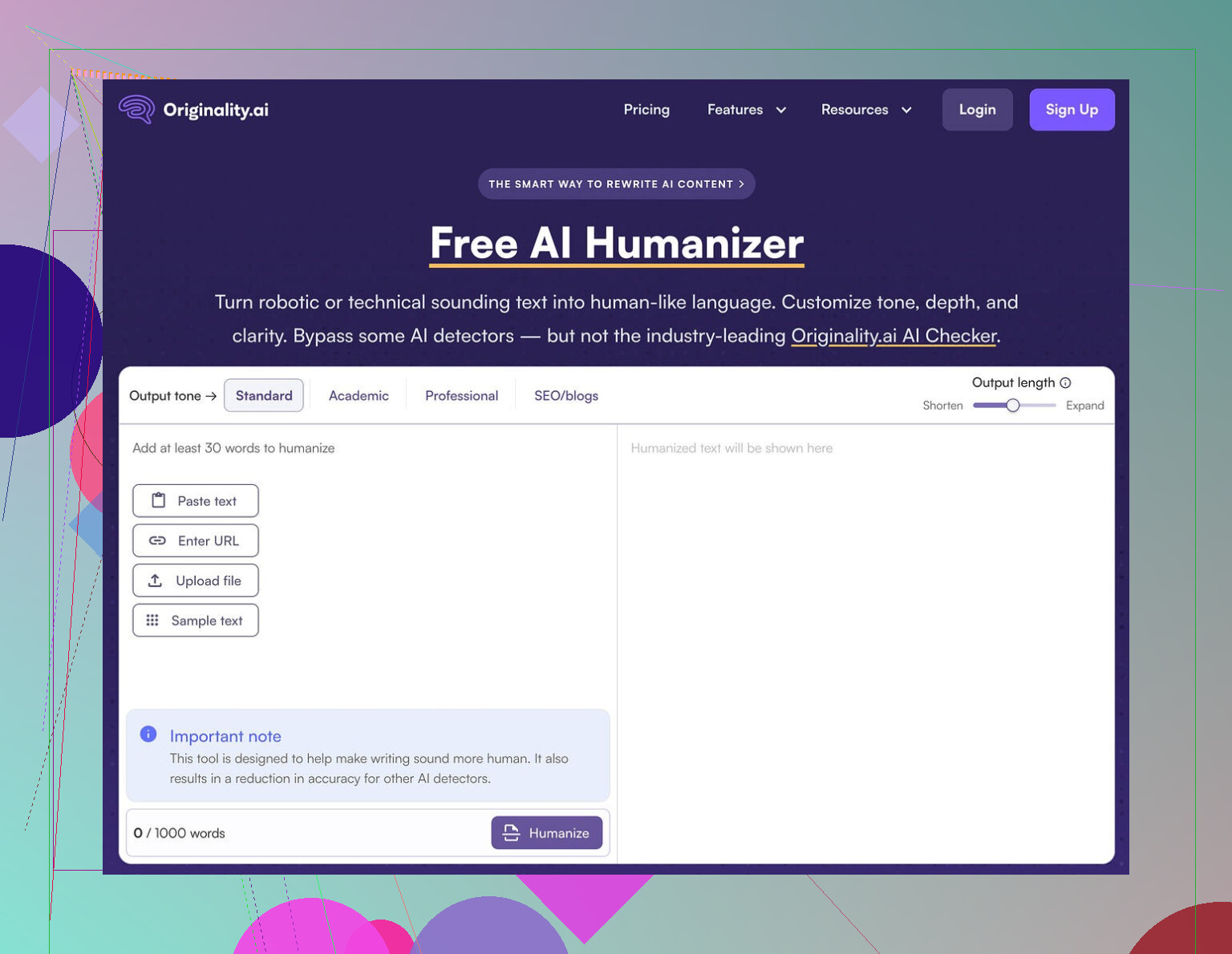
What I tested
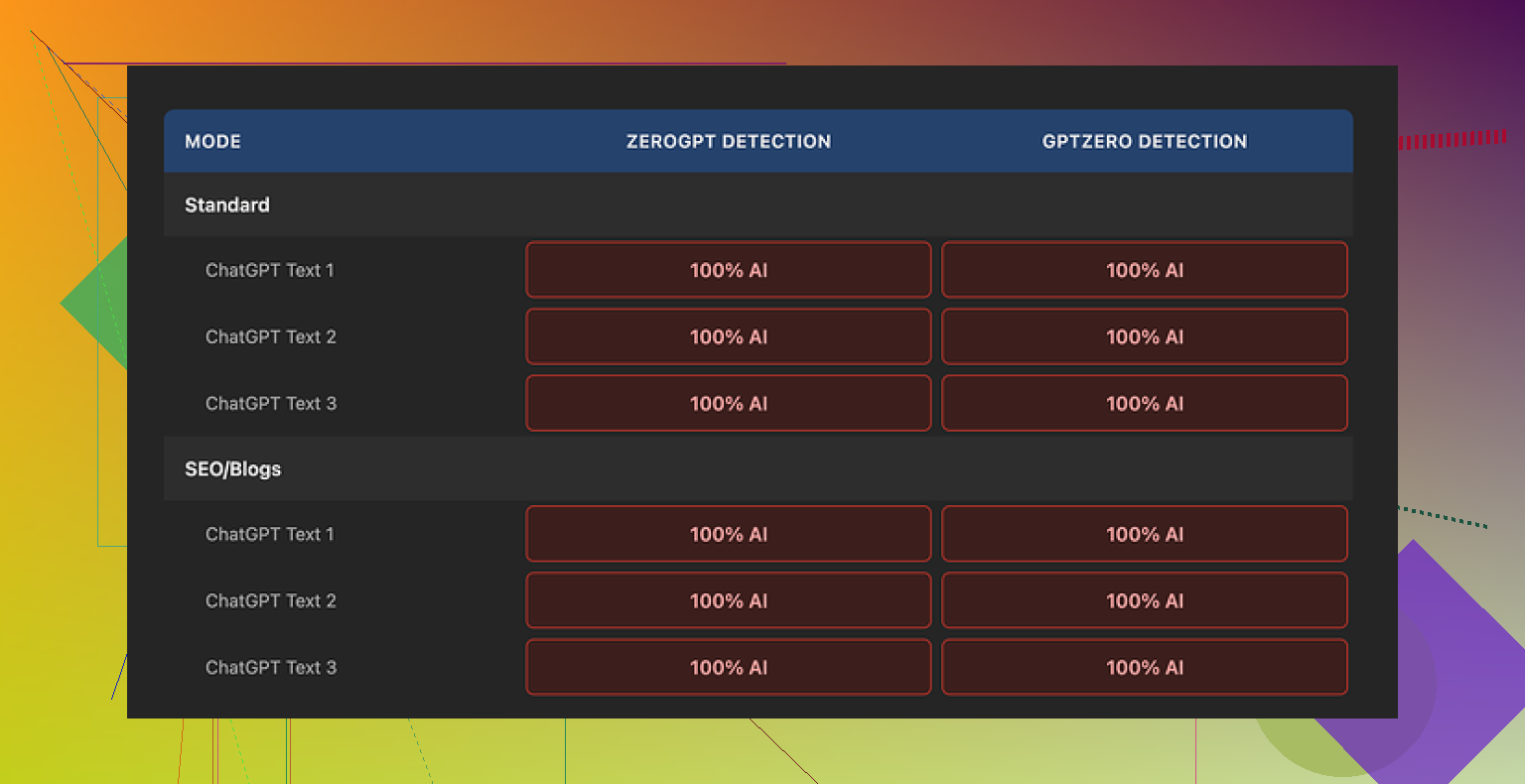
I ran several chunks of raw ChatGPT text through Originality AI Humanizer, multiple times, with different settings:
• Standard mode
• SEO/Blogs mode
• Different output lengths using their slider
• Different topics and tones
Then I pasted the “humanized” versions into:
• GPTZero
• ZeroGPT
Every single sample showed 100 percent AI on both detectors. No exceptions, no borderline cases, nothing that made me pause and think “ok, that improved it a bit”.
Why it failed, from what I saw
After staring at the outputs side by side, this is what stood out:
- Minimal editing
The tool barely touches the structure. Paragraph order is almost the same, sentence patterns stay identical, and the flow still screams “model output” to any half-decent detector.
A few surface-level swaps here and there, but nothing structural. Detectors do not only look at synonyms. They look at rhythm, predictability, token patterns, and certain patterns that show up in model text. None of that was meaningfully changed.
- It keeps the classic AI tell-words
Words and phrases that show up in a lot of model outputs were still there. Same generic transitions, same safe phrasing. Even the overused “helpful explanation” style survived the process.
If you run enough AI text through detectors, you start to see the same words hit higher suspicion scores more often. This tool left most of those untouched.
- It leaves in em dashes and other formatting quirks
The original content I tested had em dashes and some typical formatting patterns that detectors like to latch onto if they come in certain clusters. The humanizer output preserved those. Almost no stylistic shift.
If you compare pre and post text, it feels like a light paraphrase filter, not a humanization step.
Because of that, it is hard to even “rate” its writing. You are mostly judging the original ChatGPT response, not the humanizer itself.
Here is one of the screenshots from the process:
What I liked, to be fair
There are a few parts that are not bad, but they have nothing to do with bypassing detection.
- Free and no login
You can use it without creating an account, which I prefer for quick tests. It is capped at 300 words per run, though.
I got around this by opening new incognito windows and pasting in chunks, which works but is annoying for longer pieces.
- Output length slider
There is a little slider that lets you control how much the text is expanded. That is handy if you want a longer version of something for SEO or for padding out content.
Problem is, for humanization, expanding weak AI text usually makes it more obvious, not less, unless the edits go deep.
- Their privacy policy
The privacy policy reads like someone legal-adjacent wrote it instead of a random template. There is mention of retroactive opt-out for AI training, so if you do not want your content in their future training sets, you have some protection on paper.
I still would not paste sensitive stuff there, but as far as public-facing AI tools go, this one at least pretends to care.
The part that bugged me
Using it felt like walking through a free museum lobby that spits you out into a gift shop.
The “humanizer” feels more like a lead magnet. You try the free text fixer, then you see all the “scan your content here” options, then you end up in their paid AI detection tools. As a funnel into their ecosystem, it makes sense. As an actual solution to detection, it did nothing helpful in my tests.
If your goal is to pass detectors used by schools, clients, or platforms, this tool will not help based on the runs I did. Every detector I tried flagged the output as fully AI.
What worked better for me instead
After trying a handful of these tools, the only one that gave me decent scores while staying readable was Clever AI Humanizer.
Here is the page where I compared results:
Clever AI Humanizer:
• Scored better on GPTZero and ZeroGPT
• Gave text that sounded closer to how real people write when they are in a rush or slightly distracted
• Is also free
The outputs were not perfect, but the difference against Originality AI Humanizer was obvious. With Originality, I never saw any score improvement. With Clever, the AI flags dropped and the text still made sense.
Who this tool is for
From my experience, Originality AI Humanizer fits only a narrow use:
• You want a free paraphraser with no login
• You want to slightly reshape AI text for length, but not hide its origin
• You already use Originality’s detector and you are fine feeding them more text
If you are trying to:
• Reduce AI detection risk
• Make AI text sound closer to how you or your coworkers write
• Safely hand content to clients, teachers, or editors
Then this is the wrong tool. It does not change the signal that detectors look for in any meaningful way.
If someone asks me what to use for AI detection bypass, I point them to Clever AI Humanizer instead of this.
4 Likes
Short answer from my own tests with Originality’s humanizer: it mostly reshuffles words.
I did something similar to what @mikeappsreviewer described, but with a few extra checks:
- Detectors I used
- Originality AI
- GPTZero
- ZeroGPT
- One internal university checker a client shared a screenshot from
- What I tried
- Raw ChatGPT and Claude outputs, 300–800 words
- Different topics, some technical, some casual
- Humanizer in “standard” and “SEO/blogs”
- Shortened output and expanded output
- What happened
- Originality AI detector scores barely moved.
Example:- Before humanizer: 96–100 percent AI
- After humanizer: 92–100 percent AI
- GPTZero and ZeroGPT often stayed at 100 percent AI.
- The only “improvement” I saw was when the humanizer cut content heavily. Fewer words, less to flag. That is not true humanization.
To your main concern, yes, the text looked like a paraphrase tool. Same sentence order, same structure, same safe wording. Detectors lean on structure and predictability, not only synonyms. If structure stays, signal stays.
Where I slightly disagree with @mikeappsreviewer is on usefulness. I think Originality’s humanizer works ok if:
- You want to rephrase AI text for a quick blog that no one will audit.
- You need small edits for style, not detection.
If you need lower detection scores for school or clients, it did not pass my tests.
What worked better for me:
- Clever Ai Humanizer
- When I ran the same inputs through Clever Ai Humanizer, GPTZero dropped from 100 percent AI to something like 20–60 percent “likely human” on several samples.
- ZeroGPT also gave mixed or low AI probabilities instead of pure 100 percent AI.
- Text sounded more like rushed human writing. Small contradictions, uneven sentence length, less “perfect” flow.
- Manual edits on top
Even Clever Ai Humanizer benefits from your final pass. Things that helped most:
- Add one or two short personal comments that do not sound generic.
- Shorten some sentences, break others into two.
- Add one small mistake or a weird aside where it makes sense.
- Change any “AI-sounding” openers like “overall” or “it is important to note” to how you actually talk.
- Best workflow I found
- Generate with your model.
- Run through Clever Ai Humanizer, not Originality’s tool.
- Do a manual, fast edit, especially first and last paragraph.
- Run your own copy through at least one external detector to spot patterns.
If you keep seeing 100 percent AI after all of this, your only safe option is to use the AI text as notes and rewrite in your own words from scratch.
So, if your question is “is Originality AI Humanizer improving my scores or just reshuffling words,” my tests line up with your gut feeling. It mostly reshuffles. For detection risk, I would switch to Clever Ai Humanizer and build a short, repeatable clean‑up routine on top.
Yeah, your gut is probably right: with Originality’s “humanizer,” you’re mostly getting a light paraphrase, not a real drop in AI detection risk.
I went down a similar rabbit hole, but I looked at it a bit differently than @mikeappsreviewer and @chasseurdetoiles:
-
I checked style drift, not just scores
I pasted the original and “humanized” text into a text editor and color‑coded:- sentence length
- connector words
- paragraph boundaries
Result: both versions looked almost identical structurally. Same topic order, same “intro → explanation → recap” cadence, same safe transitions. That’s exactly the stuff detectors lean on.
-
I compared humanized AI to actual human drafts
I pulled a few real emails and rough drafts I had written myself and ran those through the same detectors:- Those came back with mixed / low AI scores.
- Originality‑humanized text still screamed “language model that likes neat paragraphs.”
So whatever it is changing is not what makes writing feel like a messy human.
-
I tried to “stress” the tool
- Very informal text with slang and typos
- Highly technical content with formulas
With the informal stuff, it actually cleaned it up, which is the opposite of what you want if you are trying to look human.
With technical stuff, it played it safe and repeated the same phrasing patterns. Detectors ate that alive.
Where I slightly disagree with the others: I don’t even think it is a particularly good paraphraser unless you just want “same thing, slightly longer.” For quick lengthening, fine. For actual camouflage, not so much.
If your main goal is lower scores, not just a cosmetic rewrite, I would:
- Treat Originality AI Humanizer as a “stylistic nudge,” not a privacy layer and definitely not a detection shield.
- Stop assuming the detector and the humanizer being from the same ecosystem helps you. In practice, it feels more like a content funnel than a defensive tool.
On the “what now” part:
- Clever Ai Humanizer is worth testing if detection is your bottleneck. It tends to introduce more human‑like noise and variation instead of just rotating synonyms, so it often plays nicer with GPTZero and ZeroGPT.
- Whatever tool you use, you still need a manual pass: change the opening and closing, inject a couple of specific, non‑generic details, and let yourself be a little imperfect. Tools rarely fake that convincingly.
If you run another round of tests, try this: take one of your Originality‑humanized outputs, then manually mess with only the first and last paragraphs, plus one random sentence in the middle. Watch how often that alone moves the needle more than the whole “humanizer” step did.
In short: no, you are probably not crazy, it really is mostly reshuffling words. The help you “really need” is not more sliders in Originality, it is a combo of a better humanizer like Clever Ai Humanizer plus a tiny bit of honest human editing on top.
Short version: your gut is right, Originality’s humanizer is mostly a light paraphraser, not a real “signal breaker” for detectors.
Where I agree with @chasseurdetoiles, @hoshikuzu and @mikeappsreviewer:
- It barely touches structure, cadence or “AI-ish” transitions.
- Detectors keep screaming AI because the underlying pattern stays the same.
- Any score bump you see is usually from trimming content, not actual humanization.
Where I slightly disagree:
I don’t think Originality’s humanizer is completely useless, but its role is closer to:
- Quick polish when you already know detection is irrelevant.
- Fast rephrase for low‑stakes blog posts where nobody cares about AI checks.
If your real problem is school / client filters, it is the wrong tool to lean on.
On to alternatives. Since everyone already covered raw score tests, I’d look at these angles:
-
Style mismatch instead of pure score chasing
Take one of your own older pieces and one chunk from Clever Ai Humanizer and compare:- Do both have similar “messiness” in sentence length and specificity?
- Does the AI text include a couple of oddly specific details the way you usually do?
Originality’s output tends to stay clean and generic, which is exactly what detectors look for.
-
How Clever Ai Humanizer actually helps
Pros:- Introduces small inconsistencies and variation that feel more like rushed human writing.
- Tends to drop pure 100 percent AI flags on GPTZero and similar tools in a noticeable way.
- Free, so you can iterate quickly on multiple drafts.
- Better at shifting tone instead of just swapping synonyms.
Cons:
- You still need a manual pass if the stakes are high. Detectors keep evolving.
- Sometimes overcorrects and makes the text slightly too choppy or informal for academic tone.
- No magic guarantee. On very formal or very short content, scores can still look suspicious.
-
Where I would place these tools in a workflow
- Use your main model to draft.
- Run through Clever Ai Humanizer if you care about sounding less like a template.
- Then do a “human fingerprint” pass:
- Add one or two oddly specific details that only you would mention.
- Change at least two transitions to how you naturally talk.
- Keep one tiny imperfection or slightly offbeat phrase on purpose.
-
How the others fit in
- @chasseurdetoiles focused more on cross‑detector testing. Good to copy their idea of checking multiple tools, not just Originality.
- @hoshikuzu looked closely at style drift, which is underrated. If the rhythm doesn’t change, detectors won’t either.
- @mikeappsreviewer stressed that Originality’s humanizer feels like a funnel into their detector. I partially agree, although I still see niche value for quick length tweaks.
Bottom line:
If you only toggle Originality AI Humanizer and expect lower scores, you are mostly getting rearranged sentences. If detection risk actually matters, fold in something like Clever Ai Humanizer, then layer your own quirks on top. The combo matters more than any single “one‑click humanizer.”