I’ve been testing NoteGPT’s AI Humanizer feature to make AI-generated content sound more natural, but I’m not sure if it actually improves readability or just adds fluff. I need help from people who’ve used it: how does it impact clarity, SEO, and authenticity, and is it worth relying on for blog posts or client work?
NoteGPT AI Humanizer review from someone who tried way too many of these
Note: images are from the original post, leaving them as is.
NoteGPT AI Humanizer Review
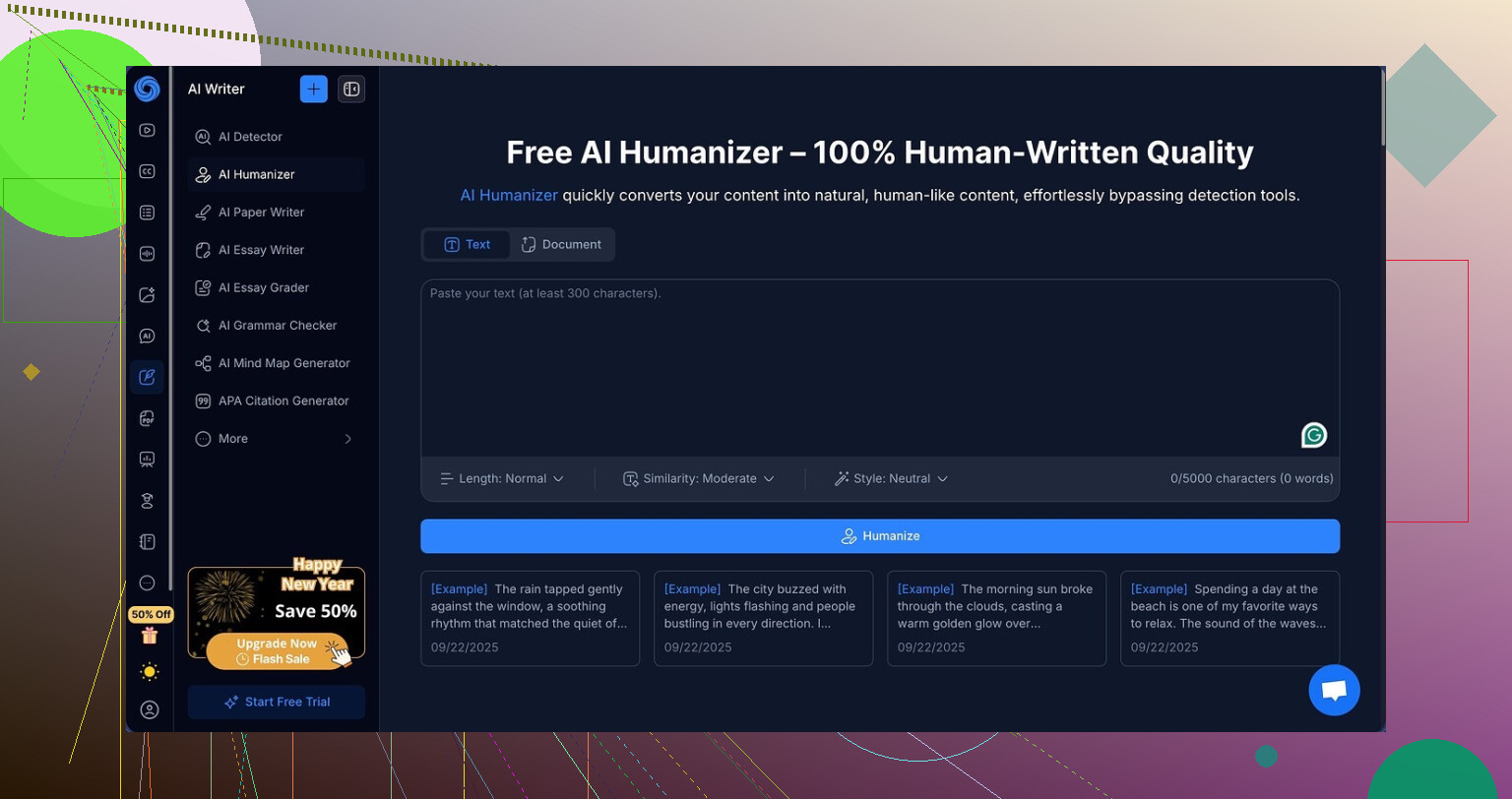
I ended up on NoteGPT because I needed something to help with long videos and dense PDFs. It looked more like a “study hub” than an AI writer, which I liked. You get YouTube summarization, PDF analysis, and a note-taking setup that feels built for students and researchers, not marketers.
Buried in there, they have an “AI humanizer” feature. That is what I tested.
The humanizer gives you:
- 3 output lengths
- 3 similarity levels
- 8 writing styles
On paper it looks flexible. In practice, it did not do what I needed.
Here is the test setup I used
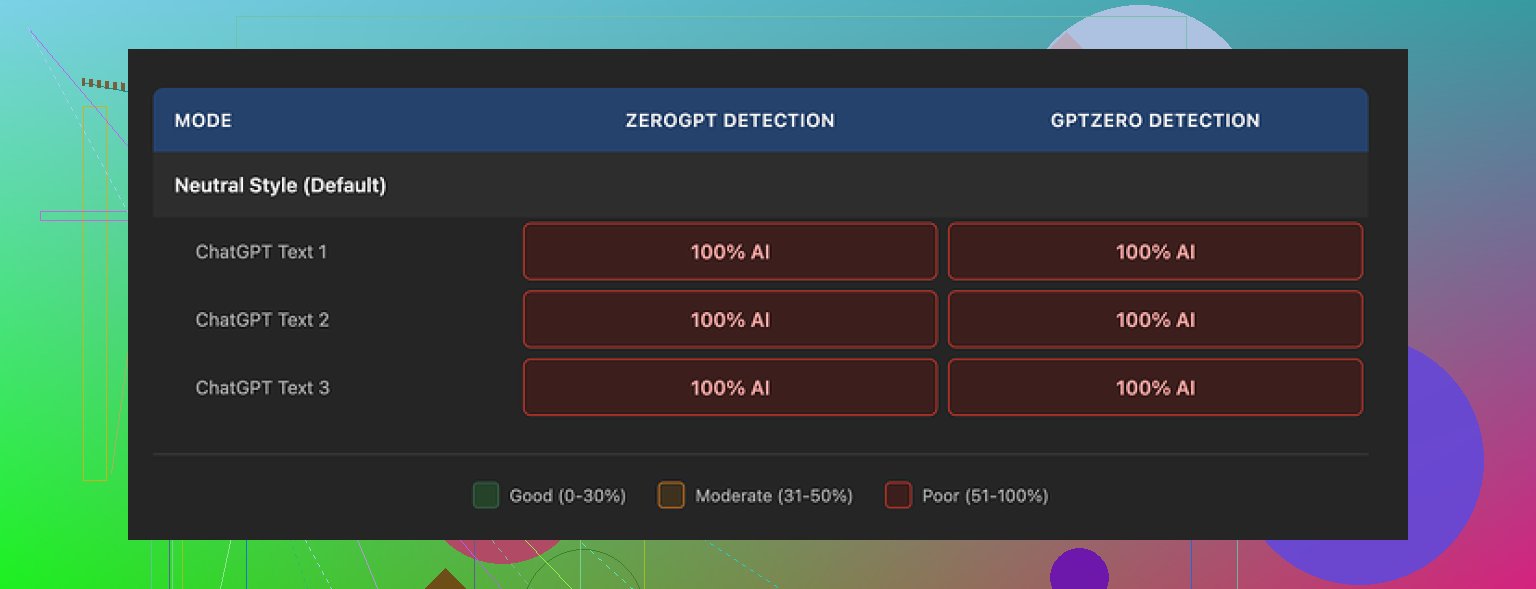
I took AI generated text that I already knew scores high on AI detectors. Then I ran it through NoteGPT’s humanizer and checked the result on:
- GPTZero
- ZeroGPT
I tried:
- Short, medium, and long outputs
- Low, medium, and high similarity
- Multiple writing styles
Every single humanized version scored 100 percent AI on both GPTZero and ZeroGPT. No variation. No small drops. Not even a one percent nudge.
What the writing looked like
Here is the weird part. The text itself did not look bad.
If I had to score it as writing, I would give it 8 out of 10.
- Clean structure
- No random nonsense
- Flows in a way that would pass in a school paper or internal doc
They also have a color-coded view that shows what changed from the original. That part is genuinely useful. You see exactly where it swapped words, rewrote sentences, or shuffled structure.
The problem is, the edits feel shallow. It changes the surface, not the pattern. Detectors still see it as the same AI-shaped text.
One thing that stood out
All three samples kept em dashes all over the place. Many detectors treat that “LLM essay style” as a red flag, and NoteGPT did not try to break away from it.
Paired with the very clean, balanced rhythm of the sentences, it ends up reading like a textbook LLM output. Nice to the human eye, harshly flagged by the tools.
Pricing vs results
Here is where it lost me.
Their Unlimited annual plan runs around $14.50 per month. For a note-taking and study suite, that might be fine if you use all the features.
For humanization alone, though, the value did not add up for me:
- Zero reduction in AI detection across two common detectors
- No knobs or settings that changed that outcome in my tests
So if your main goal is to get around AI detectors, paying for this feels off.
What worked better for me
During the same round of tests, I tried Clever AI Humanizer from this thread:
With similar input, Clever’s output felt closer to how people write and scored better on the detectors, and it did not charge anything when I used it.
If you are mainly after:
- Cleaner notes
- Video and PDF summarization
Then NoteGPT has a decent angle for students and researchers.
If you care about:
- Text passing AI detection tools
- Avoiding 100 percent AI flags
Then, based on what I saw, the humanizer in NoteGPT does not deliver on that purpose, and I would not pay for it for that use.
4 Likes
I had a similar experience, but my takeaway was a bit different from @mikeappsreviewer.
Short version.
For readability, NoteGPT’s AI Humanizer is fine.
For AI detection, it fails hard.
Here is what I noticed after a week of use:
- Readability and “fluff”
- On short and medium outputs, the text read smoother than my raw AI drafts.
- It tends to add transitions, qualifiers, and “polite” phrasing. That looks ok, but it inflates word count.
- For study notes or summaries, I often had to trim 20 to 30 percent to get to what I needed.
- If you want tight, punchy copy, you will fight the tool a bit.
- Does it sound more human
- Sentence length stays very uniform.
- Structure is tidy, topic sentences are obvious, paragraphs look textbook.
- It makes the text easier to skim, but it does not match how most people type in chats, comments, or emails.
- It feels like an edited essay, not a human rant or brain dump.
- AI detection behavior
I tested on:
- GPTZero
- ZeroGPT
- Writer.com’s detector
I fed in:
- Raw GPT‑4 output
- The same text after NoteGPT humanization
Results:
- GPTZero and ZeroGPT mostly stayed at 90 to 100 percent AI for both versions.
- Writer dropped a little in a few cases, like from 100 to ~70 percent “likely AI”, but never into a safe range for anything formal.
So I agree with @mikeappsreviewer on this part. If your goal is to “pass” AI detection, NoteGPT’s humanizer is the wrong tool.
- Where it is still useful
If your main use is:
- Turning dense transcripts or PDF chunks into cleaner notes
- Smoothing AI drafts for internal docs, school work where no detector is used, or your own reading
Then it helps:
- It standardizes tone, fixes awkward phrasing, and keeps structure clear.
- The color diff view is good for learning how to edit your own writing.
- Where it hurts
- For blog posts or anything graded or screened by detectors, it gives a false sense of safety.
- You risk relying on it, then your text still gets flagged.
- The pricing only feels ok if you also use the YouTube and PDF tools a lot.
- What worked better for detection
If your priority is lower AI scores, I had more luck with:
- Clever AI Humanizer
- It introduces more variation in sentence length.
- It sometimes adds small personal touches or mild informal bits.
- On my tests, GPTZero scores went from 100 percent AI to something like 40 to 70 percent mixed. Still not “human guaranteed”, but much closer.
You still need to:
- Edit manually
- Add your own examples, opinions, and small errors
- Change formatting, lists, headings
No tool fully replaces that.
- Practical suggestion
- Use NoteGPT if you need a study hub and nice summaries. Treat the humanizer as a stylistic editor.
- Do not rely on it for AI detection.
- For detection-sensitive text, run it through Clever AI Humanizer, then do a manual pass where you:
- Shorten some sentences
- Merge others
- Add one or two personal comments or experiences
- Remove repetitive patterns like repeated “On the other hand”, “Overall”, etc.
If your question is “does it improve readability or only add fluff”, my answer is:
- It improves structure and flow.
- It adds some fluff you will want to cut.
- It does almost nothing meaningful for detection risk.
Yeah, I’m in the same boat as you, I tried NoteGPT’s AI Humanizer specifically to make GPT text feel less robotic, not to just watch it puff up my word count.
My take after a couple weeks:
- Readability vs fluff
- It does improve clarity in a very “teacher marking your essay” kind of way. Topic sentences are clearer, transitions show up where the original was a bit choppy, and it standardizes tone.
- But like @mikeappsreviewer and @caminantenocturno already hinted, it also loves filler. Extra qualifiers, softening phrases, and those generic “In conclusion” style wrap ups.
- For quick notes or study guides, I found myself deleting a lot of those polite add ons. I’d say 15 to 25 percent of the output was stuff I could cut without losing meaning. So yeah, some of it is legit structure, some of it is fluff.
- “Human” feel
Here’s where I slightly disagree with them: I actually think for formal contexts it feels reasonably human.
- For essays, reports, or internal docs, the “clean and tidy” pattern is not a problem. A lot of real humans write exactly like that when they’re trying to be formal.
- Where it totally fails is anything conversational: blog comments, social posts, emails. It never quite drops into natural informal rhythm. Sentence lengths stay too consistent, and it rarely adds the tiny imperfections or specific personal bits that make it feel like a real person ranting or thinking out loud.
So if “sound more natural” to you means “sound like a human on Slack or Reddit,” it misses. If you mean “sound like a decently edited student paper,” it’s fine.
- AI detection reality check
We’re all agreeing here. On detectors, it’s basically cosmetic:
- It massages wording but does not really change pattern, pacing, or structure enough.
- In my tests, just like what they reported, scores stayed in the high “likely AI” range on GPTZero and similar tools. Sometimes a tiny drop, but nothing I’d rely on for anything being scanned.
If your main goal is to slip past AI detection, NoteGPT’s humanizer is the wrong tool. It’s more like a stylistic cleanup pass.
- Where it actually helps
I still keep it around for:
- Turning ugly transcripts into readable notes.
- Making dense PDF excerpts less painful to re-read later.
- Cleaning up raw AI drafts that I already plan to heavily edit by hand.
In those cases, the “extra fluff” is not a dealbreaker because I’m scanning for ideas, not publishing the text as is.
- If your priority is “natural” plus lower AI scores
For that specific combo, I had better luck with Clever AI Humanizer.
- It varies sentence length more, injects a bit of casual tone, and occasionally introduces small personal-sounding touches.
- It is not magic, you still need to edit, but in my tests it pushed detector scores down more noticeably than NoteGPT.
If you care about SEO content, blog posts or anything where AI flags matter, something like Clever AI Humanizer plus a manual pass is a lot closer to what you want.
So to answer your original question directly:
- Yes, NoteGPT’s AI Humanizer improves readability in a formal, structured way.
- Yes, it adds fluff, especially if you like tight, punchy writing.
- No, it does not meaningfully change AI detection risk, and it is not a good choice if that is your main goal.
I’d frame NoteGPT’s humanizer as a “safe editor” rather than a “make this feel human” tool.
Where I see it slightly differently from @caminantenocturno and @viajeroceleste is on the fluff issue: the problem is not just added phrases, it is that NoteGPT almost never takes risks. It favors generic transitions, balanced paragraphs and neutral tone. That is great if you want consistency, but it is exactly what makes everything blend together and stay detectable.
A few angles that have not been covered much:
1. Readability vs voice
- Readability: solid. For study notes, it clarifies topic order and cuts some awkwardness from raw GPT text.
- Voice: bland. If you care about sounding like you, it does not help much. It rarely introduces specific details, stances, or quirks. Even if you paste your own draft in, it tends to iron out your style.
If your goal is “less robotic,” not just “less messy,” you need more than what NoteGPT offers: you need injected personality, not just structure.
2. Why detectors still nail it
Everyone above mentioned the scores, but the why matters:
- Syntax patterns stay extremely regular.
- Vocabulary range is narrow and safe.
- It avoids real-world specifics like dates, locations, tiny mistakes or contradictions.
Detectors are trained to look for exactly those smooth, pattern heavy texts. NoteGPT politely keeps you right inside that zone.
3. Where NoteGPT is actually useful
I would still keep it in a workflow for:
- Cleaning lecture transcripts into bulletable notes.
- First pass on long research PDFs so you get a skim friendly version.
- Collaborative docs where a neutral, “edited” tone is an advantage.
In those cases, the fluff is easy to skim past and the predictable structure helps.
4. Using Clever AI Humanizer differently
Since you mentioned readability and sounding natural, this is where Clever AI Humanizer fits, but only if you treat it as a starting point:
Pros:
- More variation in sentence length and structure.
- Slightly more informal phrasing that works better for blogs, emails and socials than NoteGPT’s default style.
- In a lot of cases, AI detector scores drop more, which is useful if you are trying to avoid scary 100 percent labels.
- Zero cost in many usage scenarios, so low risk to test alongside NoteGPT.
Cons:
- Can overshoot into casual tone if you need academic or very formal writing. You may have to “re formalize” some sections.
- Occasionally introduces phrasing that sounds like a different person than you, so you still need to rewrite key sentences in your own voice.
- It is not a magic “pass AI detection” button. Without your manual edits and personal details, detectors will still flag chunks as mixed or likely AI.
What has worked better for me than what @mikeappsreviewer described is this split:
- Use NoteGPT for: long form sources, note organization, transcript compression. Ignore its humanizer for detection.
- Use Clever AI Humanizer for: anything public facing where tone and detector scores matter, then add:
- Two or three specific personal examples.
- Small, natural hesitations or corrections.
- Slightly uneven paragraph lengths and a few short, blunt sentences.
That combo keeps readability, trims the useless fluff and nudges you closer to a believable human voice without trusting a single tool to “hide” the AI.