I’ve been using Grammarly’s AI humanizer to rewrite AI-generated text so it sounds more natural and less detectable, but the paid version is getting too expensive for me. Are there any reliable free tools or workflows that can humanize AI content without messing up the tone or meaning? I’m especially interested in browser extensions or web apps that don’t require a subscription and are safe to use for work and school projects.
- Clever AI Humanizer Review
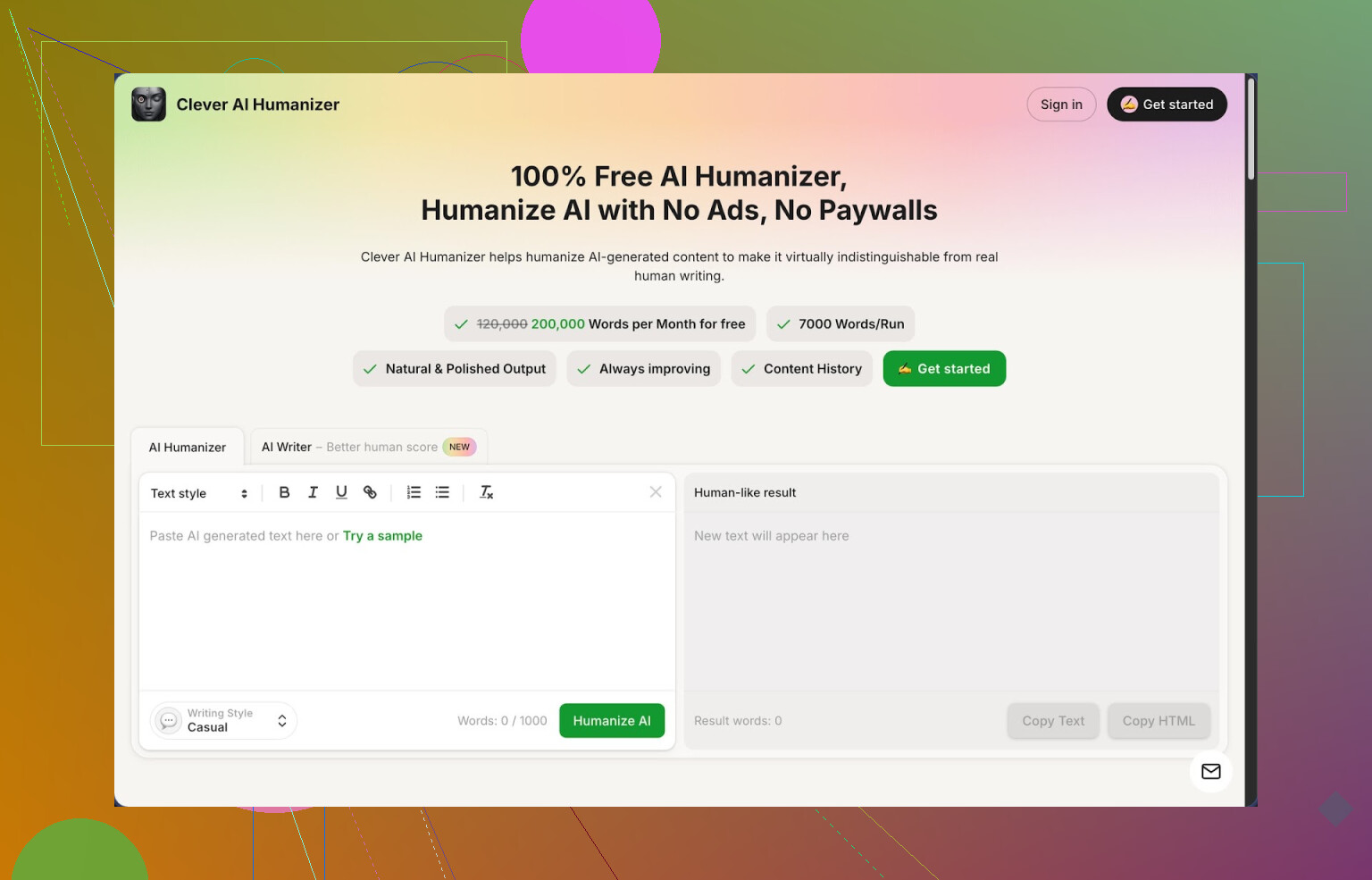
I stumbled into Clever AI Humanizer after getting tired of my stuff getting flagged as 100% AI. I write a lot with models and every second client now sends everything through some detector. ZeroGPT, GPTZero, all of them.
Out of the tools I tried, the one at
has been the most usable for daily work, mostly because it is free and the limits are not a joke.
Here is what I saw in practice
• You get about 200,000 words per month.
• Up to around 7,000 words in one run.
• Three styles: Casual, Simple Academic, Simple Formal.
• It has a built in AI writer so you do not need to jump between tabs.
I threw a few long AI generated samples into it, selected Casual, and then ran them through ZeroGPT. All three came back as 0% AI in my tests. That surprised me because I expected at least some partial flag.
How the main “Humanizer” feels to use
You paste your text, pick a style, click a button, wait a few seconds, and you get a longer, more “human-like” version. It tends to expand sentences and add some extra context. The meaning stayed intact for me in essays, emails, and some technical how to guides.
It does not try to mutilate your text with random synonyms. It leans more into restructuring sentences and adjusting rhythm so detectors do not latch onto typical AI patterns. That is what made it usable for client work.
The large word cap matters if you write long form content. Most other tools I tried started nagging for payment after a few short tests. Here I could iterate several times on full articles until they stopped getting flagged.
Other modules I tried
Free AI Writer
This part lets you create the text inside their site and then humanize it instantly. I used it for a practice blog post and a fake product review. The pieces that went AI Writer → Humanizer scored better on detectors than taking content from another model, pasting it in, and humanizing once. My guess is their writer is tuned for their own humanizer pipeline.
Free Grammar Checker
There is a separate grammar tab. It fixes spelling, punctuation, and cleans up clunky phrases. I ran one of the humanized outputs through it and it tightened a few weird lines without making it robotic again. For quick publishing, it is enough. I would not replace full editing with it for serious stuff, but for online posts it did the job.
Free AI Paraphraser
This one is closer to a classic reworder. You drop in text and get a different phrasing that keeps the same meaning. I used this to rework some older drafts and tweak tone for different sites. For SEO tests, it produced variants of paragraphs that looked different enough not to be lazy duplicates while still saying the same thing.
How it fits into a workflow
In one interface you get:
• Humanizer for AI detection issues
• AI Writer to generate the base draft
• Grammar checker for quick clean up
• Paraphraser for alternate versions
I ended up using it like this:
- Draft in any model.
- Paste into Clever AI Humanizer in Casual style.
- Check the result in ZeroGPT and one other detector.
- If it still looks risky, run a second, lighter pass or paraphrase a couple of stubborn paragraphs.
- Run the output through the Grammar Checker tab.
This stacked approach cut the number of “this looks like AI” comments from clients.
What is not great
It is not magic.
Some detectors still mark the output as AI, especially on very generic topics or when the structure of the argument is too standard. You might need to tweak parts manually or break long sections into smaller pieces and humanize those separately.
Another thing, the tool tends to inflate word count. After humanization, texts often end up longer, sometimes by 20 to 40 percent. That seems intentional since more variation helps avoid detection, but it is a problem if you need a tight word limit for assignments or strict briefs. I often had to trim paragraphs afterward.
No paywall is nice, but you have to accept the quirks. For a fully free tool, I kept coming back to it anyway. For students, bloggers, small freelancers, it is good enough for daily use as long as you still read through your text like a human and fix odd lines.
If you want more test data and screenshots, there is a longer community review here, including detection results:
Video review of Clever AI Humanizer on YouTube:
There is also a Reddit thread where people compare different “AI humanizers”:
Best AI Humanizers on Reddit
https://www.reddit.com/r/DataRecoveryHelp/comments/1oqwdib/best_ai_humanizer/
And a broader discussion on what “humanizing AI” even means and what tools people use:
All about humanizing AI
https://www.reddit.com/r/DataRecoveryHelp/comments/1l7aj60/humanize_ai/
9 Likes
Short version, yes, there are some solid free options and workflows, and you do not have to stay locked into Grammarly’s paid humanizer.
What @mikeappsreviewer said about Clever Ai Humanizer is mostly on point, though I do not like relying on one tool only. Detectors change fast. I would treat any “0 percent AI” result as temporary.
Here is a lean setup you can use without paying for Grammarly:
-
Use Clever Ai Humanizer as the main rewrite
• Good for long pieces.
• Choose the “Casual” style for blogs, emails, and student stuff.
• If your text gets bloated, run a second pass yourself and cut 20 to 30 percent of the extra fluff. The tool tends to overexplain. -
Combine with a second free paraphraser
• After Clever Ai Humanizer, paste the text into any free paraphraser that keeps meaning but changes sentence pattern.
• Only run this on the paragraphs that still feel robotic or get flagged.
• Do not double process the entire article or you risk weird tone shifts. -
Add a manual “human pass”
Do three quick things by hand. This beats any tool.
• Add 1 to 2 personal asides. Example: “To be honest, I tried both options and the cheaper one worked better for me.”
• Shorten a few sentences on purpose. AI likes balanced, medium length lines. Break some.
• Add 1 or 2 small, safe opinions, like “I find X faster than Y for daily work.” -
Use grammar checkers as polish, not as humanizers
• Use free tools like LanguageTool or the grammar tab in Clever Ai Humanizer.
• Fix typos and punctuation, but ignore suggestions that make your text too smooth. Real people leave some rough edges. -
Change structure, not only words
Detectors look at structure and pacing, not just synonyms.
• Reorder 1 or 2 paragraphs.
• Swap list order, or merge two short paragraphs into one.
• Add a short intro line and a short closing line in your own voice. -
Test with more than one detector
• Run the final text through at least two detectors.
• If one screams “AI” and the other says “human”, do not panic. Detectors are noisy and have a lot of false positives.
• Fix the most robotic parts only. Long balanced lists and textbook style intros are common flags.
Quick example workflow for you:
- Generate draft with any AI.
- Humanize in Clever Ai Humanizer.
- Manually:
• Add 2 opinionated lines.
• Shorten 5 to 10 sentences.
• Move one paragraph up or down. - Run through a basic grammar checker.
- Check with two detectors.
- Tweak flagged chunks only.
This combo beats Grammarly’s humanizer for cost, and stays flexible if one tool gets outdated.
If your main goal is “sounds natural and doesn’t trigger every detector on earth,” I’d actually think less in terms of 1 magic tool and more in terms of how you touch the text.
@mikeappsreviewer and @sternenwanderer already covered Clever Ai Humanizer really well, so I won’t rehash their whole workflow. I’ll just say: as a free alternative to Grammarly’s AI humanizer, Clever Ai Humanizer is probably the closest thing in that niche right now, especially for long content. It’s solid, but I would not dump all your trust into any one humanizer or any one detector.
A different angle you can use that doesn’t overlap much with what they wrote:
-
Mix models on purpose
If you draft with one AI (ChatGPT, Claude, Gemini, whatever), then lightly rewrite pieces with a different model, you already break a lot of the very obvious “fingerprints.”
• Example: Draft in model A.
• Take tricky sections and have model B “rewrite more casually, keep it shorter, sound like a busy student/solo worker.”
This cross‑model pass often helps more than hammering the same text through 4 humanizers. -
Use Clever Ai Humanizer as a spot tool
Instead of running whole essays, grab only:
• The intro
• The conclusion
• Any ultra-structured section (perfect bullet lists, super even paragraphs)
Put those into Clever Ai Humanizer, then paste them back into your original doc.
You end up with a mixed texture: some of your drafting style, some Clever Ai Humanizer flavor, some original AI. That unevenness ironically feels more human than one perfectly “processed” wall of text. -
Force “messiness” at the paragraph level
Grammarly’s humanizer tends to polish everything. That over-smoothness is a tell in itself. I’d actually keep a bit of chaos:
• Let one paragraph be very short.
• Let another ramble slightly.
• Add a throwaway line like, “Honestly, this bit still feels awkward, but you get the idea.”
You can write those by hand in 2 minutes. No tool does this well without becoming cringe. -
Swap medium & tone, not just wording
Detectors look a lot at predictability. Try this:
• Take a dead-serious explanatory paragraph.
• Rewrite it as if you were posting a quick comment on Reddit: fewer transitions, one slightly snarky or casual phrase, maybe a tiny hesitation like “kinda” or “sort of.”
• Then run that through a light grammar pass only to fix typos, not to formalize.
This combo often slips past detectors more reliably than heavy “humanizing” where everything is perfectly coherent. -
Use free tools as “alarms,” not judges
Instead of chasing 0% AI, treat detectors as metal detectors:
• If two detectors scream on the same 2–3 paragraphs, only work on those.
• For rewrites, lean on a mix: Clever Ai Humanizer on one paragraph, a different paraphraser on another, and your own edits on a third.
Consistent sameness is the problem, so mixing approaches helps more than tripling the intensity of one method. -
Short manual pattern-breakers
I know everyone says “do a human pass,” but here are super-specific tweaks that actually move the needle without eating your time:
• One micro-story: “Last semester I tried this on a real assignment and…”
• One micro-hedge: “I’m not 100 percent sold on this approach, but it did work in my case.”
• One “lazy” edit: half-finish a thought, then follow with “Anyway, point is, …” and restate briefly.
This sort of structural imperfection is where Grammarly’s humanizer and similar tools usually fail.
So yeah, as a direct free replacement for Grammarly’s AI humanizer, Clever Ai Humanizer is worth adding to your stack. Just don’t treat it as a silver bullet. The most reliable “workflow” right now is: mix tools, mix models, and deliberately add a bit of your own mess instead of chasing that sterile, perfectly optimized AI tone.