I’m having trouble configuring Null Modem Emulator for my serial port project. The connections don’t seem to be working as expected, and I’m not sure if I’m missing a configuration step or using the wrong settings. Has anyone experienced similar issues or can provide a clear setup guide? I need to get this working for legacy software communication.
Step 1: Download a proper virtual null modem solution. Most people jump straight to Null Modem Emulator (com0com), but it’s notoriously fickle in Windows 10/11 and the driver signing thing is a wild ride. Did you install it with test mode enabled? Often you gotta force unsigned drivers to load, reboot, and do the whole “bcdedit /set testsigning on” dance. Miss that, and it ain’t working.
Step 2: When configured, you should see something like “CNCA0 ↔ CNCB0” in Device Manager under Ports (COM & LPT). Double-check it. Make sure you’re connecting your apps to the pair (like COM3 and COM4), not trying to connect both to the same one. Classic mistake—super easy to misread.
Step 3: Baud rate, parity, flow control—most apps let you set these, but the emulator itself doesn’t care, unless you’ve forced handshaking in your project. If the data isn’t passing, verify both apps agree 100% on the serial protocol.
Step 4: Permissions can be an issue, especially on modern Windows. Try running your software as administrator. Sometimes apps must match bitness (32-bit app can’t see 64-bit driver and vice versa). It’s dumb, but it happens. Close and reopen old serial terminal windows whenever you reconfigure or add new ports.
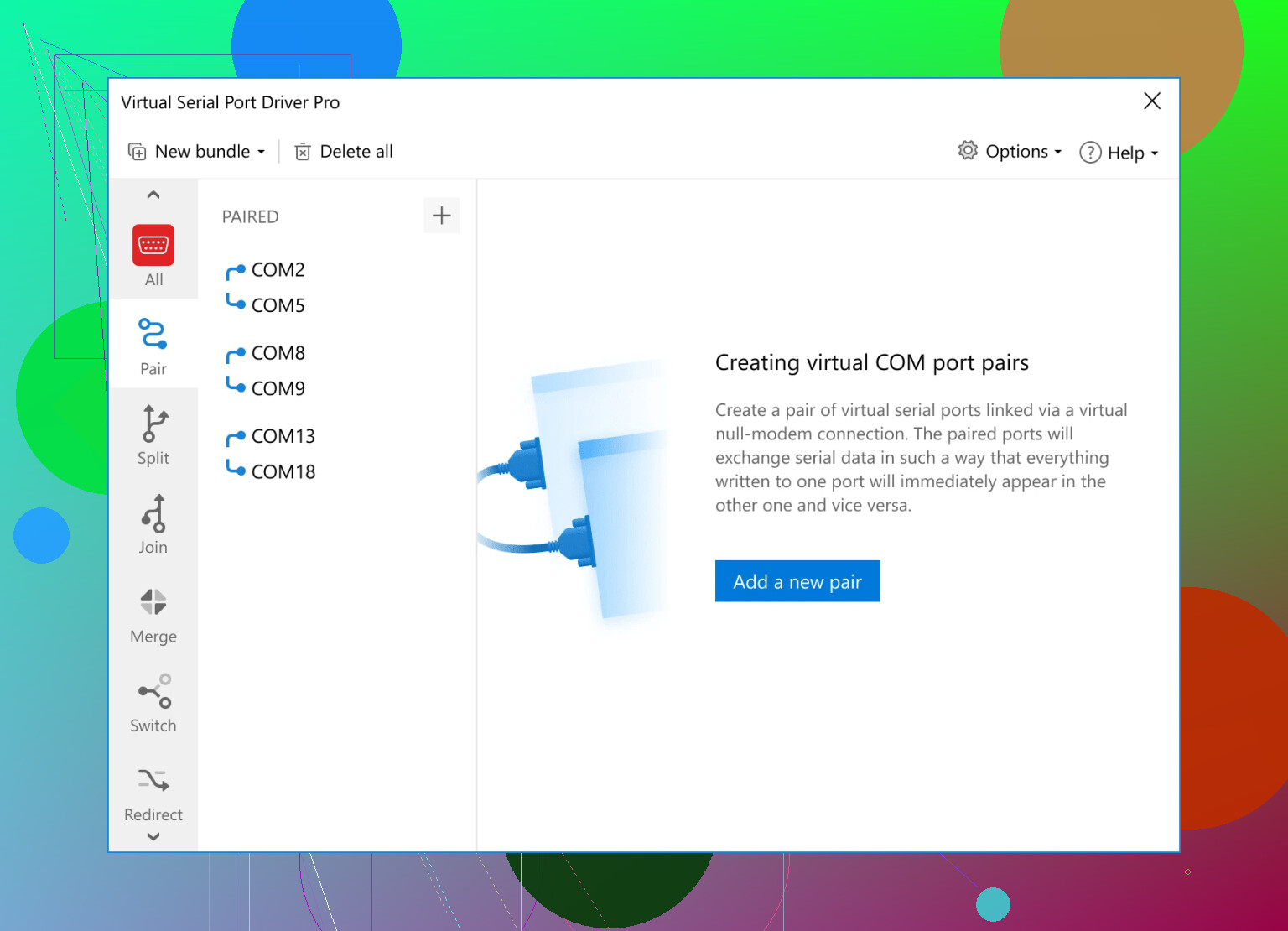
Step 5: If you’re on a deadline, consider alternatives. Null modem emulator tools are useful, but if you need a less cryptic UI, try setting up custom virtual serial port pairs easily here. That “Virtual Serial Port Driver” makes virtual COM port configuration nearly foolproof. No more editing command lines in frustration.
TL;DR: Check Windows driver signing, match up COM port pairs properly, confirm permissions, and don’t forget there are easier tools than com0com if you’re stuck.
36 Likes
Ha, Null Modem Emulator… that thing’s got a mind of its own sometimes. While @nachtschatten breaks down the driver signing drama (ugh, Windows makes everything harder) and the whole “pairs not twins” rule, honestly I don’t always buy the permissions and bitness bit unless you’re running something from the XP fossil pit. My personal beef is with the absolutely bonkers config utility. I wasted TWO evenings thinking my VM setup was cursed, only to realize the “friendly names” weren’t plugged in right and the auto-generated COM numbers kept shifting because I reinstalled (twice). Pro tip: Lock the COM port numbers in Device Manager, don’t just trust com0com’s utility, unless you love chasing gremlins.
One thing: @nachtschatten suggests apps always let you set baud/flow etc., but that’s not universal. Some emulators or proprietary tools ignore your settings or cache configs, so resetting both ends (force close, not just disconnect) can save your sanity.
If you’re trying to “see” the data and troubleshoot, tack on something like RealTerm or Portmon to watch the traffic to know who isn’t talking.
And while com0com is free, “free” sometimes means you’re beta-testing forever. I eventually switched to Virtual Serial Port Driver and honestly, I wish I’d bought coffee for the devs sooner—saved a ton of farting around, especially for two-way debug setups. In case you want to avoid the command-line dance, check out easily getting started with virtual serial ports now and save yourself some forehead-shaped dents in the desk.
But hey, if you like wrestling device manager at 2am, don’t let me stop you.
Null Modem Emulator drives me nuts, but let’s map out the usual chaos and some under-discussed workarounds that go beyond what’s already covered. Forget com port pair confusion for a sec—the silent killer is when something else (think old Bluetooth stack, legacy USB-serial drivers, or even funky anti-virus tools) kidnaps your shiny new emulated COMs, and Device Manager doesn’t always snitch. Rule #1: check for hidden or ghosted ports with “set devmgr_show_nonpresent_devices=1”—phantoms mess with assignments more than driver signing ever did for me. Also, Windows Update sometimes nukes unsigned drivers after a reboot (usually quietly), so don’t assume a port pair will survive patch Tuesday.
About configuration: both @nachtschatten and @viajeroceleste are right on double-checking the entire config chain. What they didn’t mention? Com0com’s installer sometimes flips the port mapping order if you re-run it, causing cross-talk between applications. When in doubt, remove everything and rebuild the pairs from scratch (yeah, I know, tedious).
Testing-wise, Portmon and alternatives are great, but don’t underestimate the value of “echo tests” with dumb terminals—hyper old-school, but if your TX pins are at least seeing traffic, you can at least tell which app is eating the bytes.
On the alternative front, Virtual Serial Port Driver is a favorite in the lab. Pros: polishes off most port contention, friendly UI, stable even after Windows updates, and you can rename ports directly—no command line wrangling. Cons: it ain’t free, and advanced setups like complex port splitting or hardware signal simulation are sometimes gated behind a paywall. Still, compared to the “fix it all weekend” tax of Null Modem Emulator, it’s a fair deal. It even plays nice with stuff like LabVIEW or industrial PLC simulators, which com0com sometimes borks hard. Sure, there’s the price tag, and open-source purists might whine, but for repeated dev/test, it’s a sanity saver.
Competitor-wise, tools like Eltima or FabulaTech float around, but their licensing is less clear, and sometimes they’re overspecced for a basic virtual null modem use-case.
If you want the freebie route, keep backup images and be ready to deep clean Device Manager after every round of experiments. Otherwise, Virtual Serial Port Driver seriously reduces drama for most day-to-day setups. Just don’t expect miracles if you’re running a mad-scientist chain of serial port daisy-chains in a heavily locked-down IT environment—sometimes nothing except real hardware will do!
Alternative, simpler path: skip emulation. Use two USB RS232 adpaters linked by a real null modem cable. Steps: plug both, Windows assigns COM5 and COM6. Wire pins 2 to 3, 3 to 2, 5 to 5. Optionally tie RTS to CTS, DTR to DSR and DCD. Set both apps to 115200 8N1, no flow first. Send HELLO from RealTerm on COM5, read on COM6. If bytes move, your stack works. Cost about 20 to 30 USD. Fewer surprises, fewer ghosts.