My iPhone storage is almost full, and I can’t back up or save new photos because my iCloud storage is full too. I’ve already deleted a few apps and pictures, but it still says there isn’t enough space. What’s the best way to free up iPhone storage when iCloud is full without losing important files?
Yeah, I get why this ticks people off. You pay for iCloud, then your iPhone still throws the same “Storage Almost Full” nag like nothing changed. I ran into the same mess.
The part Apple never explains well is simple. Your iPhone’s internal storage is fixed hardware. It’s soldered onto the board, so if you bought a 64GB or 128GB model, that number is the number. No microSD slot, no swap, no cheap upgrade later. iCloud stores stuff elsewhere and syncs it across devices, but it does not add more physical space inside the phone.
If your goal is more room without another monthly bill, I’d look at external storage first. A Lightning or USB-C flash drive, something like a SanDisk iXpand, works fine for moving big videos and photo dumps off the phone. Then you delete the copied files from the device and get your space back. I also used a Lightning-to-SD card reader for old memory cards I had sitting in a drawer. One purchase, done.
Still, I wouldn’t buy anything until you squeeze the phone for all the wasted space it already has. I had an iPhone get so full it turned into a brick with a nice screen. Camera took ages to open. Apps crashed. Typing lagged. What surprised me was how much low storage affects speed. iOS needs free space for temp files, caches, updates, all the boring background stuff. If your phone is sitting at 98 or 99 percent used, performance drops hard.
I started with the usual cleanup route in Settings > General > iPhone Storage. Offloading apps helped more than I expected, mostly for games I hadn’t opened in months. The app goes away, your saved data stays. I also cleared Safari’s stored site data in Settings > Apps > Safari > Advanced > Website Data. Old message attachments were another space hog. Mine had years of videos and images buried in old chats. Kinda absurd how much space those ate up.
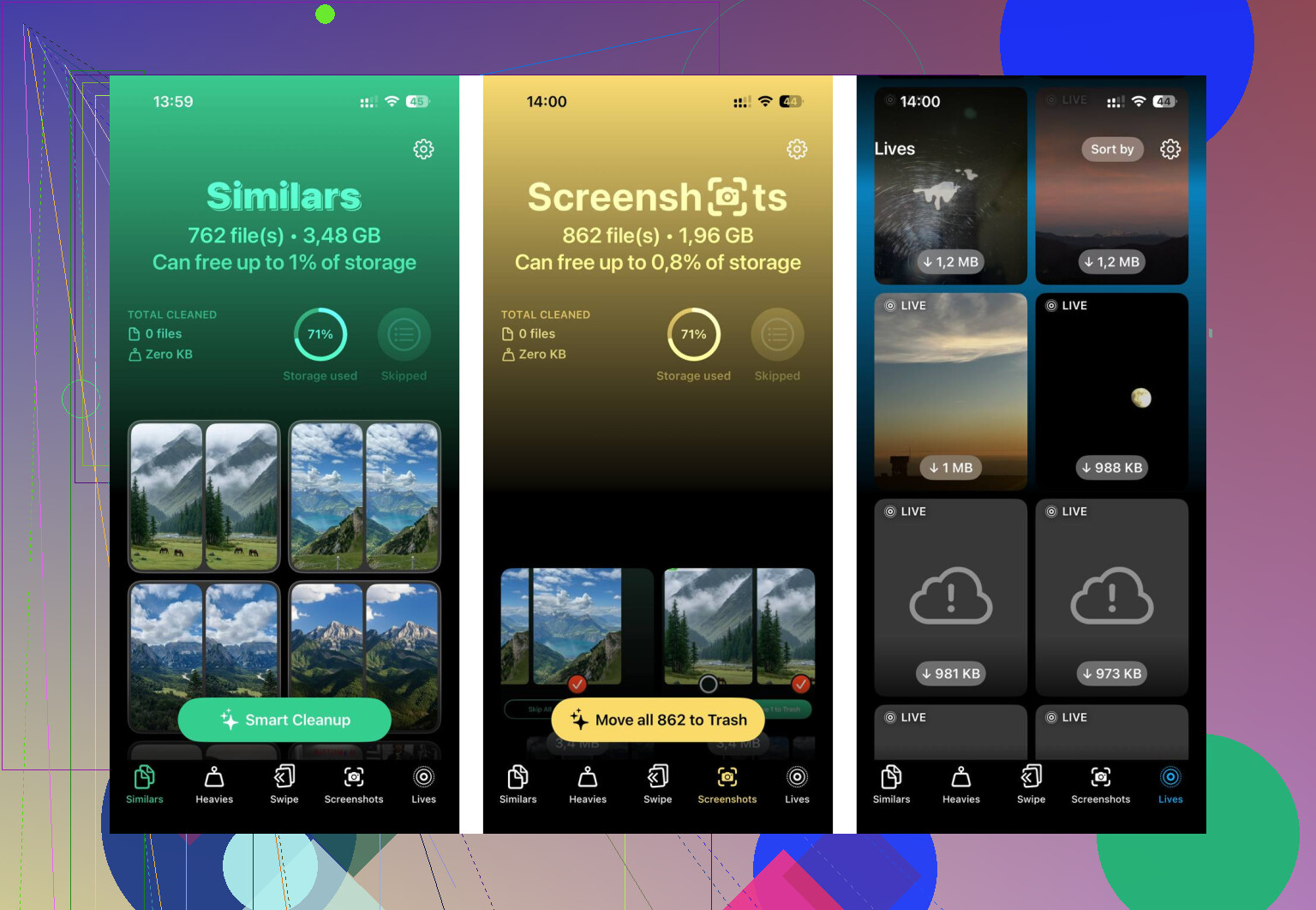
The annoying part is doing all this by hand. It’s slow. You poke through menus, check folders, guess what matters, then repeat. After a while I gave up on the manual hunt and used a cleanup app instead. The one I stuck with was Clever Cleaner.
What I liked was how plain it felt. No ad spam every two taps. No fake free version where every useful button is locked. I opened the “Heavies” section first, and it sorted media by size. That alone saved me time. I found a couple giant videos I forgot I even recorded, plus piles of screenshots I never needed. Seeing the file size beside each item made it easy to cut the worst offenders first.
The duplicate photo tool helped too. It flagged near-identical shots, the usual burst-photo junk, screenshots of the same thing, five tries at one photo because my hand shook a bit. You still choose what stays, which I liked. It didn’t feel reckless. From what I saw, the scan happens on the device, so my photos weren’t being shoved off to some random server. I cleared around 15GB on one pass. After that, the lag mostly vanished. Phone felt normal agian.
If you still need overflow space after cleanup, free cloud options exist. Google Photos gives 15GB free. Dropbox gives 2GB free. Those won’t expand internal storage either, but they do give you a place to move files before deleting local copies.
So no, you can’t add more internal gigabytes to the iPhone itself. What you can do is free up the junk already clogging it, or move stuff onto an external drive. I’d start with cleanup before spending money. A lot of “full” phones are packed with duplicate photos, old screen recordings, cached site data, and forgotten attachments. Once I cleared mine out, the phone stopped feeling half-dead.
3 Likes
You’re dealing with two different limits. iPhone storage and iCloud storage. Filling one does not fix the other. @mikeappsreviewer is right on that part.
Where I differ a bit, I would not rush to buy external storage first unless you shoot tons of 4K video. For most people, the bigger win is changing what stays on the phone.
Do this.
Turn off backup for bloated apps. Go to iCloud backup settings and uncheck apps like games, old chat apps, and anything you do not care to restore. Some people save 2GB to 10GB there.
Open Photos settings and enable Optimize iPhone Storage. This keeps smaller versions on your phone and full files in iCloud. If iCloud is full, upgrade one tier for a month, let it sync, then clean things up. It’s ugly, but $0.99 is sometimes the fastest fix.
Check Messages. Large attachments and voice notes pile up fast. Set message history to 1 year or 30 days if you do not need ancient texts. Mine was hoarding junk for yrs.
Delete old device backups in iCloud. If you switched iPhones before, you might have dead backups sitting there doing nothing.
If you want a faster photo cleanup pass, Clever Cleaner is worth a look. This Clever Cleaner review and iPhone storage cleanup demo shows how people use it to find duplicates and big files fast.
Short version, free space in both places. Your phone needs local room to work, and iCloud needs room to back up. Fixing only one side wont solve it.
You probably need to attack this from a different angle than just deleting random apps.
@mikeappsreviewer and @stellacadente already covered the big stuff, but one thing people skip is checking what is stuck in “System Data” and app documents. Sometimes the app itself is small, but its stored junk is huge. Spotify, TikTok, Instagram, podcast apps, and downloaded Netflix stuff can quietly eat gigs. Deleting and reinstalling those apps often clears way more space than just offloading them.
Also, if Photos is your main problem, stop using your camera in the default format if you record a lot. Go to Settings > Camera > Formats and use High Efficiency. Turn off ProRAW and lower video recording quality if it’s set to 4K/60. Future files get way smaller, which matters a lot more than people think.
Another underrated fix: move shared albums / family videos off iCloud entirely to a computer or external SSD, then import only what you actually want on the phone. iCloud gets clogged by stuff you never look at again.
If sorting photos is the bottleneck, Clever Cleaner is honestly useful for finding duplicates and heavy files faster than poking around manually. Also found this thread about a truly free iPhone cleaner with no ads if you want to see how other people used it.
Blunt version: if both iPhone storage and iCloud are full, you need to clear local junk, reduce future file sizes, and prune iCloud backups. Doing only one wont fix it. Apple kinda makes this more annoyng than it should be.
Big thing I’d add to what @stellacadente, @nachtdromer, and @mikeappsreviewer said: check whether Mail is quietly wrecking your storage.
On some iPhones, the Mail app cache gets ridiculous, especially with multiple accounts and big attachments. Same for Files if you’ve downloaded stuff locally from iCloud Drive, Google Drive, or Dropbox. People forget those downloads stay on the phone.
A few angles that are different from the usual photo/app cleanup:
- Remove downloaded music, podcasts, and offline maps. Those are stealth storage killers.
- In Files, look for On My iPhone and Downloads folders.
- If Mail is huge, remove and re-add the account. Crude, but it can dump bloated cache.
- Restart after cleanup. iOS sometimes doesn’t recalculate storage right away.
- If storage still looks wrong, update iOS first, then check again. Sometimes the storage graph is just lagging behind reality.
I slightly disagree with buying extra iCloud right away unless you actually want to keep using iCloud long term. Paying for one month can help, sure, but if your setup is already messy, it just delays doing the cleanup.
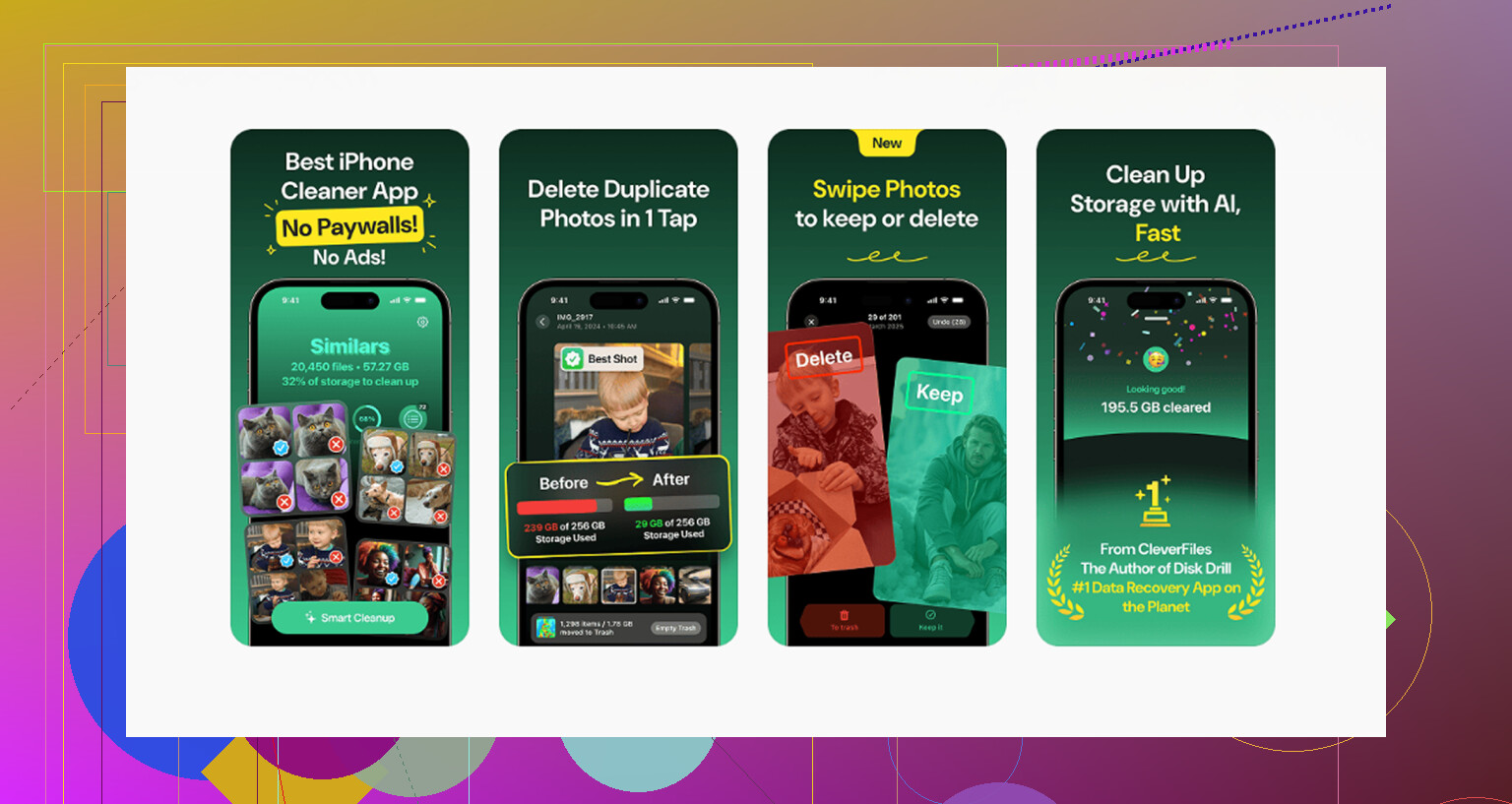
Clever Cleaner is decent if photos are the main problem.
Pros:
- fast at spotting duplicates and large files
- easier than digging through Photos manually
- useful for screenshot cleanup
Cons:
- mostly helps with media, not weird system/app cache issues
- you still need to review before deleting
- won’t magically increase actual iPhone capacity
So the best fix is usually: clear hidden local downloads, trim media with something like Clever Cleaner if needed, then decide whether iCloud storage is worth paying for after the mess is under control.