My iPhone storage is almost full, and I noticed my messaging apps are using a huge amount of documents and data. I already deleted old chats and attachments, but the storage number is still very high. I need help figuring out how to actually clear that app data safely without losing important messages.
I hit this mess on my iPhone too. 'Documents and Data' felt like a junk drawer with no label. I’d delete stuff, check storage again, and somehow it was still packed. Messages had swollen into multiple gigabytes. Photos kept reporting space usage even after I wiped my library. Then the phone started dragging, taps delayed, apps hung, the whole thing felt off.
Once storage gets down to the last sliver, iPhones start behaving badly. I saw slow app launches, camera delay, and one time the phone kept restarting like it had lost the plot. 'Documents and Data' is a pile of leftovers, cache files, cookies, saved sessions, downloaded media, and random app residue you forgot existed.
For messaging apps, WhatsApp was one of the worst on mine. The fix there is inside the app, not in iPhone settings. Open WhatsApp, go to 'Storage and Data,' then 'Manage Storage.' It lists large chats and big files so you can cut the worst stuff first. Messenger and Facebook are more annoying on iOS. There’s no proper cache clear button. 'Offload App' won’t help much because it removes the app and keeps the bloated data behind. What worked for me was deleting the app fully, then installing it again. Crude, yeah, but it dropped storage use fast.
The Photos app is its own headache. I had the same fake-looking usage number, gigabytes still showing after deleting photos and clearing 'Recently Deleted.' First thing I’d check is 'Shared Albums' and 'My Photo Stream.' Those hide storage in places most people don’t look. I also ran into cases where the storage count seemed stuck. A restart sometimes fixed it. When it didn’t, toggling 'iCloud Photos' off and back on helped force a fresh local cleanup.
Streaming apps do this too. YouTube, Netflix, Apple TV, they often store offline content quietly. On YouTube in particular, smart downloads can pile up if you forgot they were enabled. You have to go into each app and remove downloads there. iPhone settings won’t clean all of it for you. One useful spot is Settings, then 'iPhone Storage.' It sorts apps by size. If Safari is high, open it and clear 'Website Data.' I got a few hundred MB back doing only that.
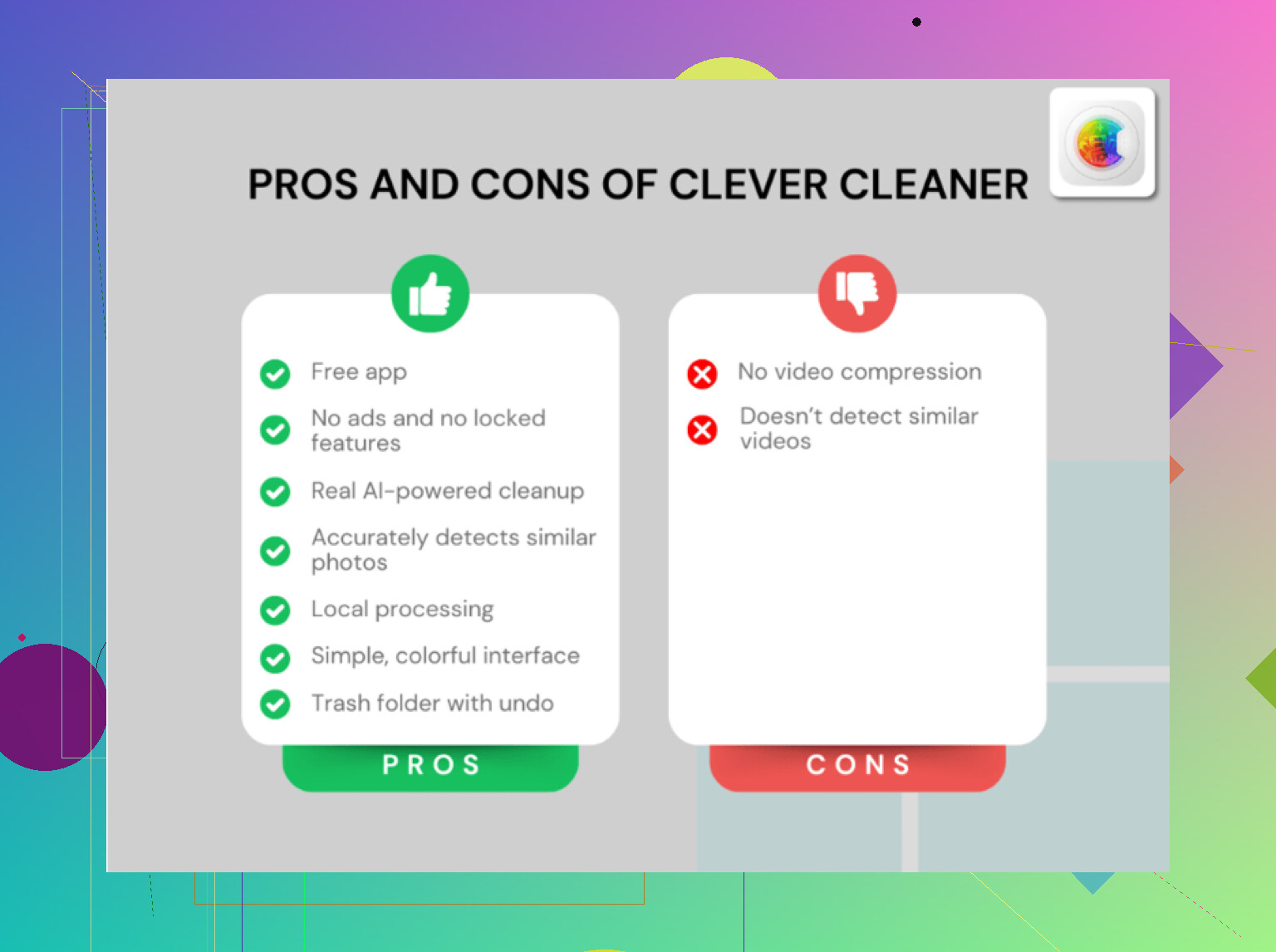
I spent way too long doing this by hand every few weeks. At some point I noticed the lag on my phone tracked almost perfectly with storage pressure. I ended up trying Clever Cleaner after getting tired of digging through screenshots, duplicate pics, and giant videos one by one.
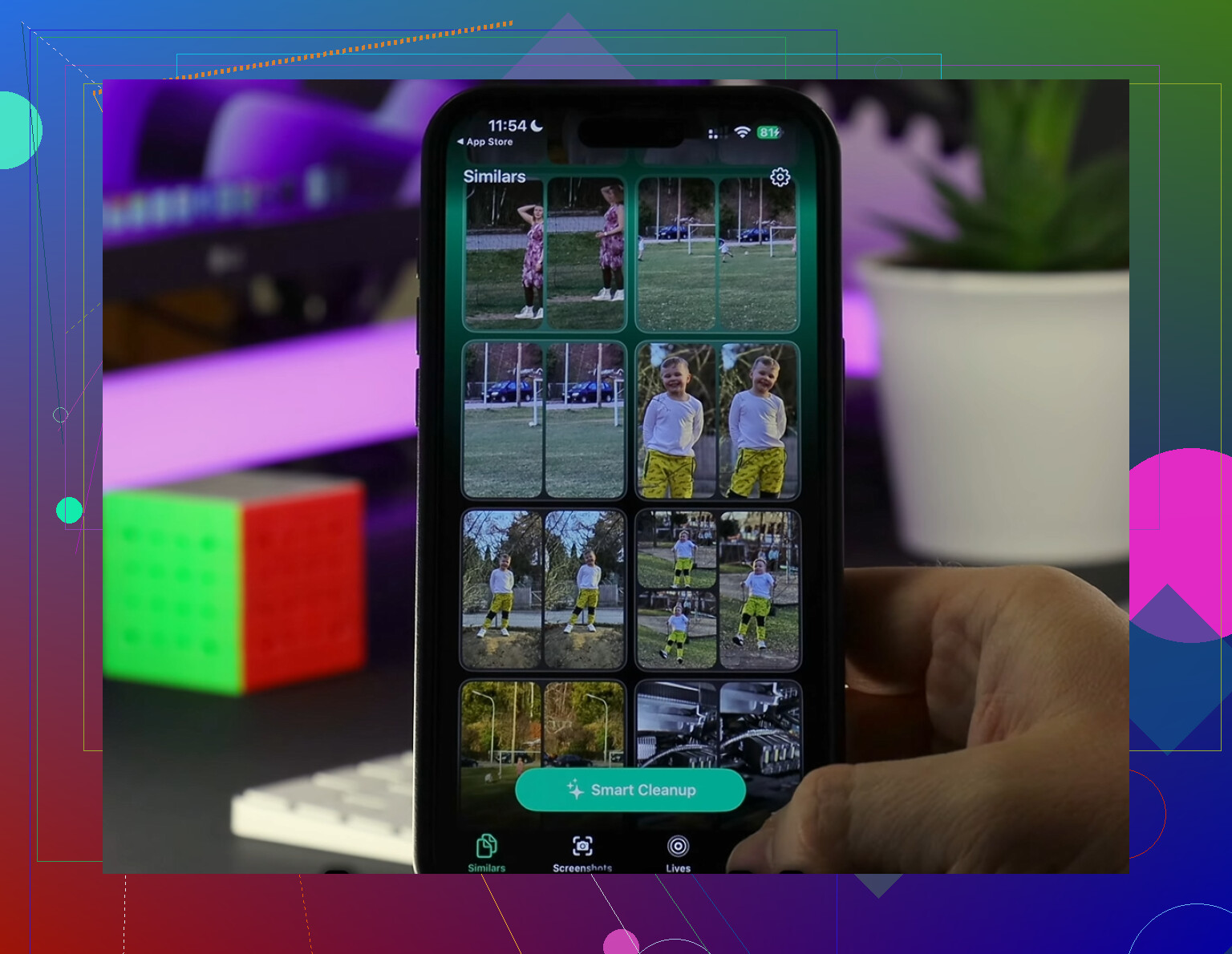
What stood out to me was how direct it was. The 'Heavies' section puts the biggest files up front, which made it easy for me to spot old 4K clips eating space. The 'Similars' section groups near-duplicate photos, useful if your camera roll has five versions of the same receipt, pet photo, or dinner pic because your hand twitched and you took extras. I found more junk there than I expected, tbh.
I also liked one detail most apps get wrong. It handles the analysis on the device, so your photos aren’t getting shipped off somewhere else for sorting. It shows file sizes clearly before deletion too. Apple’s Photos app still makes this harder than it should be.
After clearing stuff out, the phone felt normal again. Less lag. Fewer freezes. No more 'Storage Almost Full' warning popping up when I was trying to film something. If you clean things manually, the built-in steps above help. If you’re sick of chasing hidden files app by app, that tool saved me time. Then go back and empty 'Recently Deleted' one last time, or the space won’t fully come back.
1 Like
If the storage number stays high after you deleted chats, the app is often holding local indexes, temp media, search data, and failed download leftovers. iOS does not show those cleanly.
What I’d do, in this order:
-
Check the app’s own media retention settings.
Telegram, Signal, and WhatsApp all keep media longer than most people think. Lower auto-save and media keep time. In Telegram, clear cache by chat type. Signal has storage settings too. -
Turn off backup for one minute, then check storage again.
Some apps keep local backup prep files. I’ve seen WhatsApp size drop after backup finishes or gets reset. Small thing, but worth a try. -
Sign out inside the messaging app before deleting it.
I disagree a bit with @mikeappsreviewer on one point. Full delete and reinstall works, but sign-out first helps avoid old session junk syncing right back in on reinstall. Not every app supports it, but if yours does, do it. -
Delete the app, restart iPhone, reinstall.
The restart matters. It forces iOS to recalc storage. Without it, the number sometmes looks stuck. -
Check Files app.
Some messengers export chats, videos, ZIPs, or voice notes into On My iPhone or iCloud Drive. Those count too. A lot of people miss this. -
Review sticker packs, GIF keyboards, and linked apps.
Gboard, Tenor, Bitmoji, and sticker apps store cached media. Small one by one, big total.
If your Photos library is also bloated, Clever Cleaner is worth a look for bulk cleanup of duplicate pics and huge videos before you start deleting more apps. If you care about safety, this writeup on whether AI cleaner apps are safe to use is easy to read.
One more thing. If Messages is the problem, go to Settings, General, iPhone Storage, Messages, Review Large Attachments. Then change Keep Messages to 1 Year or 30 Days if you don’t need old threads. That one setting frees gigs for some poeple.
Deleting chats usually does less than people expect, because a lot of the “Documents & Data” total is databases, thumbnails, search indexes, notification media, and temp files that the app keeps hanging around. So yeah, the number can stay weirdly high even after a cleanup.
I’d add a couple things to what @mikeappsreviewer and @byteguru said:
- Check message retention per convo, not just app-wide. Some apps let pinned or archived chats keep media forever.
- Turn off Save to Camera Roll / Photos in the messaging app. Otherwise you delete it in chat, but a copy is still sitting in Photos.
- Look in Settings > Siri & Search for the app and disable content indexing if it’s a huge message app. Search data can get bloated too.
- If you use iMessage, check top conversations in iPhone Storage, not just large attachments.
- For Telegram specifically, lower the cache keep period. That app loves hoarding media, lol.
One place people miss: synced media in the Photos app from WhatsApp, Messenger, etc. If your phone says messaging apps are huge, sometimes half the problem is actually duplicate saves in Photos.
Also, tiny disagreement with the “just reinstall everything” approach. It works, but it’s kinda the nuclear option. I’d do that only after checking in-app storage menus, Photos, and the Files app first.
If your storage is still almost full, clearing your photo library is often faster than fighting each messenger one by one. Clever Cleaner is useful for that, especially for duplicate pics, similar shots, and giant videos that piled up from chat downloads.
For anyone trying to fix iPhone storage clogged by messaging apps and photo junk, this breakdown of Clever Cleaner app reviews for iPhone storage cleanup is easier to skim than digging through random posts.
Main point: if the app size won’t drop, it’s usually cached media or app residue, not your visible chats. That’s the annoyng part.