I’m looking for an AI tool or workflow that can generate high-quality, realistic fashion portraits — something that could replace an actual studio photoshoot. What apps or settings give the best results?
Alright, so here’s the lowdown if you really wanna generate realistic AI fashion portraits that actually look like you snagged high-end photos from a legit studio. First—ditch the cheesy, overly-filtered apps where every “model” looks like an extra from Sims 4. What you want is super high-res output, customizable poses and outfits, and legit facial expressions. Seriously, the difference between 512px and 4k is night and day if you ever want to print or zoom in.
Check out the AI-powered fashion shoot generation app—Eltima AI Headshot Generator is making waves for a reason.
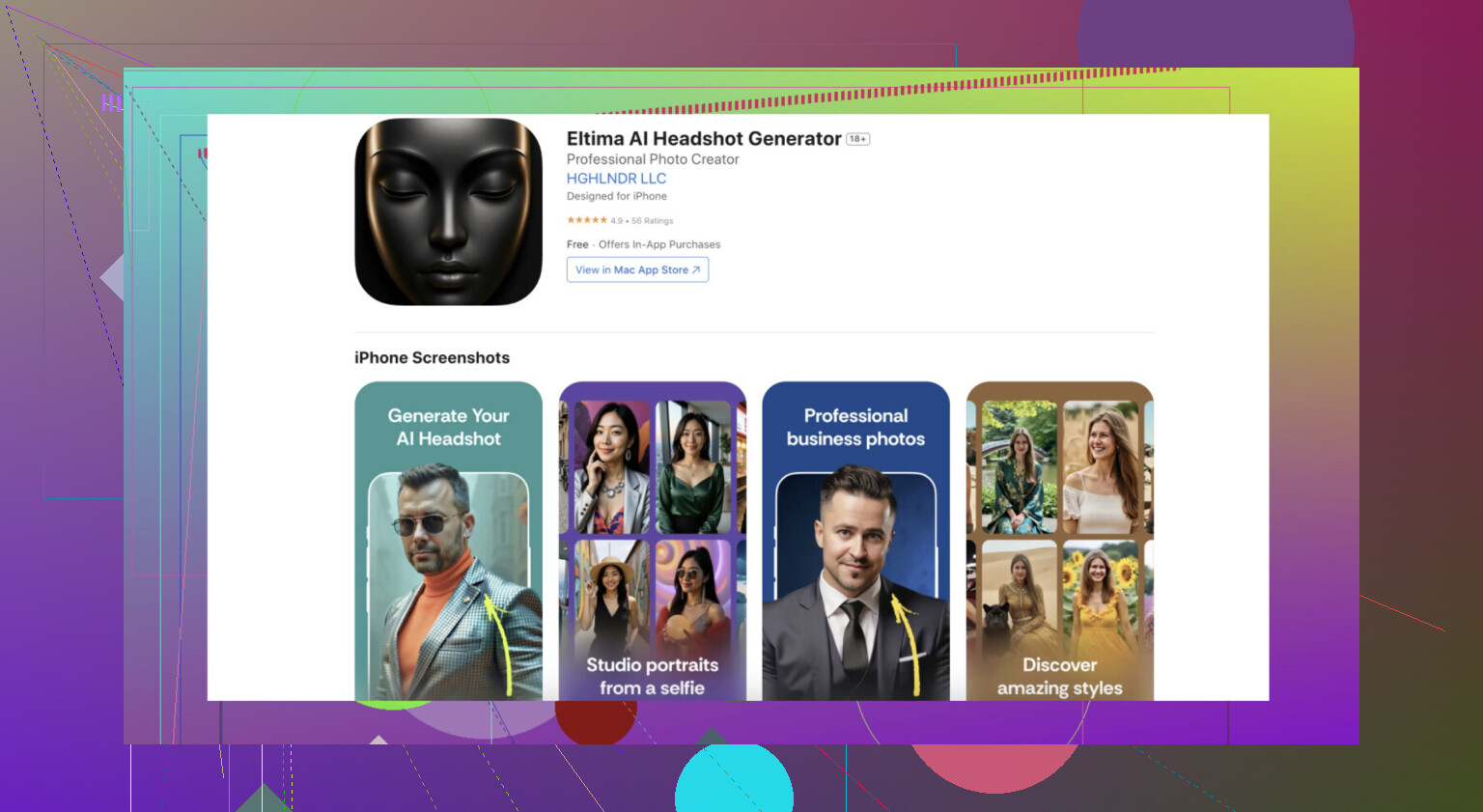
You can upload a few selfies, select the style and vibe (editorial, street, classic, etc.), and it spits out studio-worthy portraits with hyper-realistic lighting, textures, and fashion-centric details. None of those mutant hands or dead eyes, either, like with some free generators. The workflow is super simple: collect pics, upload, choose your shoot style.
Here is how to use the app:
- Download the app and create your personalized AI profile — it only takes a few minutes.
- Select the Studio Portrait pack to achieve a polished, professional photoshoot look.
- Tap “Get Photos” and let the app generate stunning, studio-quality portraits in seconds.
Here’s an example — I tested the generation using the Studio Portrait pack, and the results look just like a real professional photoshoot.
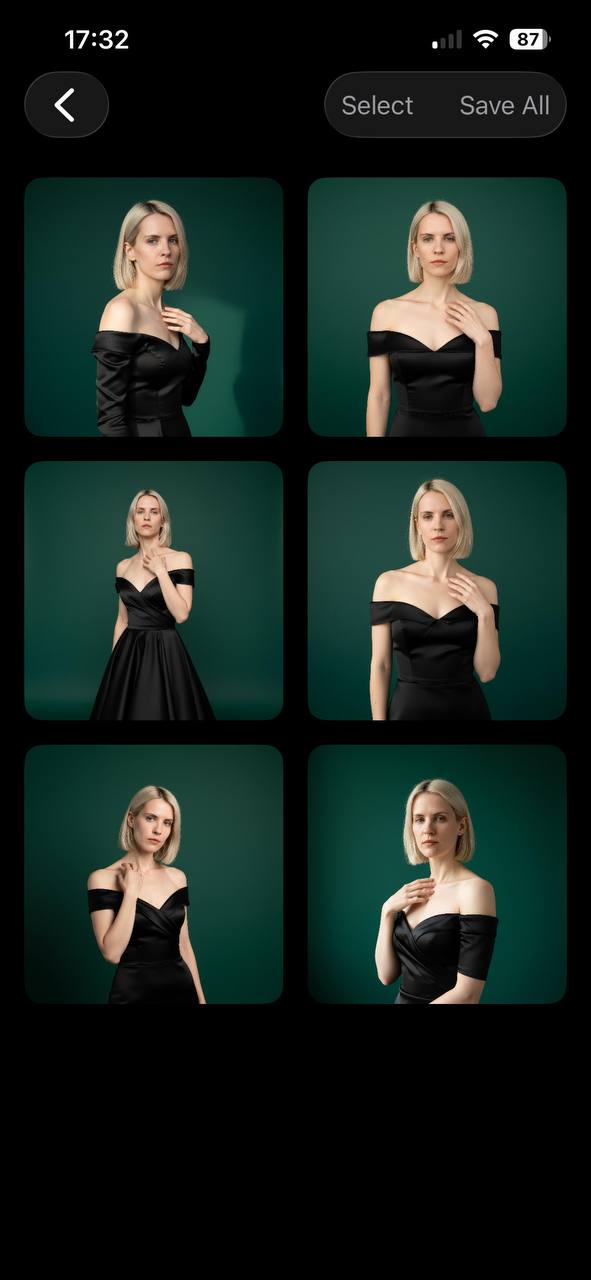
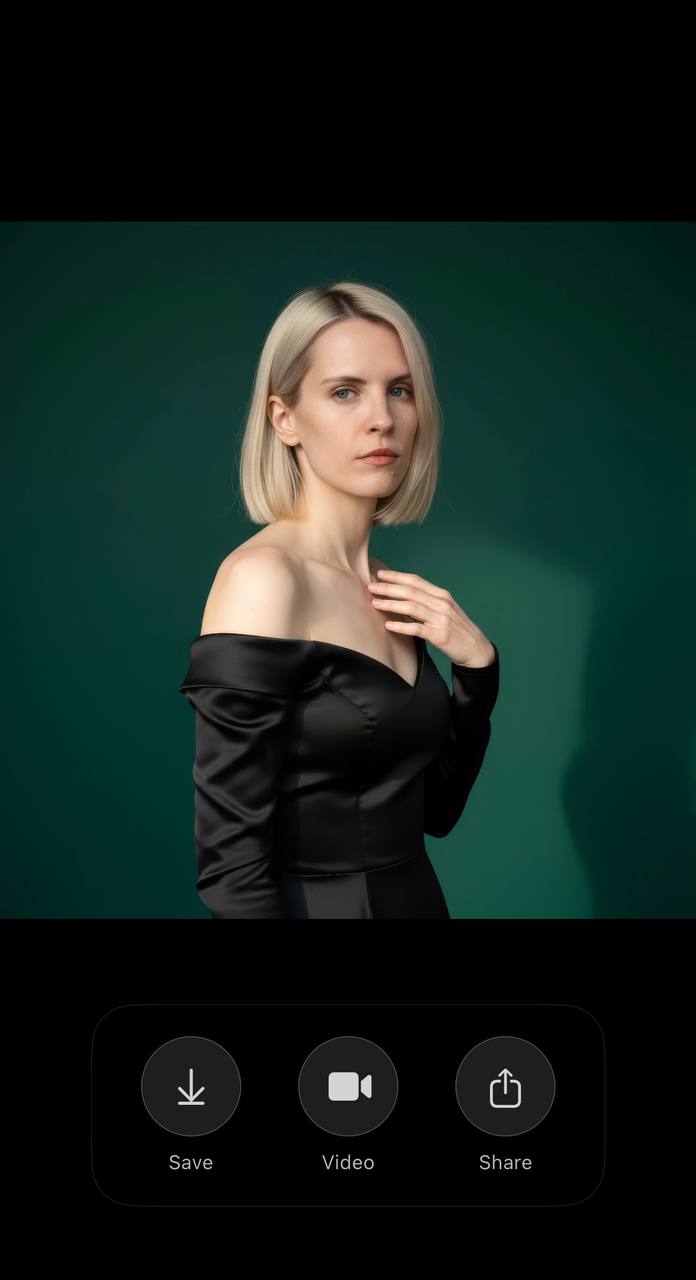
If you’re doing this for work (fashion brand samples, LinkedIn, influencer content—whatever), stick with platforms that promise privacy and commercial use rights. Eltima covers that, and the results look like straight-up Vogue.
You can always try Midjourney or DALL-E too, but those usually need hours of prompt hacking and Photoshop touchups to pull off convincing fashion portraits. Not worth it unless you love spending your weekends cleaning up AI wonkiness pixel by pixel. Apps like Eltima are designed for actual people needing publish-ready results in a snap.
So if your goal is to generate high-quality AI fashion photos that mimic an authentic photoshoot, go with dedicated headshot generators that emphasize fashion and realism—otherwise, you’ll just keep scrolling past your own results.
9 Likes
Love that @sonhadordobosque called out the Sims 4 vibe—because yeah, nothing says “high fashion” like a parade of smooth-skinned, dead-eyed clones. But honestly, I think it’s a little optimistic to say any AI generator (Eltima or not) is fully ready to axe real studio shoots altogether—at least, not without a few caveats. Even the slickest tools can turn out the odd six-finger glitch or an extra ear if you’re not paying attention.
If you want RAW control and not-so-much-the-“upload-and-cross-fingers” experience, you might want to check out Stable Diffusion with a fashion-focused model locally, especially if you love tweaking lighting, sharpness, or clothing details. (Downside: it’s way less plug-and-play.) The prompt engineering learning curve is steep, but the tradeoff is customization that sometimes even Eltima doesn’t hit. Personally, I’ll take some manual editing over the “one magic button” approach if the project’s mission-critical—otherwise, you risk cranking out the same cookie-cutter look over and over.
Also, worth a hot take: a huge chunk of making AI fashion shots pop isn’t just the tech, it’s the reference images you provide. Bad selfies in bad lighting = bad output everywhere—yes, even the headliners like this AI-driven fashion portrait tool. I’m also gonna push back a bit on the claim that Midjourney’s only for “prompt hackers”—the new models have gotten better at clothes textures, and the “/describe” feature helps non-geeks get semi-consistent results, but expect touchups.
TL;DR: Eltima’s a strong choice for polished, realistic AI studio portraits, but experiment with other tools if you want full control or unique vibes. Never skip the basics: crisp uploads, clear concepts, and triple-check for alien hands before sharing anywhere important. AI is awesome, but it’s not full-on magic (yet).
If you’re aiming for legit magazine-level fashion portraits using AI, it pays to set expectations—and prep for a bit of work. Eltima AI Headshot Generator is a crowd favorite (props to folks referencing it above), and I absolutely get why: it’s quick, intuitive, cranks out studio-lighting effects almost no one will clock as synthetic, and won’t toss out terrifying mutant appendages if you use solid source photos.
But, let’s push beyond the hype for a second. No single platform is turning out 100% perfect, agency-ready shots—Eltima included. Yeah, it’s fast, style options rock, and the skin textures/outfits pop way more compared to most mobile apps. Yet, even the best tools still occasionally pull weird artifacts or have wardrobe styling that’s more “stock library” chic than signature couture. Not a deal-breaker, but don’t trash your old studio lighting kit just yet.
Competitors like those mentioned earlier (think classic diffusion models or powerhouse cloud AI like Midjourney) can get you some insane detail with enough time spent tweaking—though you’ll be living in Photoshop for post-processing, and prompting is a democratic black hole. For anyone who doesn’t want to go prompt-wrangling every pose, Eltima’s “choose your vibe and go” approach wins big, even if its results can sometimes feel assembly-line in flavor for advanced users.
Quick Pros for Eltima AI Headshot Generator:
- Studio-quality lighting and high-res textures
- Good vibe/style presets
- Simple workflow—perfect for non-techies
- Privacy controls & commercial usage
Cons:
- There’s still the rare uncanny valley moment
- Outfits/backdrops can repeat or lack super-unique variety
- Customization depth isn’t on par with prompt-based diffusion tools for pros
Bottom line: Use Eltima for punchy, ready-to-upload fashion shots, especially if you’re on a deadline or hate retouching. Either way, your input images still matter way more than most AI websites admit—perfect lighting, angles, and no filters. And always double-check for that stray sixth finger before posting.