I misplaced my LG TV remote and now I can’t lower or raise the volume. I’ve already checked the buttons on the TV and tried a phone app, but I’m not sure what actually works for LG TV volume control without a remote. I need a quick fix so I can keep using the TV until I replace the remote.
Losing the LG remote is such a normal mess. I’ve done it more than once. The good news is you still have a couple easy ways to raise the volume.
Start with the TV itself
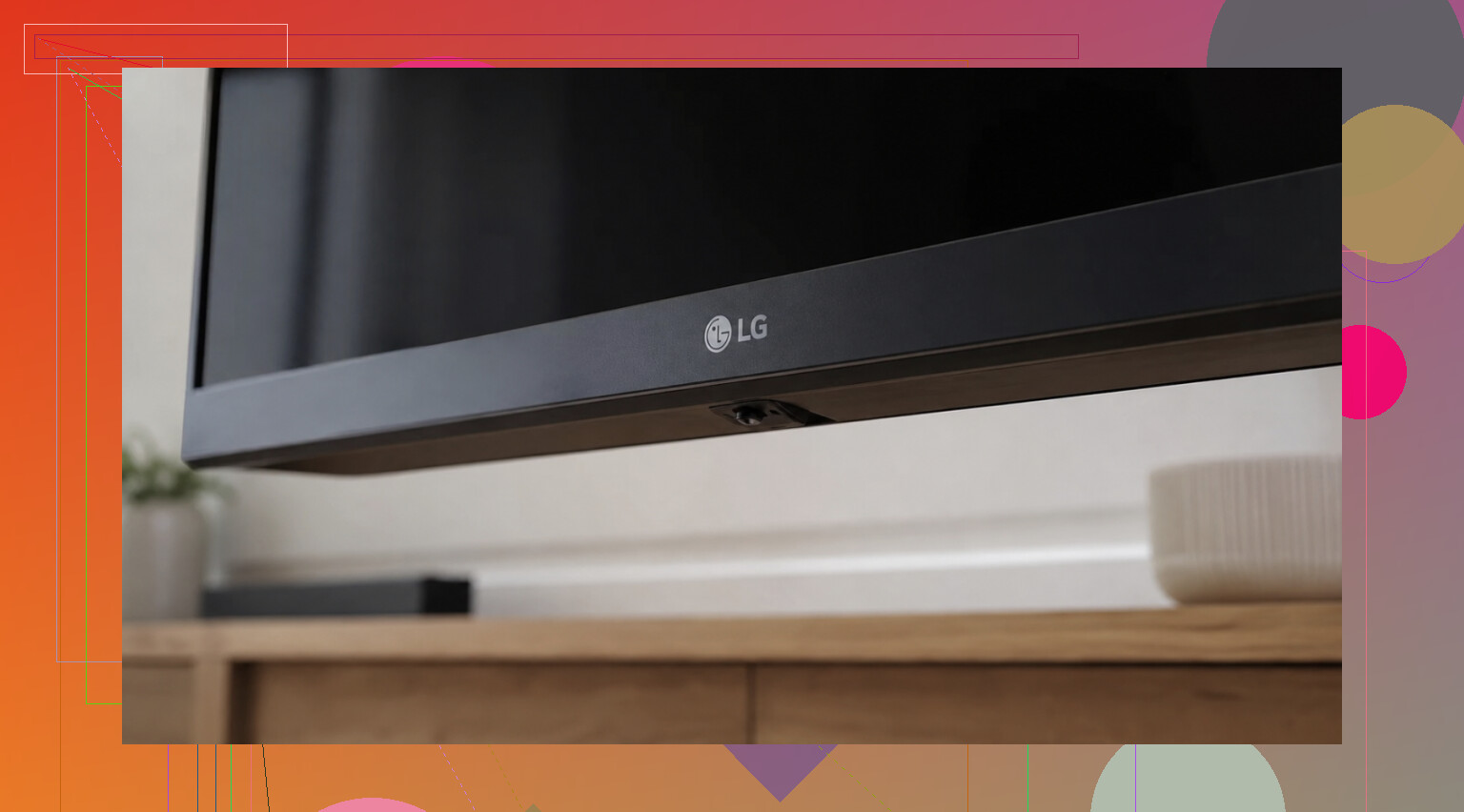
On a lot of newer LG TVs, there’s one small control stick under the screen. I usually found it in the middle on the bottom edge, sometimes tucked near the LG logo. Push it up or down to change volume. Press it inward and you’ll usually get a small menu.
Older sets are different. Mine had separate physical buttons on the side, or hidden around the back panel. LG moved these around a lot from model to model, so if you don’t see it right away, check the sticker on the back for your exact model number and look it up.
If your TV is on Wi-Fi, use your phone
I’ve had better luck doing this on smart LG TVs than hunting around behind the panel.
LG ThinQ is LG’s own app on iPhone and Android. Once I added the TV, it gave me a remote screen with volume controls. The usual fail point is simple, your phone and TV need to be on the same Wi-Fi. If they aren’t, it looks broken even when it isn’t.
You’ve also got TVRem (free remote app for iPhone).
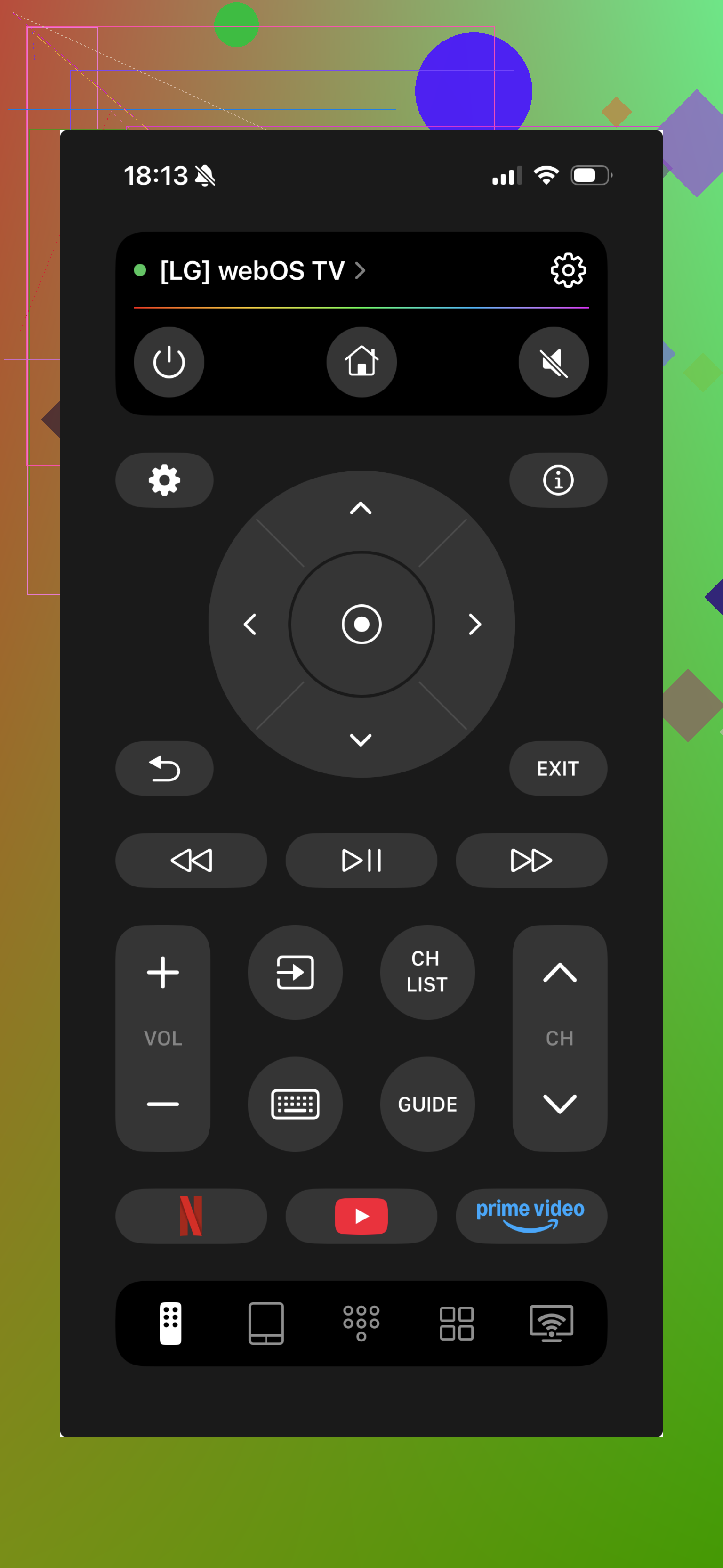
I saw the same setup there. Connect on the same Wi-Fi, open the app, and volume plus channel controls show up on your phone. What I liked is it isn’t locked to LG. It also supports Samsung, Roku, Fire TV, Android/Google TV, and Apple TV, so if your place has a mix of devices, one app handles the lot. It’s free, doesn’t push subscription junk, and includes keyboard input plus voice search. More info here: https://mac.eltima.com/tvrem-universal-tv-remote/
One thing people miss
If your LG is an older non-smart model, or it isn’t connected to Wi-Fi, phone remote apps won’t help. In that case, the built-in joystick or physical buttons are the fastest fix. If those are too annoying to use, a cheap universal remote usually solves it fast.
If you want, send over the LG model number and I’ll help narrow down where the hidden button is.
6 Likes
If the TV buttons and phone app failed, I’d check HDMI-CEC next. A lot of LG sets let another device control TV volume through HDMI.
If you have a Roku, Fire TV, Apple TV, Chromecast with Google TV, cable box, or game console hooked up, try its remote. On LG, CEC is called Simplink. If Simplink is on, volume commands from the streaming box remote often work on the TV speakers right away. This is one of the few fixes ppl miss.
Also, if your sound is going through a soundbar or receiver, the LG remote is not the main issue. You need the soundbar or AVR remote, or its app. The TV volume buttons often do nothing in this setup, which confuses a lot of poeple.
I slightly disagree with @mikeappsreviewer on one point. A universal remote is not always the fastest fix if your LG used Bluetooth for some functions. An old IR universal remote usually handles volume and power fine, but smart features may not work until you pair a proper LG Magic Remote. For volume only, though, a cheap universal remote from Walmart or Target is usally enough.
If the TV buttons already failed and the phone app didn’t connect, I’d stop messing with app setup for a minute and check what is actually handling the sound.
A lot of people assume “TV volume” always means the LG speakers. Not true. If your audio is going to a soundbar, receiver, or even some headphones/transmitter setup, the LG can look like it’s ignoring volume commands when the real volume control lives on that external device. That’s why @vrijheidsvogel mentioning the soundbar/AVR angle matters.
A couple things I’d try that weren’t the main focus above:
-
Use the LG webOS remote from a browser only if the TV was already paired before
Some LG setups let you control the TV from other logged-in LG services/devices, but this is hit-or-miss. I don’t love recommending it first because if ThinQ already failed, this usually fails too. -
Try wired headphones, if your model has a headphone jack
Weird workaround, but on some older LG sets, plugging in headphones or speakers with their own inline volume gives you a temporary way to manage sound without needing the TV remote at all. -
Power cycle everything
Unplug the TV for 60 seconds, then turn it back on. If the physical control nub or app was glitching, sometimes the input control comes back after a reboot. Sounds dumb, but LG stuff gets wonky. -
Use a replacement LG remote, not just any universal
Slight disagree with @mikeappsreviewer here. Cheap universals are fine for basic volume most of the time, but if your set is picky, grabbing an actual LG-compatible replacement remote is less annoying than testing 5 codes at 11pm while questioning your life choices. -
Check if hotel mode / lock mode got enabled
Rare, but if volume won’t change from panel controls, some commercial or used LG TVs have restrictions turned on in settings. Hard to fix without a remote, but worth knowing in case the buttons seem “dead.”
If you post the exact LG model number and whether sound is coming from TV speakers or a soundbar, ppl can narrow it down fast. That part changes the answer a lot.
One angle the others only touched lightly: USB keyboards and mice.
Some LG TVs let a basic USB keyboard or mouse navigate menus. Not every model supports full control, and I’ll disagree a bit with @mikeappsreviewer here because a replacement remote is not always the next best move if you already have a spare keyboard sitting around. Plug one into the TV’s USB port and test:
- arrow keys or mouse pointer to open Settings
- sound menu access
- output switching if the TV is stuck sending audio to another device
Why this helps: sometimes the problem is not “no remote,” it’s that the TV got switched to Optical / ARC / Bluetooth audio out, so volume appears broken. If you can get into Sound Out and switch back to TV Speaker, volume control often returns instantly.
A few extra checks:
- If headphones are paired by Bluetooth, disconnect them
- If volume is fixed at one level, look for Auto Volume or Fixed/Variable audio out
- If you use a cable box, some boxes have volume lock settings on their own remote
On the product side, ’ has a pro if you want a simple all-in-one recommendation slot: easy readability in guides and SEO-friendly naming. Con: there’s no clear model-specific value unless it’s actually tied to LG remote control hardware or software.
Also worth noting, @vrijheidsvogel and @caminantenocturno are right that model number matters a lot on LG. Different generations behave very differently.