I’m using GPTHuman AI to generate and review content, but I’m not sure if the outputs meet quality, accuracy, and originality standards for SEO and user trust. Can someone walk me through how to properly review, validate, and improve AI-generated text with GPTHuman AI so I can avoid plagiarism issues, factual errors, and low-quality writing in my blog posts and product pages
GPTHuman AI review, from someone who burned a few hours on it
I tested GPTHuman AI because of that line on their site about being “the only AI humanizer that bypasses all premium AI detectors.” That kind of sentence always makes me suspicious, so I ran it through the same routine I use for any of these tools.
Here is what happened.
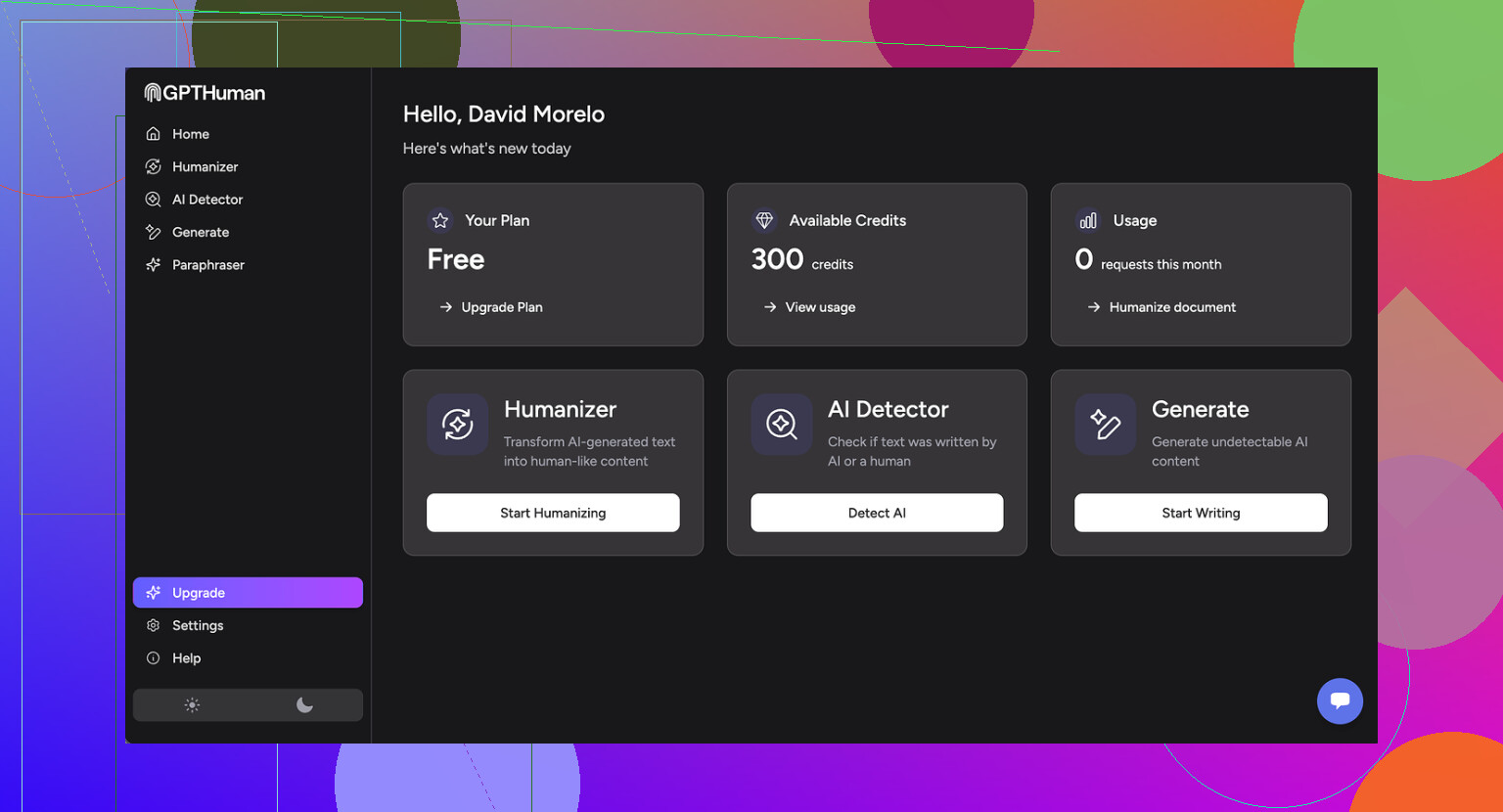
GPTHuman AI screenshots
Detection tests
I took three different AI-generated samples, each a few hundred words long, and ran them through GPTHuman’s “humanizer.” No tweaking, no extra prompts, just basic usage.
Then I checked the outputs with external detectors:
-
GPTZero
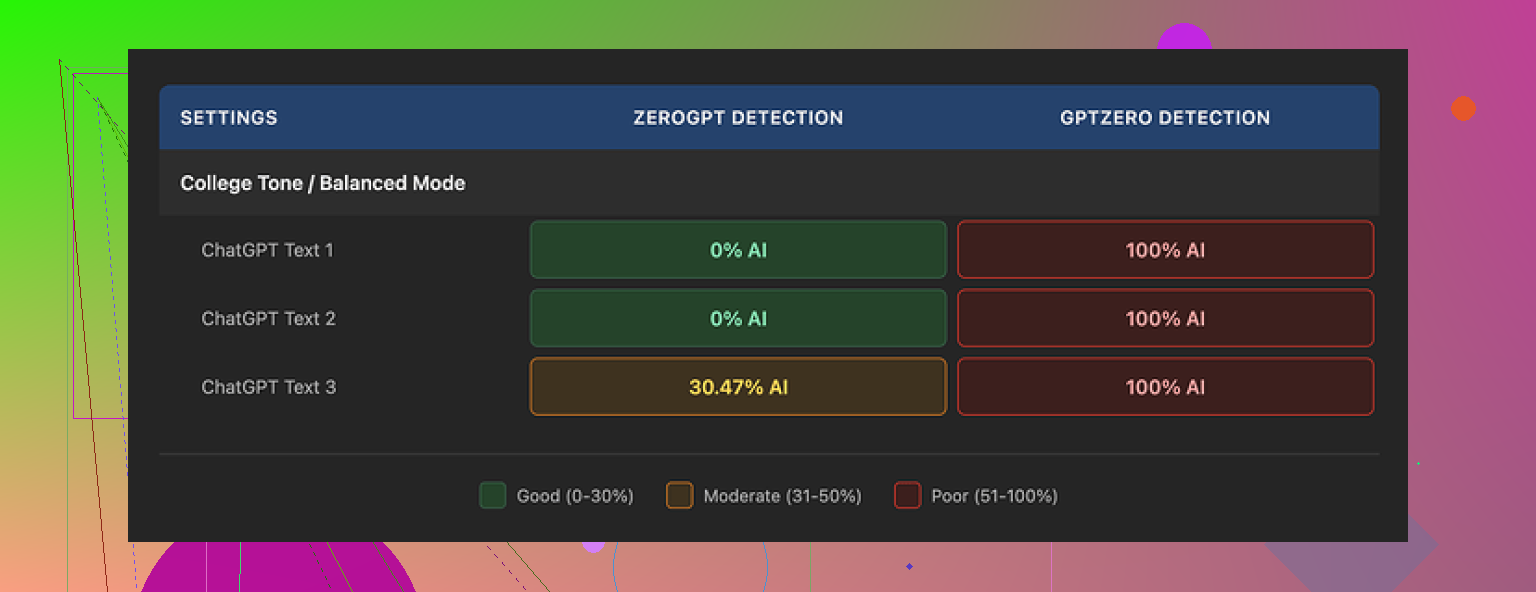
GPTZero flagged every single “humanized” output as 100% AI.
No edge cases, no mixed results, straight 100% on all three. -
ZeroGPT
ZeroGPT passed two of the three samples as 0% AI.
The third one landed somewhere around 30% AI probability.
So you get a mix. One service treats everything as AI. Another lets some through, but not all.
The odd part is GPTHuman’s own “human score.” Inside their interface, the tool kept showing high pass rates, something like “this will pass most detectors.” Those internal scores did not line up with what I saw on GPTZero at all, and only partially lined up with ZeroGPT.
If you trust external tools more than in-app confidence meters, you will not like that gap.
Writing quality
The output reads “human-ish” at first glance, because the paragraphs look clean and the structure is not total chaos. If you skim, it feels normal.
Once you slow down, problems jump out:
• Subject and verb not matching
• Sentences that stop halfway like someone deleted the ending
• Word swaps that do not fit the sentence context
• Endings that feel broken, like the model lost the thread in the last line
Example of what I saw multiple times: a sentence starts formal, flips tone, then ends with a phrase that does not quite connect to what came before. It looks like a quick rewrite that never got proofread.
If you are planning to paste this output into anything important without manual edits, you will need to rethink that. It needs a human pass for grammar and flow.
Limits and pricing
The free tier felt tight.
• You get about 300 words total before it locks. Not 300 per run, 300 overall.
• I ended up making three separate Gmail accounts to finish my normal testing routine. That alone tells you how strict the free limit is.
Paid options (prices at the time I tested):
• Starter plan: from $8.25 per month on an annual billing cycle
• Unlimited plan: $26 per month
The “Unlimited” label is a bit misleading in practice, because there is still a hard cap on each generation:
• Max 2,000 words per output, even on the Unlimited plan
So if you are processing long reports or big blog posts, you will have to chunk the text yourself, run multiple passes, and then stitch everything together.
Data use and policies
A few things in their terms stood out to me:
• Purchases are non-refundable
If you subscribe and dislike the tool, the payment stays with them.
• Your content is used for AI training by default
There is an opt-out, but you have to explicitly change that. If you forget, your text goes into their training pool.
• They reserve the right to use your company name in marketing
They keep that right unless you tell them not to. So if you connect it to work email or use your company info, you might need to send them a request to opt out.
Comparison with Clever AI Humanizer
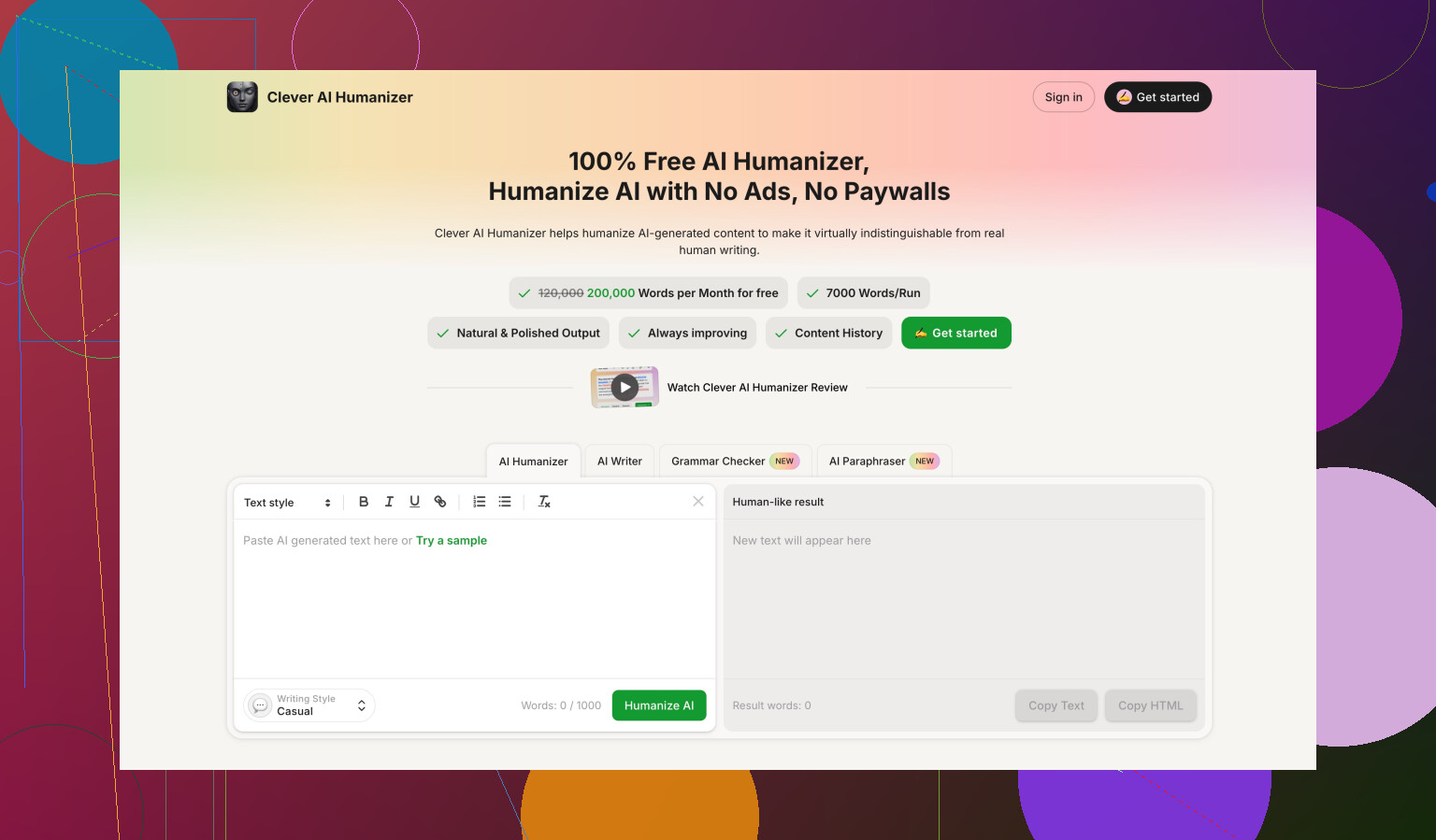
While doing the same round of tests, I also ran content through Clever AI Humanizer.
Full thread is here:
On my side, using the same input samples:
• Clever AI Humanizer got stronger detector scores more often
• Access was simpler, since it was fully free at the time I tested
• I did not have to juggle multiple email accounts to complete a benchmark
Not saying Clever is perfect. AI detectors are inconsistent across the board. Still, when I compared tools side by side, Clever’s outputs tended to fare better under the same conditions, and the lack of paywall during testing made life easier.
Who this might fit
If you:
• only need short rewrites
• do not mind fixing grammar manually
• are fine with tight free limits and non-refundable payments
• are comfortable opting out of training and marketing use yourself
then GPTHuman AI might still be useful as a quick “rough pass” rewriter.
If your goal is to reliably defeat premium AI detectors at scale or hand off text without editing, my tests did not support the claim on their landing page.
9 Likes
Short version. Treat GPTHuman as a draft tool, not a final content source, if you care about SEO, accuracy, and user trust.
Here is a simple review workflow that stays practical:
-
Check factual accuracy first
• Take each claim or stat and spot check it in Google or with trusted sources.
• For medical, legal, finance, products, or YMYL topics, verify every key statement.
• If you cannot verify something fast, cut it or rewrite it yourself.
• Add a source for anything data driven, even if GPTHuman did not give you one. -
Test originality the right way
• Run the final text through a proper plagiarism checker, not only AI detectors.
• Compare key sentences that feel generic. Search them in quotes in Google.
• If a paragraph sounds like a Wikipedia summary, rewrite it in your own voice.
• Keep your own examples, case studies, and opinions in each article. That helps both originality and EEAT. -
Evaluate quality for real users
Read the piece like a visitor, not like a tool tester.
• Does the intro answer a clear intent? For example, “how to…” or “what is…”
• Does each heading solve a specific sub problem?
• Remove fluff, repeated points, and “filler” phrases.
• Fix tone shifts and odd word swaps. GPTHuman outputs often sound off in the last line or two.
• Run a fast grammar check with something like Grammarly, then do a human pass. -
SEO specific checks
• Map each article to one clear primary keyword and 2 to 4 related ones.
• Make sure the title, H1, and first 100 words match search intent.
• Use short, clear headings that match how users search.
• Add internal links to your other pages, and at least a few external links to reliable sources.
• Keep paragraphs short, 2 to 4 lines, and use bullets where it makes sense. -
Trust and EEAT
• Add an author name, short bio, and why they know the topic.
• Where possible, add first hand experience. “I tested…”, “On our site we saw…”.
• Include dates for time sensitive info and update older posts.
• For product content, note pros, cons, and who it fits. Avoid pure hype. -
AI detection angle
I partly disagree with @mikeappsreviewer on focus. Passing detectors should not be your main goal if you care about SEO and users. Google looks at usefulness and originality far more than AI vs human tags.
Still, if your clients or editors demand low AI probability, you can:
• Do a “human rewrite” pass yourself, especially on intros and conclusions.
• Mix in your personal stories, screenshots, or data.
• Use a tool like Clever Ai Humanizer as a final polish on tricky sections, then proofread it hard. It tends to score better on some detectors, but you still need to clean up grammar and logic. -
Process to keep your time under control
For each piece, run this order:- Generate with GPTHuman for structure only.
- Fix facts.
- Rewrite weak sections in your own words.
- Add your own examples and internal links.
- Run plagiarism check.
- Optional, run through Clever Ai Humanizer for detection sensitive projects.
- Final human edit.
If you keep GPTHuman as one step in this pipeline, not the whole thing, you will hit decent quality and originality, and you will avoid most SEO and trust problems.
Short version: treat GPTHuman as a noisy rewrite bot, not a “human writer in a box,” and build your own QA funnel around it.
Couple of points where I slightly disagree with @mikeappsreviewer and @sognonotturno: if you’re using GPTHuman to both generate and review content, you really shouldn’t let the same system be judge and jury. Its “human score” and “quality check” are, at best, a soft hint, not a validation layer.
Here’s how I’d handle it without rehashing their step‑by‑step lists:
-
Separate roles: generator vs reviewer
- Use GPTHuman only for: outlining, rough drafts, or quick rewrites of your own text.
- Use something else for review: a different LLM, human editor, or at least a grammar/checker combo. Letting GPTHuman review its own output is like asking a student to grade their own exam.
-
Aim higher than “passes detectors”
Detectors are noisy, and Google does not have some magic “AI text off” switch. What actually hurts you:- Thin content that repeats the top 3 ranking pages
- Shallow “definitions plus bullet list” posts
- Obvious factual mistakes and outdated info
So instead of obsessing over AI probability %, ask: “Is this saying anything non-obvious that a human expert would nod at?”
-
Use your own structure, not GPTHuman’s
Biggest quality upgrade: write your own outline first.- Define 4–8 headings that you think solve the search intent.
- Feed those into GPTHuman as explicit sections, one by one.
- This reduces the “lost the thread at the end” issue @mikeappsreviewer saw and gives you more consistent flow.
GPTHuman is worse at macro structure than at local rewrites, so don’t let it own the outline.
-
Manual “sanity reads” for accuracy
Instead of verifying every micro fact, do two targeted passes:- Red flag sweep: numbers, dates, regulations, money, health, legal. Anything in those categories gets manually checked in a new tab.
- “Sounds too neat” sweep: whenever a claim sounds perfectly packaged (“Studies show that 78% of users…”), assume it might be hallucinated unless there is a real source.
Delete anything you can’t confirm fast. Silence is safer than fake confidence.
-
Originality without living in plagiarism tools
I wouldn’t rely only on a plagiarism checker. They’re useful, but:- GPTHuman can still output very templatey text that is technically unique but conceptually identical to everyone else.
- To fix that, inject 2–3 elements per article that GPTHuman cannot invent:
- Your own data, numbers from your analytics, or real project outcomes
- Screenshots, code snippets, or process photos
- Specific tools you actually use and how you use them
That’s where EEAT comes from in practice, not from some magical originality metric.
-
Style & trust pass
Stuff GPTHuman is weak at: consistent tone and endings. Instead of fixing every sentence, do:- Intro rewrite by hand: write the first 2–3 paragraphs yourself. Set the tone, speak directly to the reader, and clearly state what they’ll get.
- Conclusion rewrite: close with 3–5 bullets of actionable takeaways or next steps, in your voice. Cut the generic “in conclusion” fluff that tools love.
Those two sections massively affect perceived trust, much more than mid‑article wording.
-
Where Clever Ai Humanizer actually fits
Since you mentioned detectors and @sognonotturno brought it up:- If clients are breathing down your neck about AI detection, run the already edited draft through Clever Ai Humanizer as a light final rewrite on specific paragraphs that still trigger detectors.
- Do not feed it the raw GPTHuman mess and expect magic. Use it as a “final polish” on sensitive sections, then re‑read for grammar and logic.
In my experience, this combo (human outline → GPTHuman draft → your edits → optional Clever Ai Humanizer on tiny bits) scores better both for readability and detection paranoia.
-
Quick “ship / don’t ship” checklist
Before you hit publish, ask yourself:- If a niche expert read this, would they learn anything new or at least see it explained more clearly?
- Can I stand behind every claim if a customer emails me about it?
- Does this sound like something I’d actually say out loud, or like a polished brochure?
If you hesitate on any of those, it’s not ready, no matter what GPTHuman’s internal meter says.
TL;DR: GPTHuman is fine as a drafting and rewriting tool, but absolutely not fine as the final judge of its own work. Put a real review stack around it, optionally fold in Clever Ai Humanizer for detection‑sensitive cases, and keep the “would I sign my name under this?” test as your final filter.
Short version: GPTHuman is OK as a text reshuffler, not OK as a “quality gate.” If you let it generate and then “review” the same content, you’re basically checking your homework with the same calculator that produced the error.
Instead of repeating what @sognonotturno, @techchizkid and @mikeappsreviewer already covered, here’s a different angle: how to stress‑test the content itself so you know if it is worth publishing at all.
1. Run the “expert cringe” test
Imagine a real expert in your niche reading that article.
Ask yourself:
- Would they cringe at anything obviously simplified or wrong?
- Is there at least one idea, example, or nuance that an average “top 10 results” article does not have?
- If the whole piece disappeared tomorrow, would anyone miss it?
If the answer is “no, it’s basically what everyone else says,” that is a sign the GPTHuman draft should be treated as raw material, not a finished asset.
I slightly disagree with how heavily some people lean on checklists. A perfectly structured, bland article is still low value. A messy but insightful piece can perform better once you clean it up.
2. Intent match > keyword match
A subtle trap with GPTHuman: it often matches keywords but not intent.
Quick ways to sanity‑check intent:
- Search the main query yourself in an incognito window.
- Compare your content type to what ranks: guides, tools, calculators, reviews, comparisons.
- If everyone else is using visuals, tables, or step breakdowns and your post is just text, that is a quality gap, not just an SEO detail.
This matters more than whether a detector thinks the text is “AI.”
3. Substance ratio
Forget word count. Look at “substance blocks.”
Print or copy your article and mark:
- Green: sentences that contain a concrete fact, example, number, or specific technique.
- Yellow: framing, connectors, transitions.
- Red: fluff like “In today’s fast‑paced digital world…” or “It is important to keep in mind that…”
GPTHuman outputs usually have too much red and yellow. You want a heavy green bias.
If more than half your paragraphs are not at least half green, you are not ready to publish, regardless of originality or detectors.
4. Dealing with GPTHuman’s built‑in “human score”
I strongly side with the skepticism already raised: treat the GPTHuman score as a novelty widget, not a gatekeeper.
Better alternatives:
- A short peer review: have someone from your team skim and only flag “I don’t believe this” and “I got bored here.”
- A different LLM strictly used as a critic, not generator, and prompted to “attack” the piece, not rewrite it.
The main idea: never let the same tool both generate and declare the text “safe.”
5. Where Clever Ai Humanizer fits in (pros & cons)
If you must deal with AI detectors or clients obsessed with them, then layering another tool can help.
Pros of Clever Ai Humanizer:
- Tends to reshuffle phrasing in a way that breaks some of the common AI patterns.
- Can improve sentence rhythm and variation, which helps readability and can make the piece feel less “template written.”
- Useful as a last‑mile fix on sections that consistently trip detectors, especially introductions and conclusions.
Cons of Clever Ai Humanizer:
- It is still automated rewriting. If your base text is thin or wrong, it will just produce a nicer‑sounding thin or wrong version.
- You can get odd phrasing or subtle logical jumps, so it still needs a human read.
- If you overuse it on the whole article, your voice can get washed out and everything starts sounding evenly bland.
The way to use it responsibly:
- First: your outline, your key ideas, and your examples.
- Second: GPTHuman to expand or clean up sections.
- Third: your manual edit for fact check and tone.
- Fourth: Clever Ai Humanizer selectively on stubborn bits that keep scoring high on AI detectors or feel too robotic.
So Clever Ai Humanizer is best treated as a polisher, not a ghostwriter.
6. Reality check for SEO and user trust
Instead of asking “Is this AI?” ask:
- Would I be comfortable sending this article as a reply to a paying client?
- Could a competitor quote a section to make fun of how generic it is?
- If Google shrank the snippet to 2 sentences, would those lines clearly solve a user problem?
If the GPTHuman draft fails on any of those, no level of “humanization,” including Clever Ai Humanizer, is going to fix the core issue without your involvement.
Use GPTHuman to save typing, not to replace thinking. And use tools like Clever Ai Humanizer to smooth rough edges, not to stand in for actual expertise.