I’m getting a mix of helpful and spammy reviews on my app and it’s hurting my overall rating and confusing new users. I’d like advice on how to clean up or manage these reviews properly, keep genuine feedback, remove clear spam or abuse, and improve my app’s reputation in the app stores. What steps, tools, or best practices should I follow?
Cleanup App (Phone Storage Cleaner) – my experience
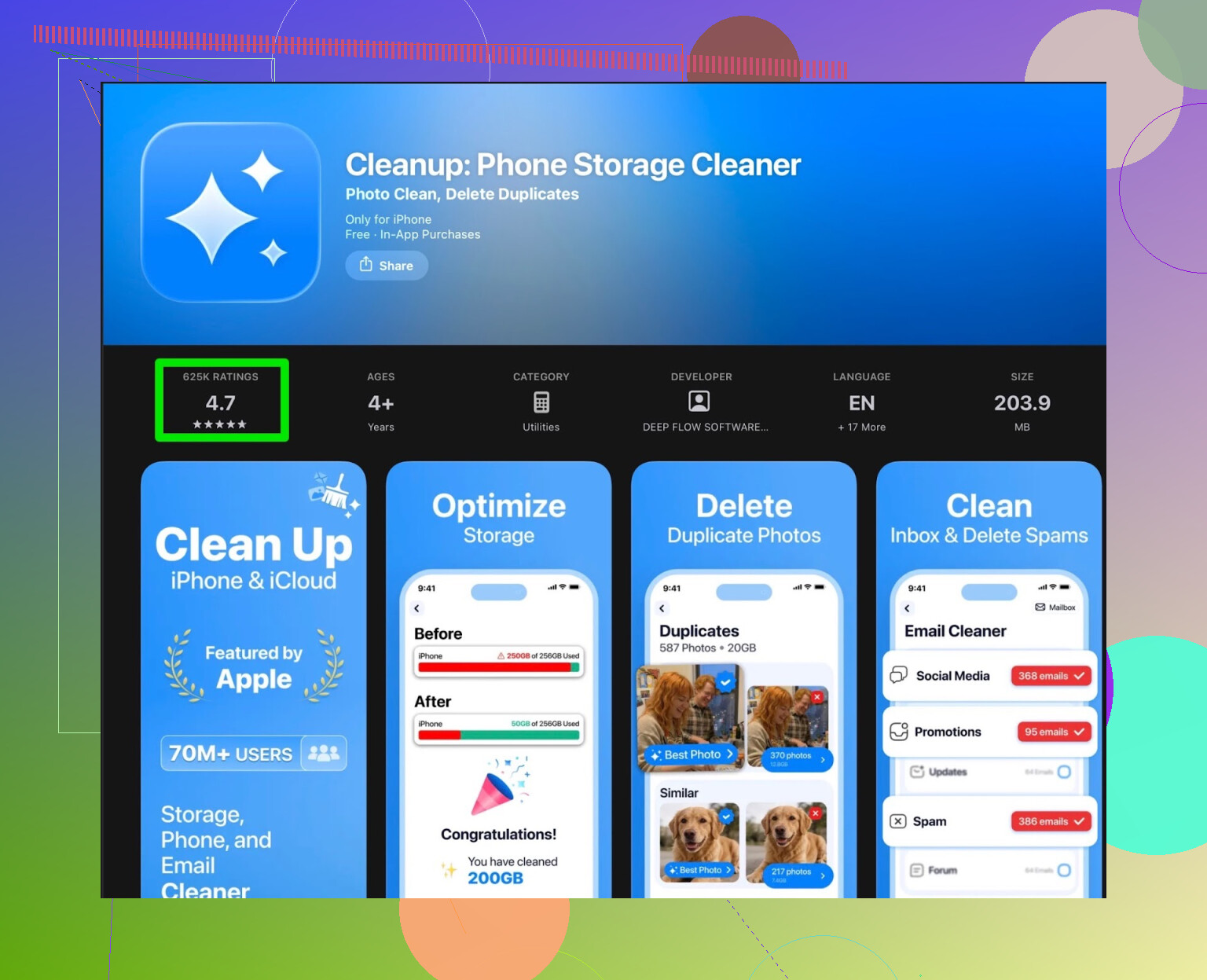
My iPhone hit the usual “storage almost full” wall and I got tired of deleting photos one by one. I grabbed Cleanup App (Phone Storage Cleaner) because it kept popping up in the store and looked like it did all the right things:
duplicate photos, similar images, random screenshots, video compression, even contact merging.
On paper it ticks the boxes. In use, it felt more like a teaser.
The scan itself works. It does find:
- duplicate photos
- similar shots from burst photos or spammy downloads
- old screenshots
- big videos
The problem starts after the scan. Most of what you want to tap is locked unless you subscribe. The free tier is more of a preview of “here’s what you could clean if you pay”.
You can “unlock” some actions by watching ads. I tried that for a bit. After the fifth long ad in a row, I was done. It broke the flow. You get into this weird loop of scan, watch ad, clean a tiny bit, watch another ad, repeat. If you are trying to clear space before a trip or update, this slows you down.
There are also extra bits that felt like fluff for my use:
- fancy animations that slow things down on older phones
- a “secret vault” type feature for hiding photos
I was looking for a storage cleaner, not a privacy app or a toy. Those extras did not help with the core job, they just added taps and menus.
What other users say about Cleanup App
Here is a grab from user feedback, which lined up with what I saw:
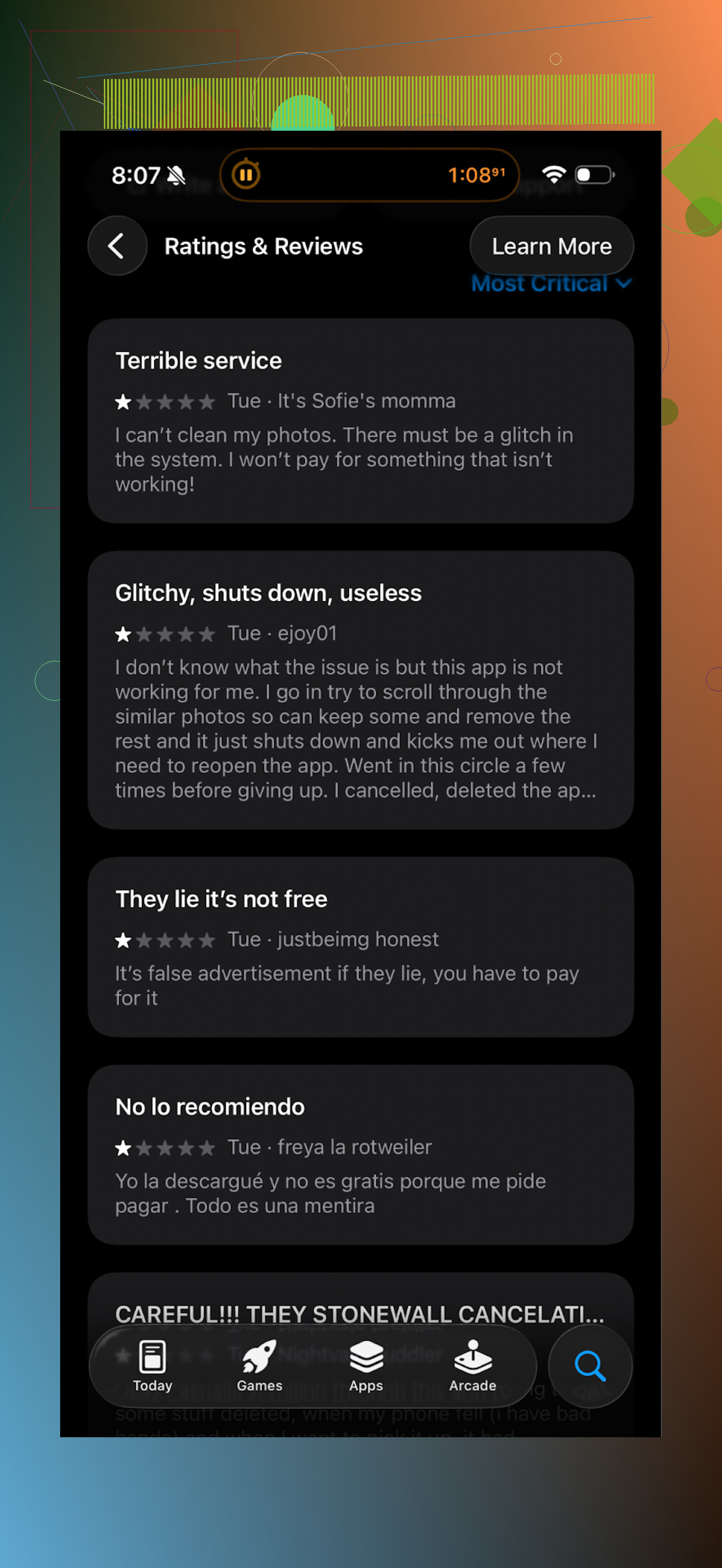
Themes I noticed in reviews:
- aggressive subscription popups
- heavy ad usage if you try to stay on the free plan
- people thinking it would do more without paying, then finding out it does not
Some still liked it, but the pattern around paywalls and ads looked consistent.
What I switched to instead
After a week of trying to tolerate Cleanup, I went hunting for something I would not fight with every time I needed 3–5 GB back.
I ended up on Clever Cleaner:
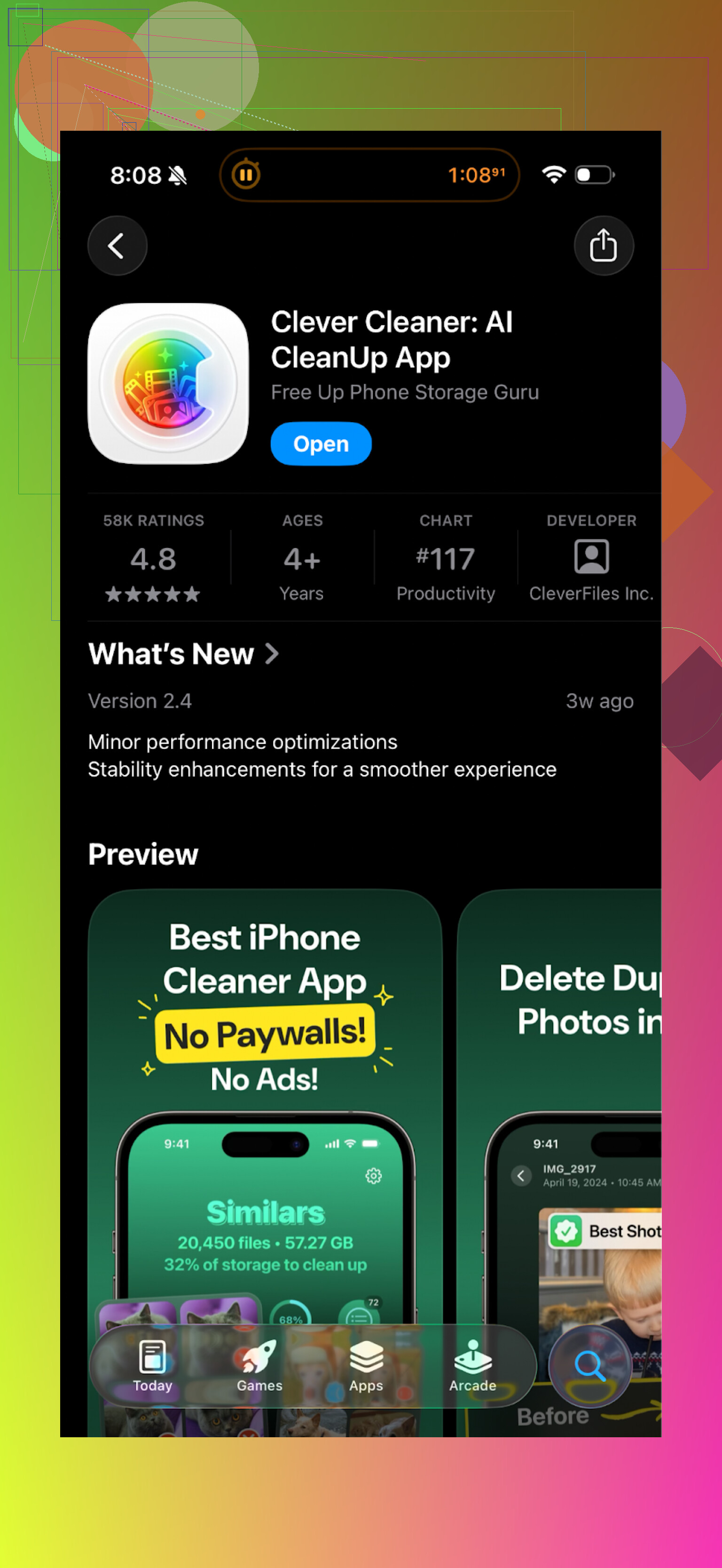
My short version:
- it works without shoving a subscription in your face every few taps
- it scans fast on my phone (13 Pro)
- the free usage is not buried under ad walls
What it helped me clear:
- duplicate photos from WhatsApp and Telegram saves
- long-forgotten screen recordings
- huge videos from trips that I had already backed up
- old screenshots from banking and deliveries
The UI felt more direct. Open app, run scan, review, delete. No mini-games, no vaults. The focus stayed on storage.
If you want to check more detail, they have a page here:
And App Store link again for quick access:
Video walkthrough
If you prefer watching someone else poke around the app before installing, there is a YouTube video here:
Practical takeaways if your iPhone storage is full
This is what I ended up doing that gave me the best “GB per minute” return:
-
Use a cleaner app mainly for:
- duplicate photos
- similar photos where you only need one
- long or 4K videos you forgot about
- old screenshots
-
Avoid paying instantly. Try the free flow first and see how blocked it feels. If the app forces a subscription popup before you even run a scan, I uninstall.
-
Ignore add-on features like “secret vaults” or “cool animations” if your goal is storage. They do not recover space.
-
Always glance at what the app is about to delete. I keep one backup of my photos in iCloud or Google Photos before doing large batch deletes.
My bottom line
Cleanup App does work on a technical level. It finds junk. The problem is the way it is wrapped in subscriptions and ads.
Clever Cleaner felt more straightforward, faster to use, and less pushy. If your goal is to free space without feeling like you are in an ad-supported mini-casino, I would start with Clever Cleaner first, then keep Cleanup only if you find a specific feature you miss.
4 Likes
You have two different problems mixed together:
- Store reviews on your own app listing
- “Reviews” or comments you get elsewhere about your app
For each, you handle them differently.
- App Store / Google Play reviews
You cannot fully “clean up” reviews, but you can manage impact.
a) Report spam and fake reviews
- Flag reviews that
• mention unrelated products
• repeat the same text with different usernames
• contain referral codes, Telegram/WhatsApp, crypto, adult stuff - Use the store consoles:
• App Store Connect: “Report a Concern” on the review
• Google Play Console: “Report” under User Feedback - Do this weekly. Treat it like inbox hygiene.
b) Systematically reply to real reviews
This matters a lot for confused new users.
- 1–2 star reviews
• Acknowledge the concrete problem.
• Give a short solution or link to support.
• If they are wrong or misinformed, correct it calmly, not defensively. - 3 star
• Ask what blocks them from 5 stars. - 4–5 star
• Say thanks, maybe ask what feature they like most.
When users see active, honest replies, spammy or bitter reviews have less weight.
c) Encourage silent happy users
Your biggest issue is that angry users write more than satisfied users.
- Add a “Rate app” prompt in a sane way
• After a success moment, example: “Freed 2 GB, how was your experience?”
• Only show to users with multiple successful sessions - Avoid asking people who dismissed or closed the app mid-flow
- Do not show the rating pop-up on first launch
Data point from many apps: if you nudge at the right time, average rating goes up by 0.3–0.7 stars over a few months.
d) Fix patterns, not one-off complaints
Where I slightly disagree with @mikeappsreviewer is on ignoring “extras” like vaults forever. If multiple reviews say “too many features I do not need,” then the problem is you do not hide them enough.
- Move secondary features behind an “Advanced” or “More tools” menu.
- Keep first screen focused on main task: scan, review, delete.
- Cleaning fake or low-quality feedback from other places
If you are getting fake “reviews” in email, Discord, forums, etc, treat those as a filter problem.
a) Create a single official feedback channel
- In the app and on your site say:
“For feedback use: support@yourapp.com or in-app ‘Feedback’ button.” - Anything else you treat as secondary.
b) Tag and sort feedback
- Use a simple sheet or tool
Columns: Date, Source, User type, Topic, Severity, Status. - Ignore messages that
• ask you to pay to “fix rating”
• promise downloads in exchange for money
• offer fake reviews
c) Do not pay for review “services”
This usually triggers spammy 5 star reviews and then the store’s fraud checks. Worst case, your rating drops after removal, and you get flagged.
- Make genuine reviews more visible to new users
You cannot reorder store reviews globally, but you can:
a) Use in-app messaging and website
- Screenshot strong, specific reviews that mention real use cases.
- Use them in:
• onboarding screens
• your website
• help center articles - Focus on reviews that say “Freed X GB” or “Helped with duplicate photos”, not generic praise.
b) Answer critical but fair reviews publicly
When new users see “Dev replied, gave a fix, user updated rating from 2 to 4”, trust goes up more than if everything looked perfect.
- Check what is causing the bad reviews
From what @mikeappsreviewer wrote, a lot of low ratings for cleaners comes from:
- Hard paywalls
- Aggressive ads
- Confusing feature bloat
So review your flows:
a) Ads
- Cap number of ads per session.
- No interstitial before first scan.
- Show ad after user finished a clean, not in the middle.
b) Paywall
- Let free users finish at least one useful clean without hitting a hard block.
- Make the “why” clear, example: “Free: clean up to 500 photos per week. Pro: unlimited, faster scan.”
- If many 1–2 star reviews mention “scam” or “paywall”, tweak onboarding.
c) Feature layout
I would not cut features like secret vault if some users like them, but keep storage tools front and center.
Example layout:
- Section 1: Storage cleanup tools
- Section 2: Privacy tools
- Section 3: Extras
- Learn from competitors without copying
People in this thread talk about Clever Cleaner App for a reason. Check:
- How often they prompt for rating
- Where they place paywall screens
- How they name actions like “Delete duplicates”, “Review screenshots”
Do a simple table with 3 columns: Your app vs Clever Cleaner App vs one more competitor. Compare:
- Steps to first cleanup
- Ads before first success
- Clarity of free vs paid
You do not need to clone them. Use it as a sanity check.
- Practical weekly routine
Here is a short loop you can run:
Mon
- Review all new store reviews.
- Reply to every 1–3 star review that is not nonsense.
- Report obvious spam.
Wed
- Add top 2 complaints to a backlog.
- Check if they show up in analytics, example: dropoff at paywall.
Fri
- Ship a small tweak that removes friction.
- Update your in-app “What is new” text with something that responds to a real complaint.
You will not erase bad reviews, but you can bury spam and shape the tone. Over a few weeks, the mix shifts from confusing to coherent and new users will see a clear story instead of noise.
You’re not going to “clean up” store reviews in the sense of vacuuming them out, but you can reframe them and quietly bury the trash.
What @mikeappsreviewer and @reveurdenuit already covered is the surface level: report spam, reply to legit ones, adjust paywalls, etc. All solid. I’d push you a bit deeper on the system around reviews instead of just whack‑a‑mole moderation.
Here’s what I’d do differently:
-
Stop thinking in “good vs bad” reviews
For your internal use, split every review into 3 buckets:- Signal: actual product info (bug, UX confusion, pricing complaint, feature request).
- Social: emotional venting, “scam”, “love it”, “trash app”, no clear detail.
- Noise: off-topic, promo, bots, obvious spam.
You only fight Noise on the store. You use Signal and Social everywhere else.
-
Turn your best reviews into official “documentation”
If you have a bunch of specific reviews like “too many ads” or “only shows me what I could delete unless I pay,” don’t just reply and move on. Build a public “What’s free vs paid” page and link to it from:- Your in‑app paywall
- Your website FAQ
- Your reply to those reviews
That way when new users see 1‑star rants, they also see your clear explanation a tap away. You’re not erasing confusion, you’re reframing it.
-
Pre‑empt complaints inside the app
I kinda disagree with the idea that you should just soften paywalls and hope ratings go up. Cleaner apps like Cleanup App and Clever Cleaner App get roasted mostly because users feel ambushed. Fix that feeling:- On first launch, show a super short “How it works” screen:
“Free: scan + clean X items per day. Pro: unlimited + faster + extras.” - Before first paywall, show a tiny inline hint like:
“You’re about to hit the free limit. Next step may require Pro.”
People tolerate limits much better when they know they’re walking into them.
- On first launch, show a super short “How it works” screen:
-
Build a “review firewall” inside the app
Don’t send angry users to the store. Ever. Use a 2‑step flow after a “How’s your experience?” prompt:- If they tap 4–5 stars → trigger the official rating dialog.
- If they tap 1–3 stars → open an in‑app feedback form instead.
That does two things:
- Store ends up with more positive reviews from your happy users.
- You still get the raw complaints in your inbox or dashboard, but they don’t all land as 1‑stars.
-
Use patterns in reviews to change your metrics
Instead of just “our rating dropped,” track:- % of new reviews that mention “ads”
- % that mention “paywall”
- % that mention “confusing” / “hard to use”
When you push a release that changes ad frequency or the free tier, check if those word counts change over 1–2 weeks. That tells you if you’re actually solving the root cause or just rearranging buttons.
-
Don’t try to hide competitors… use them
People are already comparing you to others like Clever Cleaner App and the Cleanup App in reviews. Lean into it:- If a review says “XYZ app doesn’t show so many ads,” reply briefly:
“We hear you. We’re tuning our free plan so you can get real cleanup done before seeing ads. Update 2.4 reduced interstitials and added a clearer free limit.” - Internally, actually install Clever Cleaner App and write down where their flow feels “less scammy” to a normal user. Not to copy it, but to see where you’re crossing the line.
It’s fine if your monetization is stricter; just make it predictable and transparent so it doesn’t feel like a trap.
- If a review says “XYZ app doesn’t show so many ads,” reply briefly:
-
Make “review triage” a weekly ritual, not a crisis button
Very simple loop:- Once per week, skim all new reviews.
- Tag each as Signal / Social / Noise.
- Report the obvious spam and promo garbage.
- For Signal, log issues in your backlog with links to multiple reviews, not just one.
- Ship small, visible fixes that clearly address common complaints, then literally name them in your “What’s new” text:
“You said: ‘too many ads while cleaning.’ We now show no ads until you’ve completed your first cleanup.”
Over time, new users see a history of “Dev listened, changed X because users complained.” That alone can neutralize some 1‑star drama.
Bottom line: you’re not going to fully “clean” the store page, but you can heavily influence which voices dominate. Let the spam die by reporting, let the rage vent into private channels, and make sure the reasonable, specific reviews are the ones you amplify and design around.