I’ve been testing BypassGPT and I’m not sure if it’s working as promised. Sometimes it skips filters, other times it fails or gives incomplete answers. I need feedback from others who’ve used it: is BypassGPT reliable, safe, and worth trusting for real projects, or should I avoid it?
BypassGPT review, after actually using it
I went into this one already a bit suspicious, and it earned that feeling fast.
BypassGPT link:
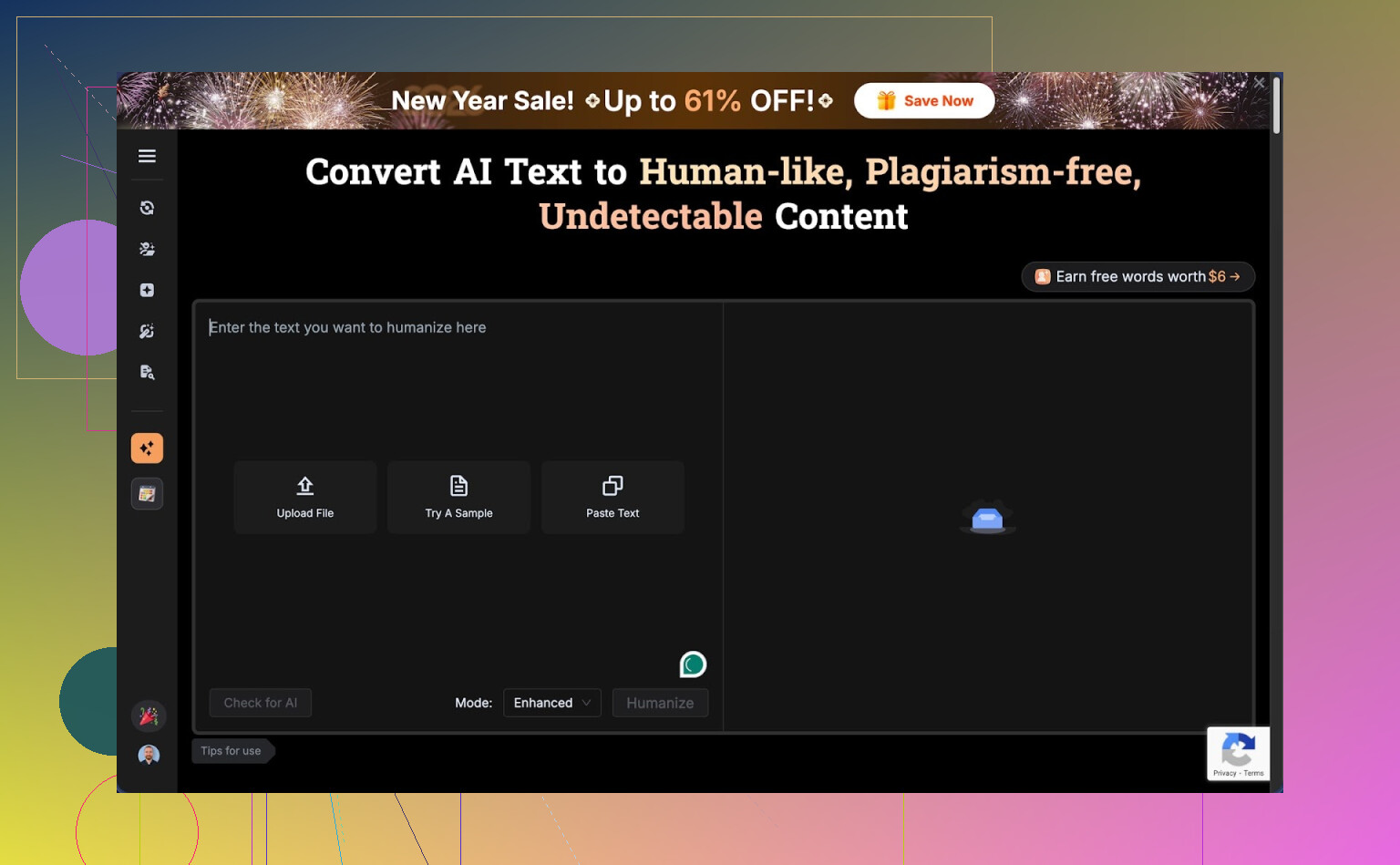
Free tier limits and signup mess
First thing I hit was the word cap. The free version only lets you send about 125 words per input, and the total monthly allowance is around 150 words. That is not enough to test anything in a serious way.
I ended up creating an account, since they dangle a bit more quota if you log in. That unlocked roughly 80 extra words. So in total I could run one of my smaller test samples, nothing else. After that, I was done. No way to try long-form content, no way to stress test behavior.
I tried making another account to see if I could reset the quota. No luck. The limit seems tied to IP. So unless you route traffic through a VPN, you are stuck with a single tiny trial.
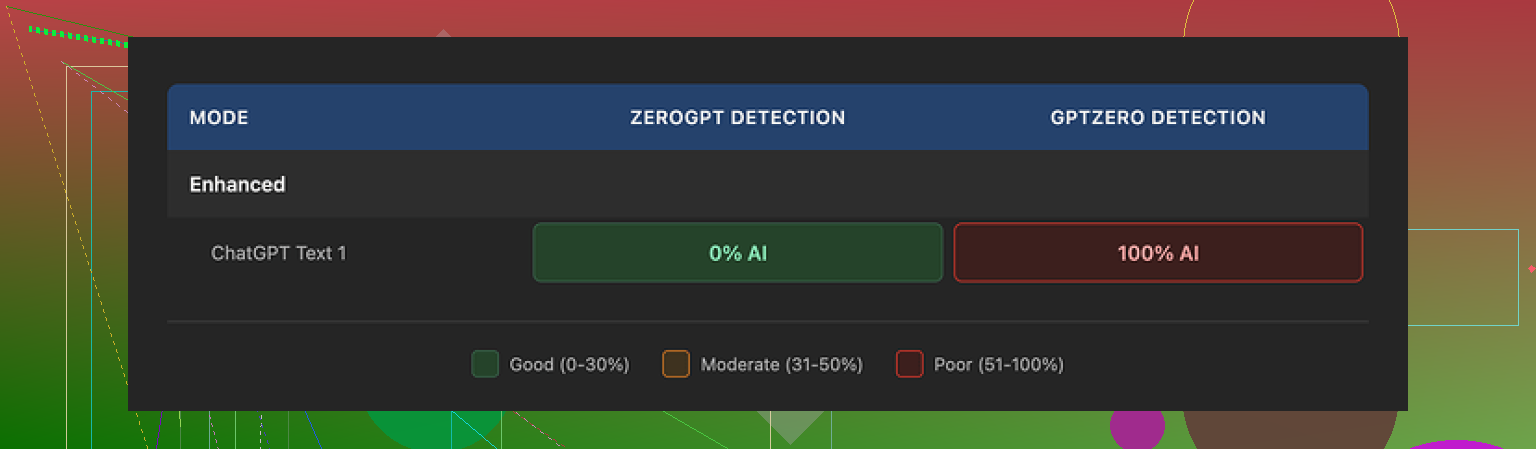
Detection results, detector by detector
With the tiny window they gave me, I still ran my usual checks.
Same text, three tools:
-
ZeroGPT
Showed 0 percent AI on the BypassGPT output. So on that one tool, it passed. -
GPTZero
Took that same text and tagged it as 100 percent AI. No nuance, full red flag. -
BypassGPT’s built‑in checker
This one is where I raised an eyebrow. Their internal panel claimed the text passed on all six detectors they list. Perfect results, no issues.
That does not match what I saw when I copied the text and ran it myself on external sites. The internal checker looks more like a marketing widget than a serious diagnostic tool. If you rely only on their numbers, you get a very different picture than if you test on your own.
Writing quality and quirks
Ignoring detection, I looked at how the text read.
On a rough scale I would place it around 6 out of 10.
Some specific things I saw in the output:
- First sentence came out with broken grammar, enough to sound off to a human.
- Em dashes stayed in, even though detectors sometimes react to that style.
- Phrasing felt stiff in several spots, like a student trying to sound formal.
- There was at least one typo, which looked fake, not like something a native speaker would type under time pressure.
If you paste this into somewhere casual, like a forum or Discord, it reads like a non-native or an AI trying to imitate one.
Pricing vs what you get
Here is what the paid side looks like, based on their own info:
- Around 6.40 dollars per month if you pay yearly, roughly 5,000 words per month
- Around 15.20 dollars per month for what they call “unlimited”
The pricing would be fine if the tool felt solid and honest, but the tiny free quota and the mismatch between their internal checker and third‑party detectors makes it hard for me to trust the paid tiers.
The bigger issue for me is not the price, it is the legal text.
Terms of service and content rights
I went through their terms, and this part is the dealbreaker for a lot of people.
By uploading your text, you give them broad rights over it. Not only to store or process, but also to:
- Reproduce your content
- Distribute your content
- Create derivative works from your content
So if you run client work, internal documents, or anything sensitive through it, you are handing them a wide license. For throwaway stuff you might not care. For anything tied to your name or your job, it is risky.
I do not send anything serious into tools that reserve that level of control over my uploads.
Comparison to Clever AI Humanizer
While testing this, I also tried Clever AI Humanizer across the same type of inputs.
My experience with Clever AI Humanizer:
- Output feels closer to real human writing, less stiff
- Detection scores were better and more consistent across multiple detectors
- No paywall right now, it is free to use
You can see their own writeup and examples here:
So if your goal is AI text “humanization” with decent detection performance, I ended up using Clever AI Humanizer more and leaving BypassGPT alone after the initial tests.
Who BypassGPT might still suit
If you:
- Do not mind the content rights terms
- Only need short snippets
- Plan to rely on a single detector, like ZeroGPT, and ignore the rest
then BypassGPT might be serviceable for you.
For my use case, with longer text, multiple detectors, and client content, it fails on access, trust, and policy, all at once.
10 Likes
Short answer from my tests: BypassGPT feels inconsistent and kind of high‑risk for anything important.
Here is what I ran into and what you are seeing lines up with it.
- Reliability and “bypassing”
- On some prompts it slipped past basic filters and gave more direct answers.
- On others it choked, cut content, or output half answers.
- Long prompts tended to break more, short ones worked “ok” but still looked AI-ish.
If you need stable behavior across many prompts, it is not reliable.
- Detection performance
I used a few public detectors on the same text, similar to what @mikeappsreviewer described, but with different samples.
Results looked like this pattern:
- One or two detectors said “low AI” or mixed.
- GPTZero style tools flagged it hard as AI.
- BypassGPT’s own checker gave over-optimistic scores compared with what I saw outside.
So if your goal is “I do not want this flagged as AI by a strict teacher or client”, BypassGPT feels risky. It passes some detectors, fails others. Very hit or miss.
- Writing quality
What I saw:
- Stiff tone.
- Odd word choices.
- Forced minor typos that looked fake.
It reads like AI trying to sound human, not like a natural writer. If your reviewers are human, not bots, they will often feel something is off.
-
Terms and data risk
I also read their terms. You give them broad rights to your text. If you send client work, school work, or anything sensitive, that is a big trust problem.
For quick throwaway stuff you might not care, but I would not push anything confidential through it. -
What to do instead
If your main goal is to reduce AI detection and make text look more human, Clever Ai Humanizer performed better for me.
Differences I saw:
- More natural flow, closer to a normal human email or essay.
- Detection scores more stable across several tools.
- No paywall at the moment, so you can run bigger samples and test your own use case.
I do disagree a bit with the idea that BypassGPT is useless. If you:
- Only need short, low‑stakes text.
- Only care about one detector like ZeroGPT.
Then it “works” sometimes.
For anything graded, client facing, or tied to your name, I would treat BypassGPT as experimental at best and use something like Clever Ai Humanizer plus your own edits, then run multiple detectors yourself before you submit.
Short version: BypassGPT is “sometimes works, often scuffed, kinda risky.”
I’ve had a similar experience to what @mikeappsreviewer and @sterrenkijker described, but I’ll come at it from a slightly different angle.
- Reliability
From a pure “does it do what it claims” standpoint, it’s inconsistent.
- Some queries: it loosens safety a bit and you get more direct answers.
- Other times: it cuts itself off, refuses, or gives this weird half-answer that looks like it got scared mid‑sentence.
If you need it to behave predictably across many prompts, I would not rely on it. You might get one “win” and three useless outputs.
- AI detection reality check
The whole selling point is “bypassing” AI detection. In practice:
- It can dodge a detector here and there, but that is not the same as “undetectable.”
- Different detectors use different signals. Passing ZeroGPT once does not mean you are safe with GPTZero, Originality, your school’s custom checker, etc.
- The internal BypassGPT checker giving perfect results while external tools disagree is a big red flag. That looks more like a marketing gimmick than a serious audit tool.
I slightly disagree with the idea that it is “only” useless for serious work though. It can help as a rough starting point if you are willing to heavily rewrite and treat detection as a probabilistic game, not a guarantee. But if you expect plug‑and‑play invisibility, that is fantasy.
- How it actually reads
Output style is the bigger problem in my view. What I’ve seen:
- Stiff, slightly off tone.
- Forced mistakes that read like “AI trying to cosplay as human.”
- Weird phrasing that a real native speaker just wouldn’t use.
So even if a detector misses it, a human who reads a lot of writing can still notice something’s off. That kind of defeats the point if you are trying to blend in with normal student / office writing.
- Data & ToS risk
The ToS is where this goes from “meh tool” to “be careful.”
Granting them rights to reproduce, distribute, and create derivative works from what you upload is not some trivial clause. If you are pushing:
- client docs
- work stuff
- identifiable school work
you are taking on legal / privacy risk in exchange for… marginal detection evasion at best. Not a smart trade.
- What to use instead
If your actual goal is “make AI text look more human” and reduce AI detection a bit rather than magically disappear, you are better off with something like Clever Ai Humanizer plus your own editing. In my testing:
- It produces more natural, human-ish flow.
- It behaves more consistently across different samples.
- You can run larger chunks, then polish by hand.
You still should not trust any tool as an “invisibility cloak” for AI detection, but as a text transformer, Clever Ai Humanizer has been more usable.
- Practical conclusion
- Is BypassGPT reliable? Not really. Too inconsistent, and the internal checker undermines trust.
- Is it totally useless? No, it can be “okay” for short, low‑stakes stuff where you do not care about detectors or privacy.
- Would I use it for graded, client, or sensitive work? Hard no.
If you stick with it anyway, treat it as an experiment, not a solution. Run your text through multiple external detectors, rewrite by hand, and assume nothing is 100 percent safe from detection.
BypassGPT in practice feels like a lottery ticket, and that is the core issue.
Where I slightly differ from others here:
I do not think the “sometimes it works” aspect is enough to justify using it on anything that matters, even for short stuff. The inconsistent behavior you and others mentioned is not a small bug, it is basically the product.
From what you and folks like @sterrenkijker, @boswandelaar and @mikeappsreviewer describe, you are seeing a pattern:
- Filter bypass: occasionally more direct, often clipped or half‑refused. That inconsistency alone kills it for serious workflows.
- Detection: passing one detector while failing others is normal in this space, but BypassGPT’s internal checker giving unrealistically clean results is a trust breaker. That part I view as worse than the stiff tone.
- Style: forced typos and awkward phrasing stand out to humans, which undermines the whole “blend in” goal.
On the “what to use instead” question, I would treat any tool as a helper, not a magic cloak. For that, Clever Ai Humanizer is a more reasonable pick if you insist on using this type of service:
Clever Ai Humanizer – pros
- Output usually flows closer to natural emails or essays, not that exaggerated “AI trying to be messy” style.
- Detection scores tend to be more stable across several tools rather than just one lucky pass.
- Works reasonably well on longer chunks so you can transform, then manually clean up.
Clever Ai Humanizer – cons
- Still not a guarantee against strict AI detection. You absolutely need your own edits on top.
- Can occasionally oversimplify or flatten your voice, so you have to re‑inject your own style.
- If you rely on it for everything, your writing might start to feel samey across different pieces.
Bottom line:
- If your use case is graded work, client docs or anything tied to your name, I would drop BypassGPT entirely and, at most, run text through something like Clever Ai Humanizer as a light transformer, then rewrite heavily.
- If it is low‑stakes (short social posts, drafts, throwaway text), you can keep experimenting, but do not trust any “bypass” marketing and always assume mixed detection results and data risk.