I accidentally deleted a large batch of family photos from my SD card while moving files to my computer, and now I can’t find them anywhere. I’m looking for reliable photo recovery software that actually works on deleted pictures and is safe to use. If anyone has suggestions for the best photo recovery tool for SD cards or hard drives, I’d really appreciate the help.
I’ve had to pull deleted photos and video clips back from the dead more times than I want to count. Sometimes I deleted the wrong batch. Once an SD card went weird after a shoot. A few times it was me, tired, clicking too fast and cleaning up the wrong folder. The big thing I learned was simple. What you do in the first minute matters more than which app you install later.
If your files vanished, stop writing to the card or drive right away. Don’t shoot more photos. Don’t move new files onto it. Don’t reformat it again because you saw a post saying it helped. In many cases, the data is still sitting there until new data lands on top of it. Keep using the card and your odds drop fast. I did this wrong once, and I paid for it with half a day of footage.
After the card is out of use and set aside, these are the tools I’d look at first.
1. Disk Drill
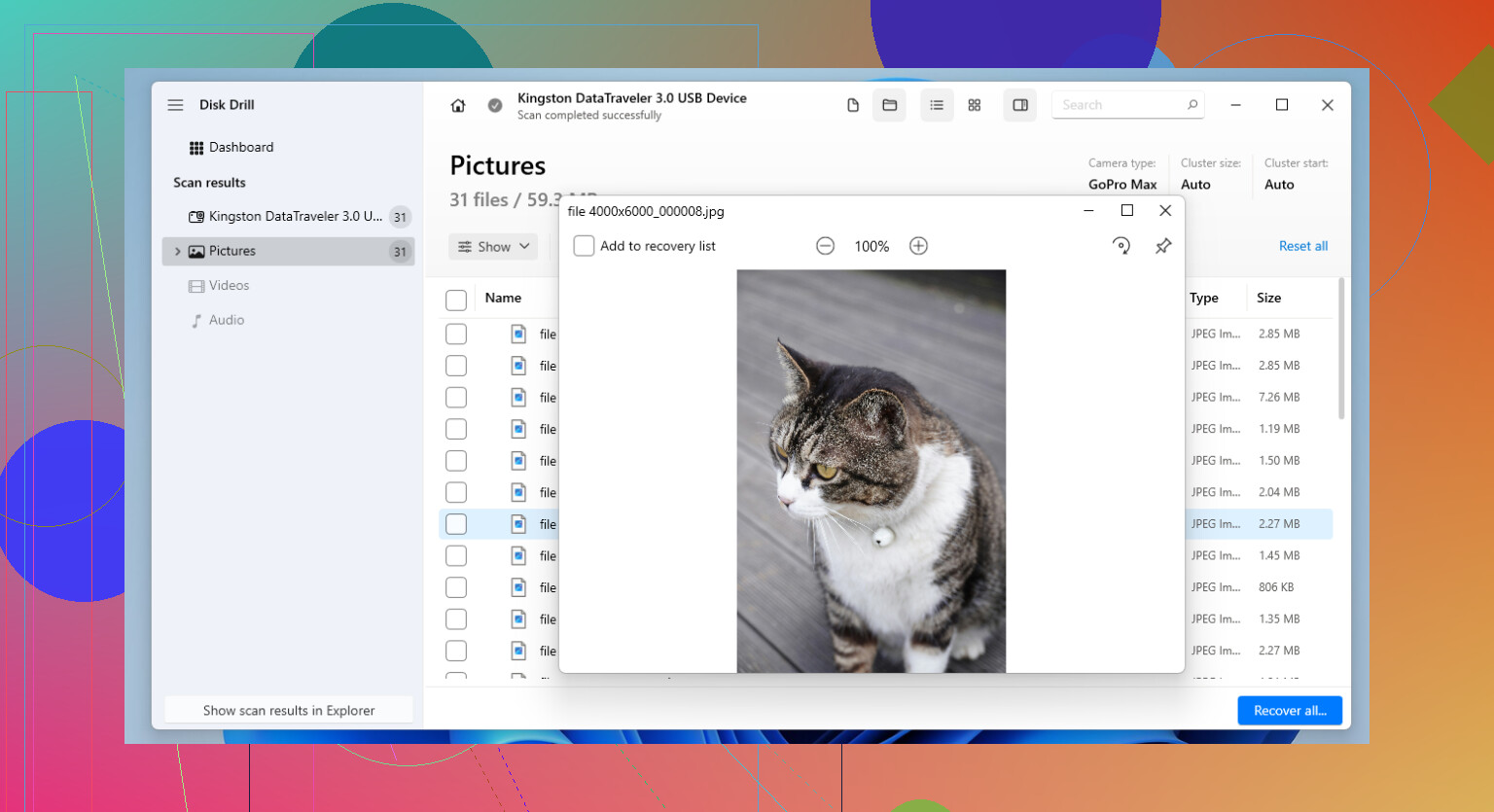
Disk Drill is the one I point people to most often. Not because it’s magic. It isn’t. It’s because it hits a decent middle ground between solid recovery results and a layout normal people don’t hate. It works with SD cards, USB sticks, external drives, SSDs, the usual stuff.
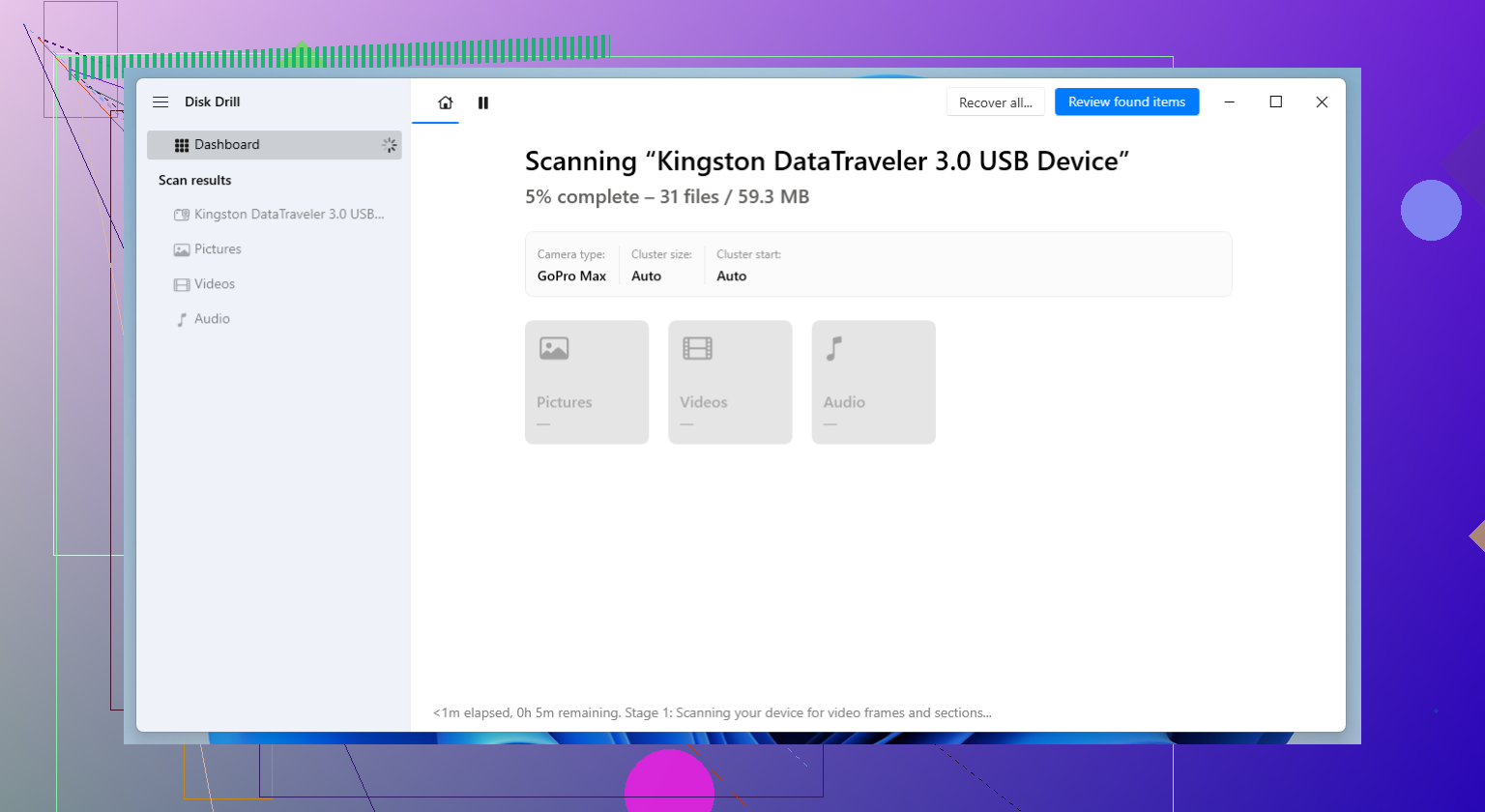
The part I kept coming back to was its Advanced Camera Recovery mode. If you’ve tried recovering footage from a drone, GoPro, dash cam, or mirrorless body, you’ve seen the usual mess. Some apps find the file, then hand you a broken clip with no playback past 3 seconds. This one did better for me with split or fragmented video files, and it also picked up a lot of RAW photo formats without much fuss.
What I liked:
- Simple enough to use without reading a manual first
- Handles a long list of photo and video formats
- Advanced Camera Recovery helps with fragmented video
- Lets you preview files before saving them out
- Runs on Windows and Mac
What got annoying:
- You need the paid version for full recovery
- Deep scans on big cards are slow, real slow
2. R-Studio
R-Studio feels like the tool you open when the easy options already failed. I wouldn’t hand it to someone who has never touched recovery software before. Still, when the file system is damaged, the partition is messed up, or the card looks half-dead, this one has saved me on jobs where simpler tools came back with scraps.
I used it on a badly corrupted SD card once, one of those cases where the camera refused to read it and Windows wanted to format it. It found more than I expected. The catch is the interface. It feels technical from the start, and if you click around without knowing what you’re looking at, it gets confusing fast.
Why I keep it around:
- Strong recovery performance
- Does better than most with damaged file systems
- More scan controls and recovery options
- Works with a wide range of storage setups
Why some people bounce off it:
- Learning curve is steep
- The UI feels dense
- Price is higher than a lot of other options
3. PhotoRec
PhotoRec is still one of the best free options I’ve used. No recovery cap, open-source, and it doesn’t care much if the file system is trashed because it hunts for file signatures directly on the device.
This matters when a card was formatted or got corrupted badly enough where normal file browsing is useless. I’ve seen PhotoRec pull data off media I had mostly written off. The tradeoff is messy output. Your original filenames are usually gone. Folder structure is gone too. So after recovery, you end up sorting a pile of files by date, type, preview, and patience. It works, but yeah, it’s a bit of a pain.
Good stuff:
- Free, with no limit on how much you recover
- Supports a huge range of file types
- Works well on formatted or damaged cards
- Available on Windows, macOS, and Linux
Less fun parts:
- Command-line interface turns people off fast
- Recovered files lose original names
- No original folder layout
- Cleaning up the results takes time
One more thing. Recovery software is only half the story. After you get your files back, or some of them back, it’s worth fixing the workflow that let this happen. I started keeping tighter backups after losing part of a weekend shoot, and I stopped stuffing an entire session onto one card when I didn’t need to.
If the photos or footage matter, back them up often. If you shoot on SD cards, spread the work across multiple cards instead of trusting one card with the whole day. A lot of working photographers do this for a reason. One bad card then hurts, but it doesn’t wipe out everything.
So yeah, move fast, stop using the card, and don’t overwrite anything. If you do those first steps right, your recovery odds are a lot better than they feel in the moment.
2 Likes
If this was my SD card, I’d try Recuva first for a simple undelete scan, especially if the card still shows up normally on your computer. It’s fast, cheap, and good at catching recently deleted JPGs and PNGs. It’s weaker on RAW files and badly messed up cards, so don’t expect miracles.
I’d still keep Disk Drill on the shortlist. @mikeappsreviewer covered the deeper recovery angle. I disagree a bit on one point though. I don’t think PhotoRec is the best first move for most people. It dumps out a giant file pile, and sorting family photos from that mess is rough.
My order would be:
- Recuva, if deletion was recent.
- Disk Drill, if you want previews and broader photo format support.
- R-Studio, if the card looks corrupted.
Also check your computer before scanning. Look in the import folder, temp folders, and your cloud photo sync trash. I’ve seen “deleted from SD card” turn out to be “moved somewhere weird” more than once.
If you want a solid roundup of photo recovery software for photographers and SD card recovery tools, this guide helps: best SD card photo recovery software for photographers
One more tip, recover to your hard drive, not back onto the SD card. That part trips people up a lot.
I’d add one option neither @mikeappsreviewer nor @vrijheidsvogel mentioned: DMDE. It’s uglier than sin, but for straight-up deleted file recovery from SD cards, it can be shockingly good, especially if the card still mounts normally. Not as beginner-friendly as Disk Drill, but cheaper and sometimes better at showing the actual folder tree before everything turns into recovery soup.
My take:
- Disk Drill is probably the easiest solid pick if you want a normal interface and photo previews.
- DMDE is great if you’re a little patient and want more control.
- R-Photo is another one worth a look for photos specifically, and it’s simpler than full-on forensic tools.
Tiny disagreement with the usual advice: I would not start with the deepest possible scan unless the quick scan finds nothing. Deep scans can dump back hundreds of files with junk names, and family photo sorting gets old real fast.
Also, if you were “moving” files, check whether your computer’s drive has them under:
- Pictures
- Downloads
- your photo app library
- hidden temp import folders
And yeah, if you use Disk Drill, recover to the computer, not the SD card. Kinda obvious, but people do it and then post later asking why things got worse lol.
If you want a solid list of best data recovery software recommended by the Reddit recovery community, that page is worth skimming too.
If the card is making errors or disconnecting, stop DIY stuff before it gets more cooked. That’s where people usually make it worse by poking at it too much.
I’d split this by situation, because “deleted while moving” is different from “card is corrupted.”
If the SD card still mounts fine and you just deleted the photos, I actually would not jump straight into the heaviest forensic tool. @vrijheidsvogel and @viajeroceleste are right to keep it simple first. In that lane, Disk Drill is a solid middle-ground pick.
Disk Drill pros
- easy to use
- good preview support for photos
- handles SD cards well
- decent at finding common image formats and some RAW files
Disk Drill cons
- full recovery needs the paid version
- deep scans can take a while
- results get messy if the card has been reused a lot
Where I slightly disagree with @mikeappsreviewer: for family photos, usability matters almost as much as raw recovery power. A tool that shows previews and lets you recover only the right files can save hours.
My practical order:
- Check the computer first for misplaced imports
- Run a preview-friendly tool like Disk Drill
- If the card has filesystem damage, move to something heavier like R-Studio
- If nothing works, then try raw carving tools
Also, if these photos are truly irreplaceable, make an image of the SD card first and scan the image, not the card itself. That extra step is boring, but safer.