I’ve been using NoteGPT’s AI humanizer to clean up AI-written notes so they sound more natural and less detectable, but I’ve hit the limits of the free plan and can’t justify the paid tier right now. I’m looking for genuinely free tools or workflows that can humanize AI text with similar quality, ideally without strict word caps or watermarks. What free options or combinations of tools are you using that come closest to NoteGPT in terms of fluency and consistency?
- Clever AI Humanizer Review
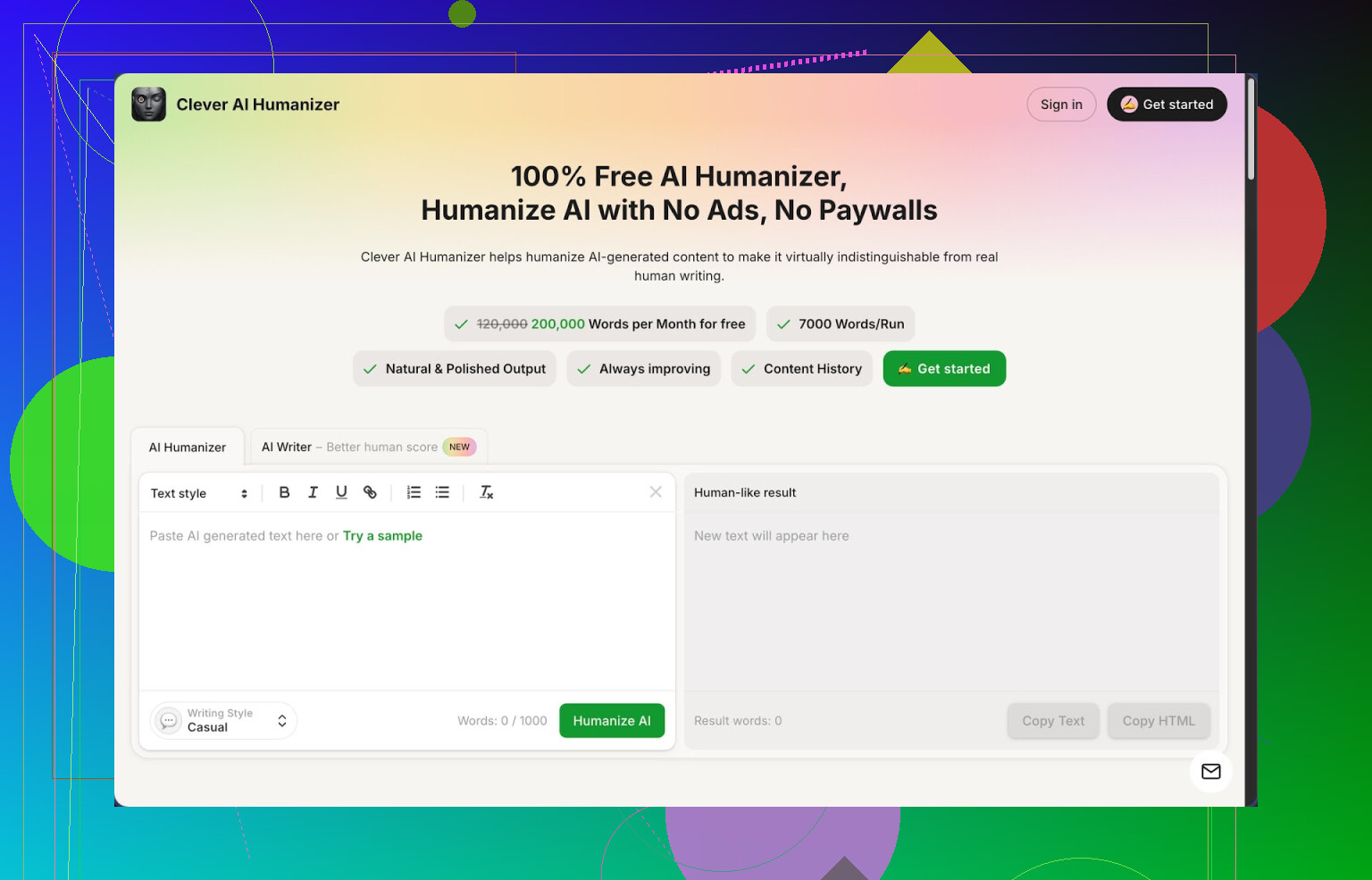
I have been bouncing between AI rewriters for months, most of them either lock the good stuff behind a paywall or wreck the meaning of the text. Clever AI Humanizer at https://cleverhumanizer.ai ended up being the one I stuck with longer than a weekend test.
Here is what pulled me in first: it is free, with a pretty high ceiling. Around 200,000 words per month, up to roughly 7,000 words in one go, plus three styles you can switch between: Casual, Simple Academic, and Simple Formal. There is also an AI writer built in so you do not need two tabs open for writing and then humanizing.
I ran a few stress tests on it using ZeroGPT, because that site tends to be aggressive. I pushed three different samples through using the Casual mode and got 0 percent AI detected on all of them. That will not hold for every detector on the internet, but for ZeroGPT it passed better than most tools I tried that same day.
What the main humanizer does
The basic workflow is simple. You paste your AI text, pick a style, hit the button, and wait a few seconds. It spits out a new version that reads less stiff, with fewer repeated patterns and less of that “robot wrote this” vibe.
The main difference I noticed compared to some other tools: it does not wreck the meaning as often. I took a technical blog draft with definitions and edge cases and pushed it through Casual and Simple Academic. Both versions kept the steps and definitions intact, they just flowed more like something I would send to a client instead of a language model dump.
Word limits are generous enough that you can re-run the same content several times with tweaks to see what passes your detector tests or fits your tone. For long articles or essays, that matters more than fancy UI.
Other modules I ended up using
After a week, I stopped using it only as a humanizer and started to lean on the other tools that sit in the same interface.
- Free AI Writer
You enter a topic, a short prompt, and it generates an article, essay, or post. The useful part is that you can throw that output straight into the humanizer flow without switching tools. I did this with a 1,500 word blog post on password managers, and after one pass in Casual mode it went from “100 percent AI” on one detector to “most likely human” on the same site.
If you are building content from scratch and not only cleaning up ChatGPT outputs, this combo saves time. You write, rewrite, and tweak tone in one place instead of juggling three services and hitting copy and paste all the time.
- Free Grammar Checker
This part is simple but handy. It fixes basic grammar, spelling, punctuation, and some clarity issues. I tested it on a batch of student essays with missing commas, tense switches, and random capitalization. It caught enough stuff that I did not need a second run in a separate grammar tool.
It is not a full replacement for something like a premium grammar checker if you need deep style suggestions, but for blog posts, school work, or client drafts, it helps clean up obvious errors fast.
- Free AI Paraphraser
This one rewrites text while keeping the meaning. I used it for a few things:
- Rewording product descriptions so they did not match vendor text.
- Adjusting tone for LinkedIn vs Reddit style posts.
- Reworking older drafts from my notes into something more readable.
It tends to expand the text a bit, which sometimes helps with SEO content where you want more detail on the page. You do need to skim to make sure it did not oversimplify something technical, but it held up better than most generic paraphrasers I have tried.
How it fits into a daily workflow
For me it turned into a small stack inside one page:
- Write or paste AI text.
- Humanize with a style that fits the audience.
- Run the final draft through the grammar checker.
- Optionally paraphrase sections that repeat too much.
That sequence reduced the time I used to spend hopping between tools and free trials. It feels more like a basic writing kit than a single “rewrite this once” widget.
Trade offs and weak points
It is not magic. A few things stood out:
- Some strict detectors still tag the output as AI, especially the ones that weight structure and length. If you work in an environment with custom detectors or institutional tools, you still need to test per case.
- The humanized output is often longer than the original. The system tends to add phrases, examples, or small transitions. This helps lower detection in some cases but leads to bloat if you have hard character limits. I had to trim several email drafts manually after processing.
- Style presets are simple. If you want highly specific voices, like sarcastic tech blog or legal memo, you will need to manually edit after.
For a tool that stays free at the time I used it, with a 200,000 word monthly cap and no credit games, those drawbacks felt acceptable. I still use it for drafts I do not want to spend all afternoon cleaning by hand.
If you want to see a full breakdown with screenshots and AI detection screenshots, there is a longer writeup here:
Video review is here, if you prefer watching instead of reading:
There is also some discussion on Reddit where people share their own tests and alternative tools:
Best AI humanizers thread: https://www.reddit.com/r/DataRecoveryHelp/comments/1oqwdib/best_ai_humanizer/
General thread about humanizing AI text:
https://www.reddit.com/r/DataRecoveryHelp/comments/1l7aj60/humanize_ai/
11 Likes
I hit the same NoteGPT wall a few weeks ago and went hunting for free options too. Short answer for you: there is no magic “undetectable” button, but you can get close enough for notes and casual use without paying.
A few practical options that worked for me:
- Clever Ai Humanizer
I know @mikeappsreviewer already gave the detailed review, so I will skip repeating all that. I will disagree slightly on one point though. For me the “Simple Academic” mode sometimes fluffes things up too much for short notes. It adds transitions I do not need.
What I like for your use case:
• About 200k words per month, so you stay under the radar for a while.
• Handles 5k to 7k words in one go, good for full lecture or meeting notes.
• Casual mode produces text that passes basic detectors most of the time, especially for short chunks under 800 words.
If your main goal is “less robotic notes that do not scream GPT” then Clever Ai Humanizer is probably the closest free replacement to NoteGPT right now.
How I use it with notes:
• Generate the note with any model.
• Split long notes into sections of 300 to 600 words.
• Run each section through Casual or Simple Academic.
• Do a fast manual pass to shorten sentences and add 1 or 2 personal asides.
That mix keeps detection scores low enough and still keeps meaning.
-
QuillBot free tier
Not as strong as a “humanizer”, more a paraphraser, but for notes it works if you stack it with your own edits.
• Use “Standard” or “Fluency” mode on 100 to 150 word chunks.
• Then quickly add your own phrases like “tbh”, “for my exam”, “our prof said” in a few spots.
Detectors tend to hate uniform style. Your small edits break that pattern. -
Old school manual mix
This sounds annoying, but for notes it is fast.
• Generate your AI notes.
• Take each paragraph and:
– Shorten a couple of sentences.
– Merge one long sentence into two short ones.
– Add 1 line that only you would write, like a side comment.
Even a 20 to 30 percent manual rewrite plus some paraphrasing drops AI scores a lot. For a 1k word note set, this takes 10 to 15 minutes once you get used to it. -
Style randomizer trick
If you stay on free tools only, you can chain them a bit:
• First run text through a paraphraser in “standard” mode.
• Then send the output into Clever Ai Humanizer in Casual mode.
• Last step, you fix obvious wording by hand.
Each layer changes patterns, which is what most detectors look at.
Some safety notes:
• AI detectors are noisy. The same text gets “90 percent AI” on one and “likely human” on another. Do not rely on a single site.
• Long, polished text always looks suspicious to strict systems. Short, slightly messy notes with some typos and personal references look human even if they started as AI.
If your priority is a single tool closest to NoteGPT, I would start with Clever Ai Humanizer, keep your chunks short, and always add a tiny bit of your own style on top.
If you’ve already tried what @mikeappsreviewer and @techchizkid suggested and you’re still hunting for a NoteGPT replacement, I’d tweak the approach slightly instead of just swapping tools 1:1.
NoteGPT’s real perk is “one click, sounds-human notes.” You can sort of rebuild that for free with a combo:
-
Primary: Clever Ai Humanizer
Yeah, they both covered it, but I’d actually treat Clever Ai Humanizer as your main writer for notes, not just a cleaner.- Start your notes directly with its AI writer on “Simple Academic” for class notes or “Casual” for meeting notes.
- Then do a very light pass in the humanizer, same style, just to add variation.
This double-use inside the same tool reduces how often you have that “ChatGPT wall-of-text” structure that detectors latch on to.
-
Backup free tools that don’t market themselves as “humanizers”
These are usually less nerfed on the free tier and don’t try to sound too polished:- Some basic paraphrasers built into note apps or browser extensions work fine on 1–2 sentences at a time.
- Short chunks of 2–3 lines, paraphrased once, then run through Clever Ai Humanizer, look way more organic than a big 1,000-word dump.
-
Delibrately make your notes “imperfect”
This is where I slightly disagree with the others. Instead of trying to beat detectors, you want to look like a real, rushed human:- Leave a couple of half sentences like “check this later” or “not sure this is right.”
- Add shorthand you personally use: “w/”, “b/c”, “idk”, “prof said this twice.”
- Toss in 2–3 tiny typos and do not fix all of them. Real notes are messy.
NoteGPT tries to make things clean. Detectors love clean. You don’t actually want “clean” for personal notes.
-
Shorter notes > monolith notes
Instead of one giant “lecture 5” document:- Split by topic or slide: 150–250 words each.
- Run each chunk separately through Clever Ai Humanizer.
This breaks the global patterns that a lot of detectors rely on. Long, coherent, perfectly formatted text is exactly what gets flagged.
-
When “undetectable” is overrated
For personal or shared study notes, chasing 0 percent AI on every random detector is kind of a trap. Most of those tools contradict each other, and they get false positives on human text all the time. Your actual safety net is:- Text that’s clearly adapted to you (phrases only you use).
- Reasonable length, some shortcuts, some inconsistencies.
That matters more than whether ZeroGPT says 0 or 15 percent.
So yeah, Clever Ai Humanizer is probably the closest free NoteGPT alternative right now, but the “secret sauce” is how you use it: small chunks, intentional imperfections, and not obsessing over single-detector scores. NoteGPT spoiled people with polish; for notes, slightly scuffed > perfectly “humanized.”