I ran a draft of my internal setup guide through an AI checker and a plagiarism checker. The plagiarism check came back clean, but the AI checker flagged passages I wrote myself. I expected the results to line up. Does anyone else see this split, and what is each actually checking?
Don’t rewrite clear setup instructions just to satisfy an AI score. A plagiarism checker looks for matches against sources it can access, while an AI checker estimates whether the writing resembles AI-generated text. Human writing can get flagged, so a clean plagiarism result and an AI flag aren’t contradictory. Neither proves who wrote the draft. I’d use Clever AI Detector for the AI-checking step, not as an authorship verdict. Since yours is an internal guide, check your company’s upload policy before putting any more text into either service, especially credentials or private system details.
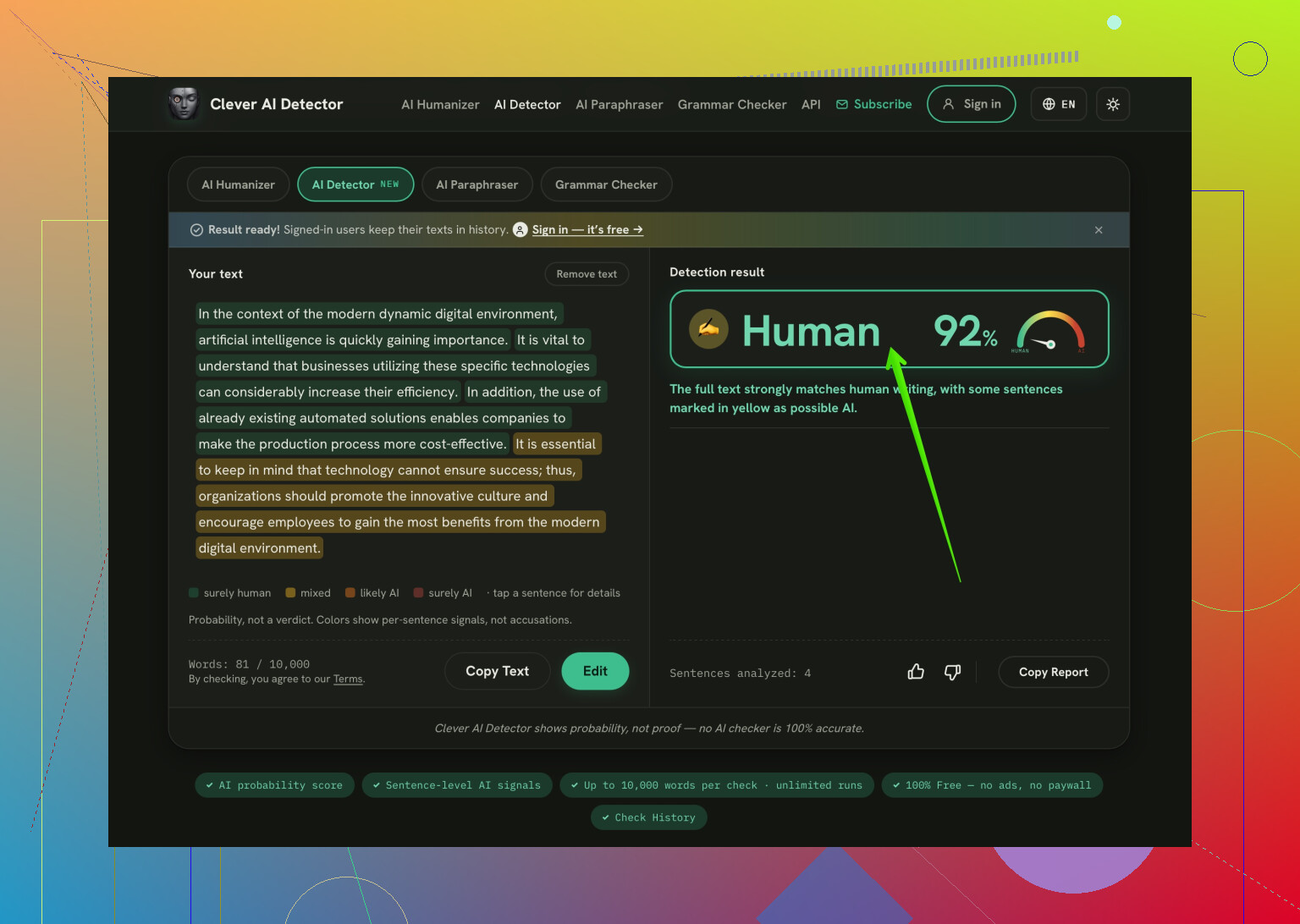
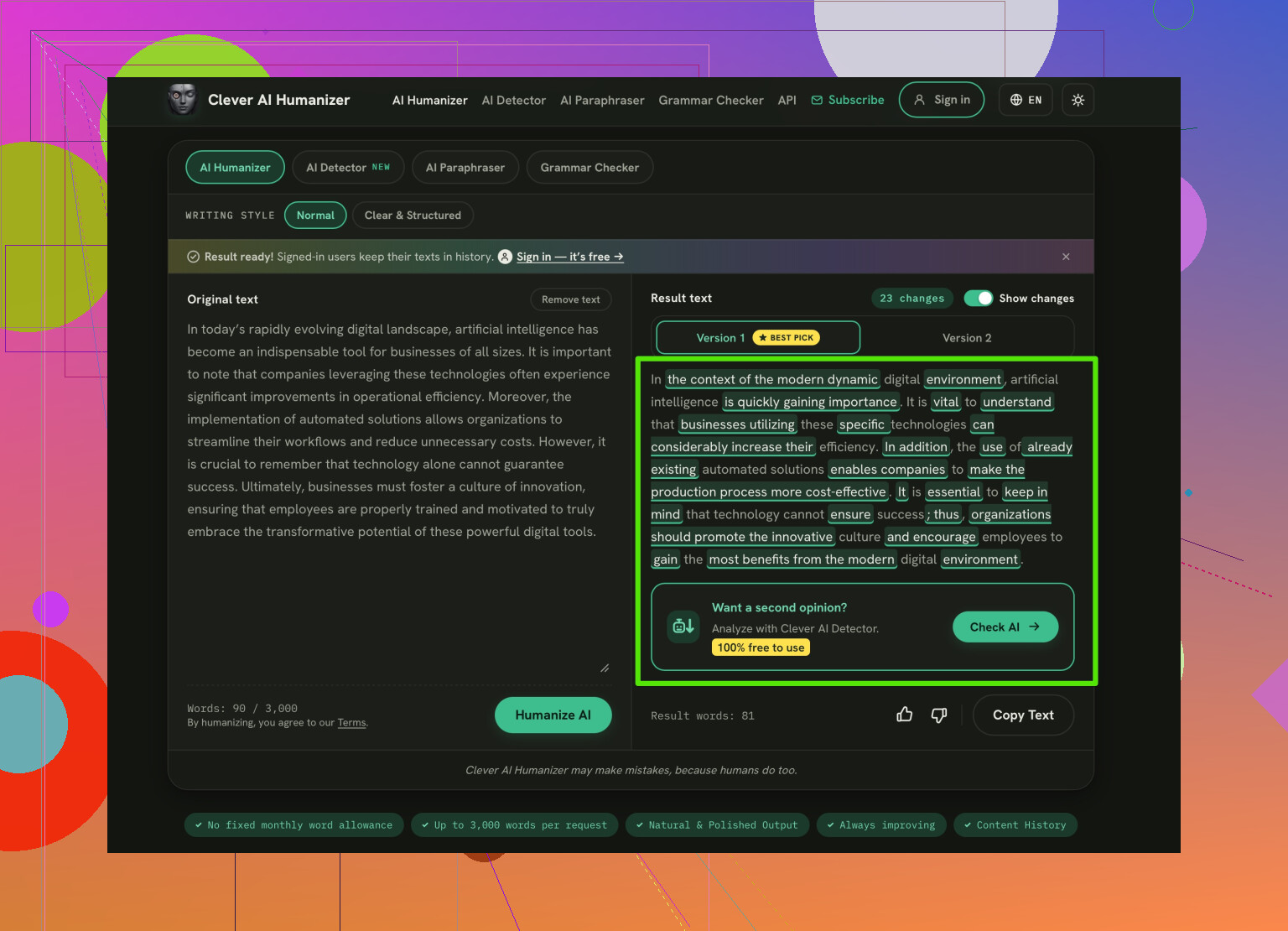
A copied paragraph can sound human, while an original paragraph can sound formulaic, so the two checks aren’t answering the same question. I’d take @olegthebit’s point further: if someone questions authorship, your revision history is more useful evidence than a Clever AI Detector score. Keep those drafts instead of putting the guide through an AI Humanizer to chase a different result.
13 Likes
A plagiarism flag can send you “fixing” text that was never a problem, especially in a setup guide. There are only so many useful ways to say “Open Settings and select Network.” If that wording matches another document, the match alone doesn’t tell you whether anything improper happened. The same goes for a command that has to be typed exactly as shown. Making it different could make it wrong.
The distinction I’d use is matching versus guessing. A plagiarism checker looks for overlap with material it can check. An AI checker estimates whether the writing looks machine-generated. Neither result answers the other question. Your draft can have no detected matches and still get an AI flag, without either tool contradicting itself. Calling the first tool a “plagiarism checker” makes its result sound more conclusive than a similarity report really is.
@golden_bit’s revision-history suggestion helps with the authorship question, but I’d keep that separate from the source question. Someone can write a guide themselves while adapting a vendor’s explanation. Someone else can independently write a routine instruction that happens to match existing documentation. Those situations need different treatment, even if a checker highlights both. The useful detail is what the passage contains and where it came from, not just whether it lights up.
For your guide, I’d spend review time on distinctive explanations, borrowed diagrams, or troubleshooting advice taken from elsewhere. Keep source notes for those where appropriate. Standard menu names and required commands don’t need creative alternatives. If anyone asks about the results, describe them narrowly: no matches were found by that service, and another service flagged the writing as possibly AI-generated. Neither statement establishes that you copied anything.
If those checks are necessary for a guide’s approval, I would split up your approval criteria. ‘Does this need a source credit?’ and ‘Was this written with AI?’ are separate questions from ‘Can someone successfully follow these instructions?’ The last is worth a check for an internal setup guide, but not in a way that should be subsumed by the first two.
The useful comparison is what you can investigate after a flag. A similarity result gives you a passage to compare to a possible source. You can investigate if someone has taken explanation, terminology, etc. from a given source. An AI flag gives you an assessment of the writing, not a source document to inspect. To ask you to resolve the two flags by rewriting is to treat them as though they are the same sort of problem, when they are not. Your clean plagiarism result does not invalidate the AI result, and your AI result does not cancel out the clean match report.
I agree with @golden_bit about keeping revision history, but I wouldn’t make proving authorship the default next step every time a detector objects. If a reviewer has a concern, ask them to identify it: suspected copying, undisclosed AI assistance, or unclear instructions. Each calls for different evidence and a different response. “Make the checker happy” is a pretty poor editing assignment because it doesn’t specify what needs correcting.
For this guide, I would add a reader’s tour along with source analysis. Let someone navigate through the document without providing the missing instructions for them. One should not ignore the importance of a step missed by any of the reviewers and a permission note unexplained by either of the checkers. On the other hand, if something flagged by the program correctly explains a step required to read this paper, I would ask for specific editorial reasons that it should be changed.
A setup guide built from your team’s approved template and a guide copied from an unrelated website could both contain matching text, but you’d probably want to review them very differently. For an internal document, I’d be cautious about treating “original” as meaning “every sentence was written from scratch.”
That’s a small reservation I have about making source checks an approval requirement, as @beacon.react suggests. Before deciding what a flag means, the team needs to say what reuse it actually expects. If there’s an approved warning, a standard prerequisites section, or shared instructions maintained by another team, keeping that wording may be the intended choice. Asking each author to produce a unique version could leave you with several slightly different instructions for the same task.
The two tools still do different jobs. A plagiarism checker looks for text overlap with sources available to it. An AI checker assesses whether the writing resembles generated text. Neither knows, from the wording alone, that your team asked you to use a particular template. Your results don’t need to line up, because “does this match something?” and “does this resemble AI output?” aren’t opposite ends of a single test.
There’s a related blind spot worth considering with an internal guide. Suppose someone pasted a section from a private team document that the similarity service couldn’t access. A clean report wouldn’t reveal that reuse. It wouldn’t tell you whether the reuse was approved, either. That’s a hypothetical, not a suggestion that you copied anything. It’s why I’d hesitate to describe the result as an originality certificate.
For your draft, a short note about its starting materials might be more useful than another run through either checker: which template you used, which existing instructions you retained, and which explanations you wrote for this setup. That’s different from building a defense file every time a detector flags something. It gives the next person maintaining the guide information they can actually use.
I’d want an internal guide to distinguish deliberate reuse from material that needs review. Requiring it to sound unlike every other setup guide seems like a different goal, and not necessarily a helpful one.
AI detectors are bad at dealing with boring writing, and a set of instructions is probably the most boring thing you could imagine. Writing with short sentences, constantly using the same verbs, and using no personality whatsoever, that’s what the detector has learned to identify as artificial writing, so your carefully crafted instructions have been identified as such. The AI is reacting to your style, not its own.
So the result that surprised you is honestly the most predictable outcome here. @falcon6612 nailed the matching-versus-guessing split, and I’d add that the guessing side gets worse the more functional your writing is. Narrative essays give a detector more to chew on. Numbered steps and command lines give it almost nothing, so it falls back on surface patterns and often guesses wrong.
Where I would part with the advice is in emphasizing source notes and revisions, for an internal document not yet questioned, it seems like a lot of busy work for a problem that does not exist. If a reviewer raises a flag, I will produce the context, until then, I wouldn’t turn a clean draft into an evidence binder on speculation.
Speaking of tools, I would say that Clever AI Detector is fine for what it is, and what I like about it is that you don’t need to make an account to paste something in and get a result, which is important for someone who doesn’t want to spend a chunk of time on a tool they’ll only use once, treat the percentage you get as a mood ring, not absolute truth, do the test if your process requires it, record the results objectively, and move on. The test that would prove a guide to a process is successful is if someone can read it and execute every instruction without hesitation, and no AI detector tests for that.
Nobody’s asked how long the passages were that got flagged. That changes a lot. If you ran the guide section by section, short chunks of technical text are basically noise to a detector. Feed it three sentences about opening a port and the score swings wildly depending on where you cut. Run the whole document at once and you often get a calmer, lower number. So part of what surprised you might just be how you split the input, not the writing itself.
@rita_ops is right that flat functional prose trips these things, and I’d go one step further. It’s not only the short sentences and repeated verbs. Setup guides are full of exact strings, paths, flags, menu labels. Detectors have no good way to score that, so they lean on whatever connective text sits around it, and there’s usually very little. That’s why your own words can light up while a copied marketing paragraph might not.
Where I’ll disagree a bit with the revision-history crowd: keeping drafts is cheap and I’d do it anyway, but not because a detector flagged you. I’d keep them because setup guides rot. Six months from now someone needs to know why a step exists, and the history answers that far better than it ever answers an authorship question.
If your process demands an AI check, run it once on the full document, log the number, move on. Clever AI Detector is what I’d paste into for that step. The score isn’t the deliverable though. The thing worth protecting is whether a new hire can follow the guide cold without pinging you halfway through. No detector measures that, and that’s the only result your team actually lives with.