I’m planning a trip with 7 separate reservations, and keeping the details scattered across emails on my iPhone is already getting annoying. What are the best travel apps for iPhone for organizing bookings and checking plans offline without making me enter every confirmation by hand?
The thing people keep getting wrong about iPhone travel setups is that a longer app list means a better trip. It doesn’t. I want fewer annoyances, not another folder of apps that repeat what my phone already does. Some extras earn their place, but the built-in stuff deserves attention before we get into downloading anything.
Start with the stuff you already have
Apple Wallet handles my boarding passes and train tickets. Live Text lets me point the camera at a menu or sign and translate it without turning a simple lunch stop into a project. These aren’t obscure features, but they keep getting left out of the same recommendations.
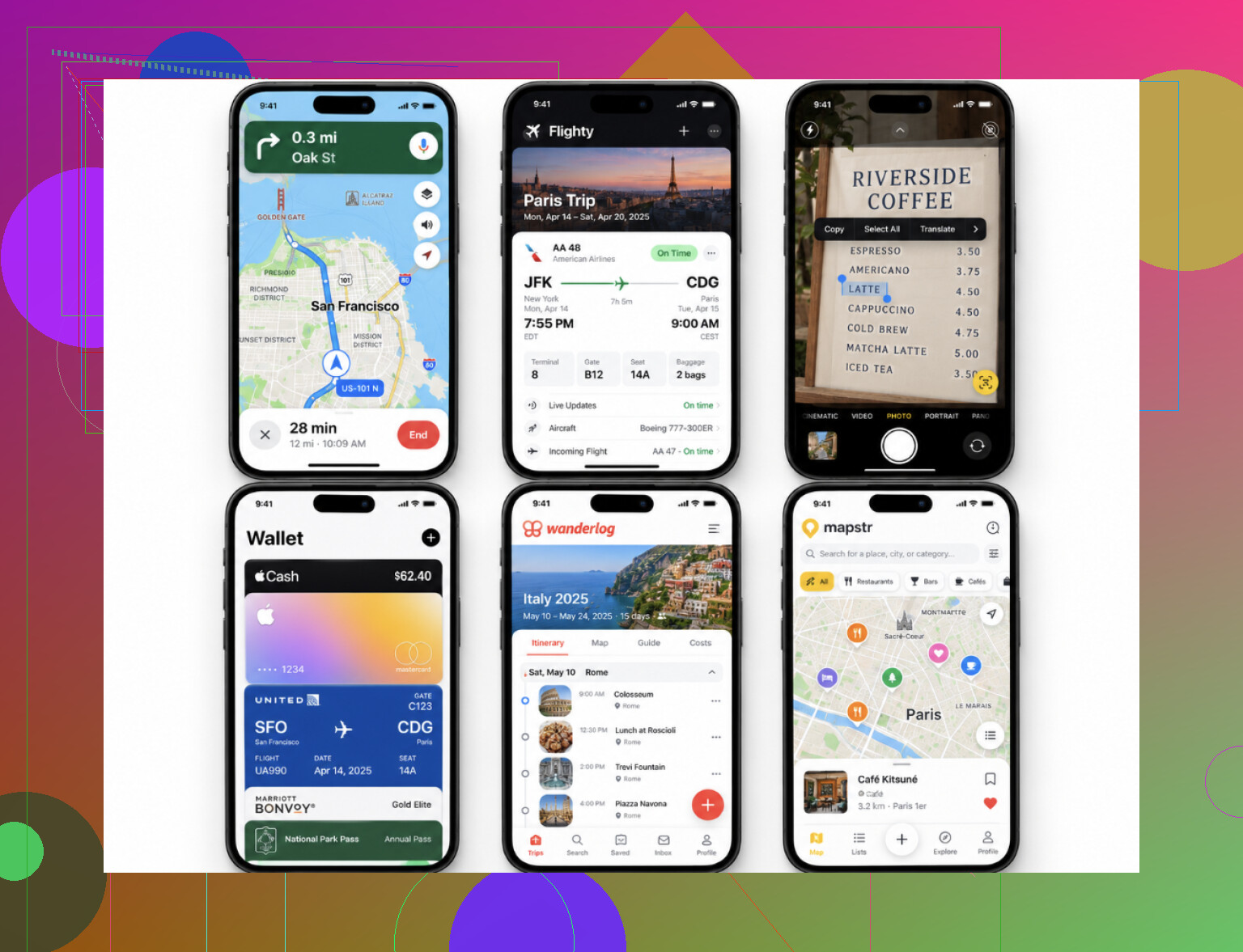
I’ve also set up an iOS Shortcut that sends my location to someone with one tap. That feels less excessive when I’m walking alone somewhere unfamiliar at night.
Then there’s the AirTag in my checked bag. At $29, that’s been an easier purchase to justify than most travel extras. When my bag got “lost” in Frankfurt, I could see it was still at the airport. It didn’t magically retrieve the bag, but it made the conversation with the airline a lot easier. I’ll take useful information over another vague reassurance.
Separate finding places from getting there
I don’t need a single maps app to win every category. Google Maps stays on my phone for restaurant reviews. For walking directions in Europe, Apple Maps has been better in my experience lately, and the Apple Watch taps for turns are genuinely handy.
Offline maps have been available in Apple Maps since iOS 17, too. That’s worth remembering before assuming you need something else just to have a downloaded map.
Saving recommendations is a separate problem. I use Mapstr for restaurants and other spots people mention because screenshots and Instagram saves turn into a pile I never want to sort through. A recommendation isn’t much use if I can’t find it when I’m nearby.
Planning and booking aren’t the same job
For a bigger trip, especially with friends, Wanderlog makes sense to me. I can put places on a map and work out routes for each day instead of keeping a disconnected list of things everyone wants to do.
Once bookings enter the picture, Tripsy is my main app. Forwarding booking emails gives me a clean itinerary, and flight information can show up through Live Activities on the lock screen. I prefer how it feels to TripIt, though that’s a preference, not proof that everyone should switch.
Flighty is the extra I’d consider if flying is a regular part of the trip. It’s iPhone-first, and that shows. I’m tired of apps that feel like Android versions dropped onto iOS without much thought. Tripsy and Flighty are closer to what I actually want from an iPhone app.
The rental TV can be its own nuisance
One less obvious addition is the TVRem app, which I stumbled across rather than deliberately hunting down. Missing or dead remotes in Airbnbs happen often enough that controlling the TV from my phone has been useful.
The TVRem remote works from an iPhone or iPad connected to the same Wi-Fi as the TV. It supports Samsung, LG, Roku, Fire TV, Android TV, and Apple TV.
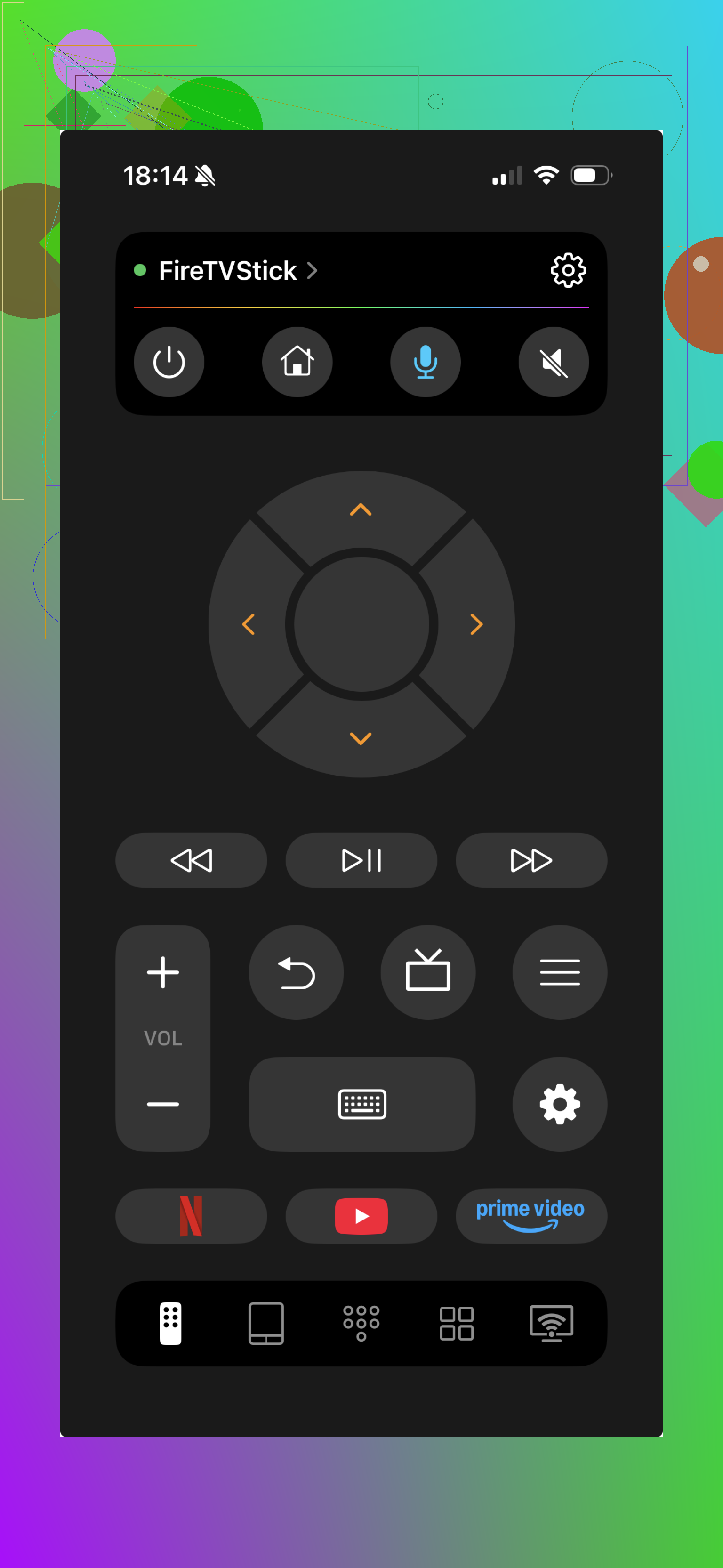
For me, the keyboard matters more than replacing the buttons. Entering a Netflix password with directional arrows is exactly the sort of small irritation I don’t want on vacation. It’s been reliable in apartments for me, but hotel Wi-Fi setups can stop it from working. I wouldn’t count on it everywhere.
Leave room for something genuinely simpler
Packing lists are still the gap in my setup. I’ve tried a few apps, and they all seemed overcomplicated for what I needed. I’m not interested in managing the packing app before I can manage the packing.
I’d change my mind if a packing app actually made a real trip easier without adding more upkeep. Likewise, repeated failures on my own routes or rentals would change these preferences. A feature list alone wouldn’t.
9 Likes
If your bookings are settled and you mainly want them out of your inbox, I’d start with TripIt’s free version rather than a full trip planner. You can forward confirmation emails to build an itinerary without enabling automatic inbox syncing. For a handful of reservations, I’d rather choose which emails to send than connect my mailbox. I’m with @glitchbyte35 on avoiding app clutter, but I’d put appearance below how much checking the imported bookings need.
Before going through all the work, test it with one of your less important reservations, something simple like a small hotel, airport transfer or tour with specific pickup instructions. See if the result actually contains the pickup address or booking confirmation, and not just a pretty message saying “all set” for the right day. That’s how I’d test it at least.
There’s also a difference between organizing bookings and keeping track of them. The default Tripit doesn’t watch your flights for delays, so you’ll have to forward those change alerts yourself. I’d recommend keeping the airline’s official application for tracking flights, and using this one as the itinerary only. Keep the original confirmation e-mails in a specific folder instead of deleting them after import.
Do not let a neatly organized itinerary mislead you into a cancellation deadline. Your hotel stay may be weeks ahead, but the date of deadline to change it is way closer. For any refundable reservations, I would set a reminder in Calendar with enough time to actually act upon. Mentioning the cancellation instructions and the time zone in which it was booked is also a good idea.
I’m with @cryptoowl_13 on keeping the app’s job narrow, but getting everything out of email is only half the cleanup. My shortlist would be TripIt or Tripsy, with the deciding question being how easily you can find and edit a booking’s important details. Flight information matters, but so does “remaining balance due before arrival.” I’d care more about having that visible than how attractive the itinerary looks.
Before importing the entire lot, make a note of which reservations are prepaid, which ones still need to be paid for, and which have a cut-off for changes or cancellations. Then, use your chosen app for the trip schedule and Calendar for the things that need to be done before departure. These are two separate timelines.
For a solo trip, it’s enough to have an itinerary that makes sense to me. For a shared trip, it has to make sense to whoever happens to be at the check-in desk while I’m elsewhere. That consideration would influence my choice between Tripit and Tripsy more than the difference in appearance.
I’d ask you to consider a slightly less confined view of the organizing process. If other people are going to be consulting your itinerary on your phone while you’re consulting it on another device, find out how much access they’re likely to have before choosing your medium. Is an account needed? Does that provide them with the relevant booking information, or just the schedule? Can you share a single booking without sharing the whole itinerary? These are all things I’d ask about the particular app that I’m considering for my traveling companions.
If possible, ask them to find the hotel address and confirmation number on your phone without further explanation. If this means leading them through a tour of your personal digital landscape, I’d favor the other app. ‘It’s all on my phone’ isn’t as reassuring if that phone happens to be out of batteries.
For this kind of trip, I’d keep my shortlist to TripIt and Tripsy and let the itinerary handoff be my deciding task. If you’re traveling alone, you can skip the sharing test and pick based on which option has the least resistance to skimming and correcting. There’s no reason to turn a stack of confirmation emails into a laborious software selection process.
Don’t be surprised by the app. In a lot of cases, you’re going to want to check it out while on a plane or just as you’re running late for your departure. Either way, you’re going to lose reception or have some issues with roaming, and the itinerary you’ve prepared in advance with the help of an app is now useless to you. Plus, half of them will attempt to call home first.
Whatever service you pick, be it TripIt or Tripsy, test it while in airplane mode to see how much of the information will be available without connection while on the road. It’s also essential to check if the app caches the address book information and trip details or if you’re always reliant on the connection. Turns out, some of them are much better in that regard.
@hyperrunner1199 nailed the thing most people skip, the cancellation cutoffs living on a totally different clock than the trip itself. I’d go one step blunter though: for anything with a deadline or a balance due, I don’t rely on the travel app at all. A plain calendar event with the cancellation phone number pasted into the notes has saved me more money than any tidy itinerary ever has. The pretty app is for skimming, the calendar is for not getting charged.
The handoff point @cybercompiler raised is real, but there’s a cheaper version of it that ignores apps entirely. Export the final itinerary as a PDF and drop it in your Files app or Wallet, and share that same PDF with whoever you’re traveling with. No account, no login, works on a dead-ish phone that can still limp open a document. It’s not elegant and it won’t track flight delays, but it’s the thing that still works when everything fancier doesn’t.
A revised reservation has to be clearly different from the one it is replacing. Before finalizing a reservation with TripIt or Tripsy I would send their office an original confirmation and revision and check if the current date and confirmation number are evident. This would speak volumes for me than importing a never changing booking.
Don’t put every booking detail into an itinerary you plan to share. @cybercompiler’s handoff test needs a privacy check too: your travel companion may need the hotel address, but that doesn’t mean everyone with access needs the apartment entry code or a passport scan. For either TripIt or Tripsy, I’d separate schedule information from sensitive documents and credentials. Before sharing, inspect the recipient’s view rather than assuming private notes stay private. That would be my tie-breaker between otherwise comparable apps: can I share the useful trip details without manually scrubbing the itinerary first?